How to install PlayFlex on Android TV and Google TV
5 min · On your TV · Updated
PlayFlex isn't in the Play Store, so you put it on the TV with a free app called Downloader. You type one short link and the TV does the rest. Every screen below is from Google TV on Android TV 16.
You need
- An Android TV or Google TV
- The TV remote
- The TV connected to the internet
Steps
Install Downloader
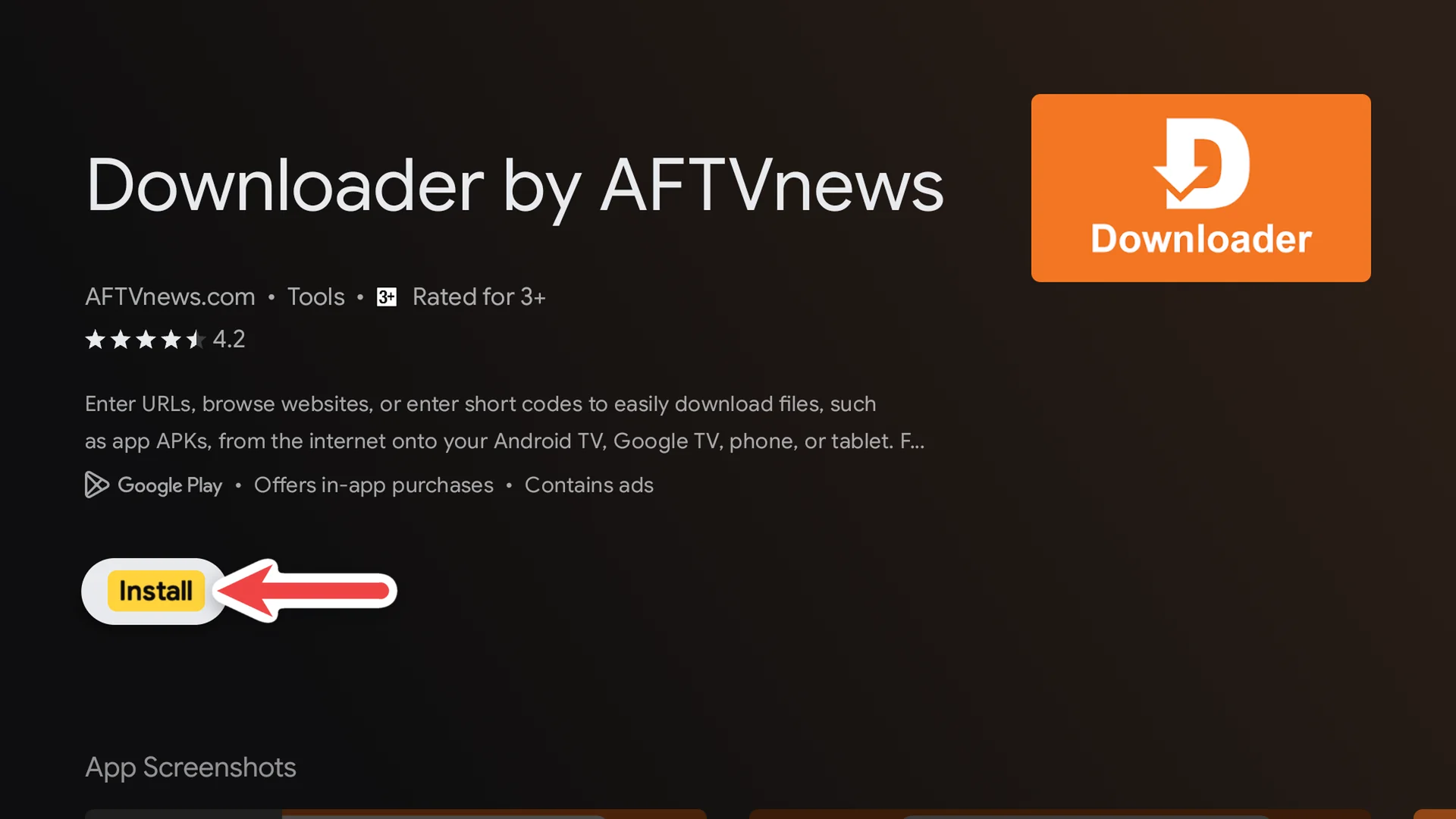
On the TV, search the Play Store for Downloader (the orange one by AFTVnews) and select Install.
Turn on Developer options
Open Settings > System > About. Scroll down to Android TV OS build and press OK on it 7 times, until you see You are now a developer!
Tip: Google TV hides the setting that allows apps from outside the Play Store until this is on. It doesn't change anything else.
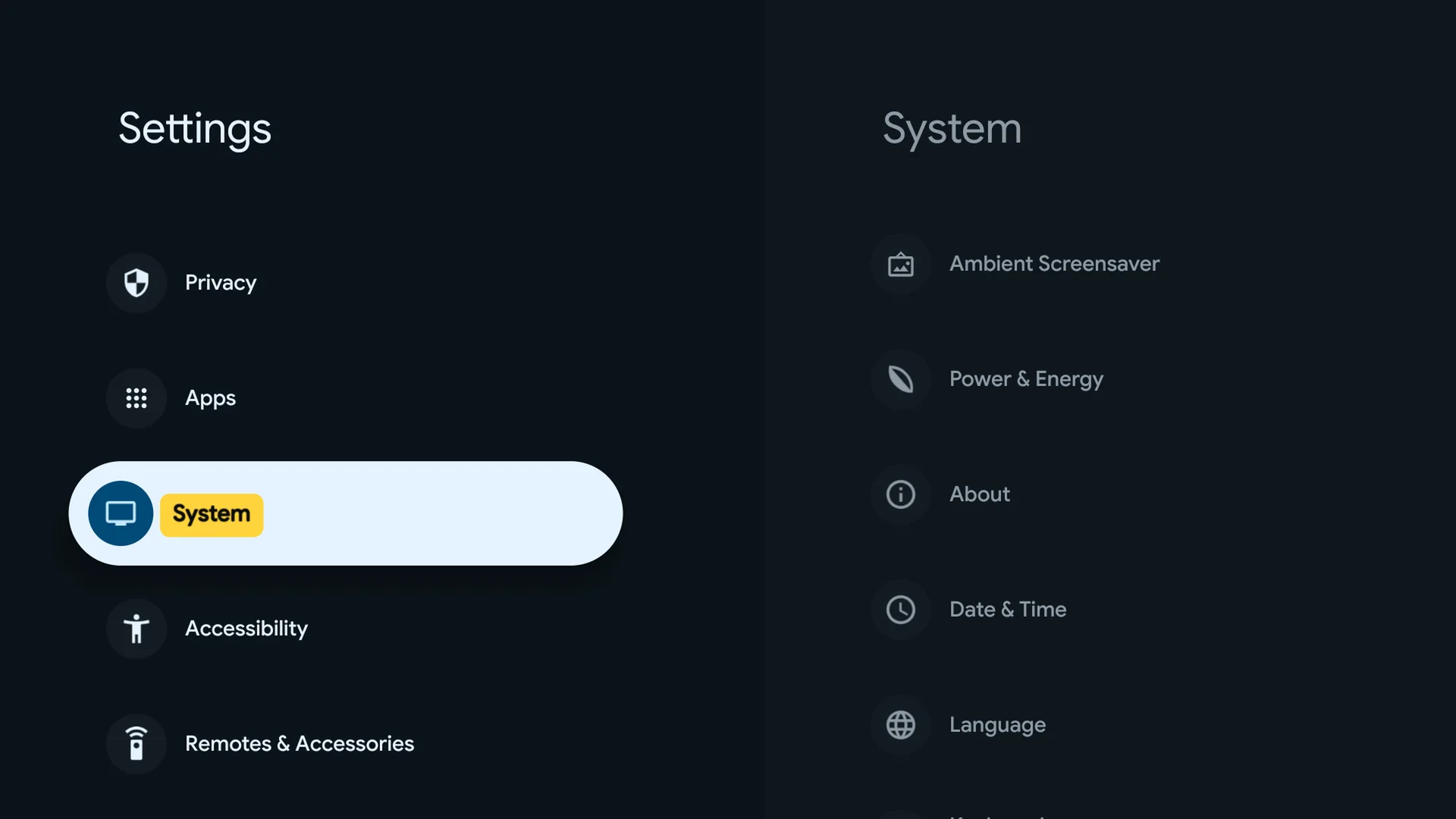
1Select System 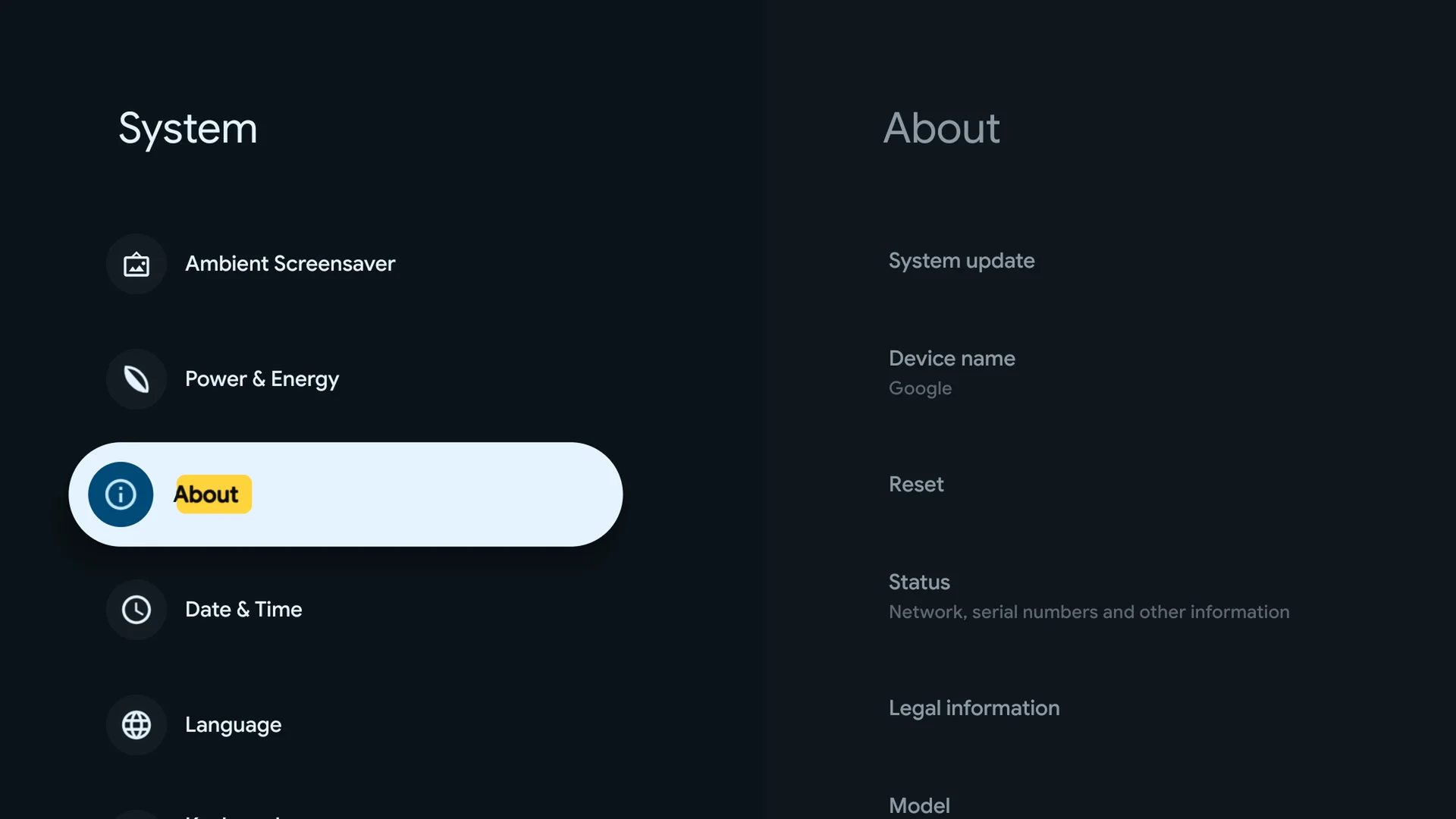
2Select About 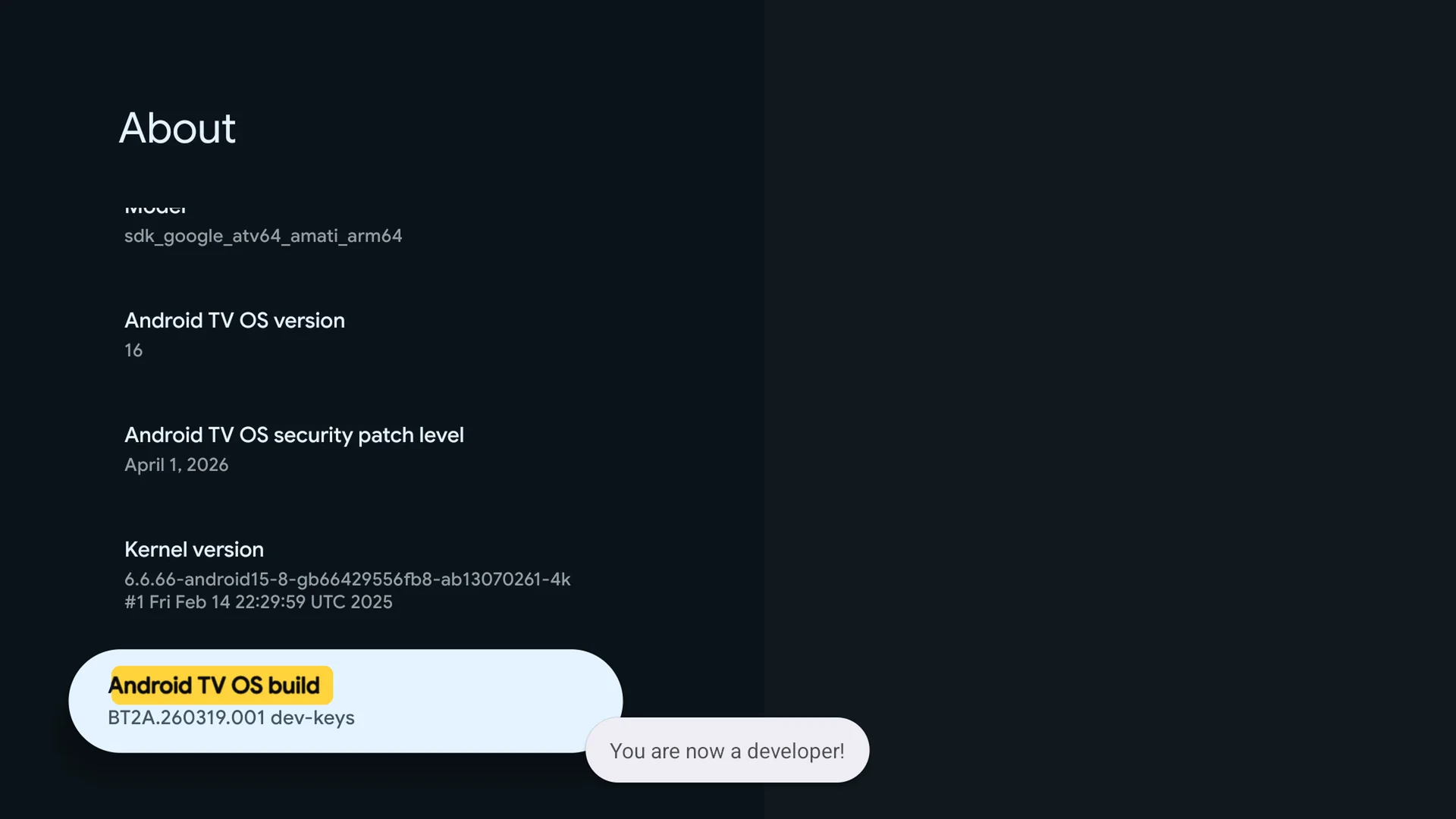
3Press Android TV OS build 7 times Type the PlayFlex link
Open Downloader, select the address box and type
techpp.app/playflex-tv. Select Load.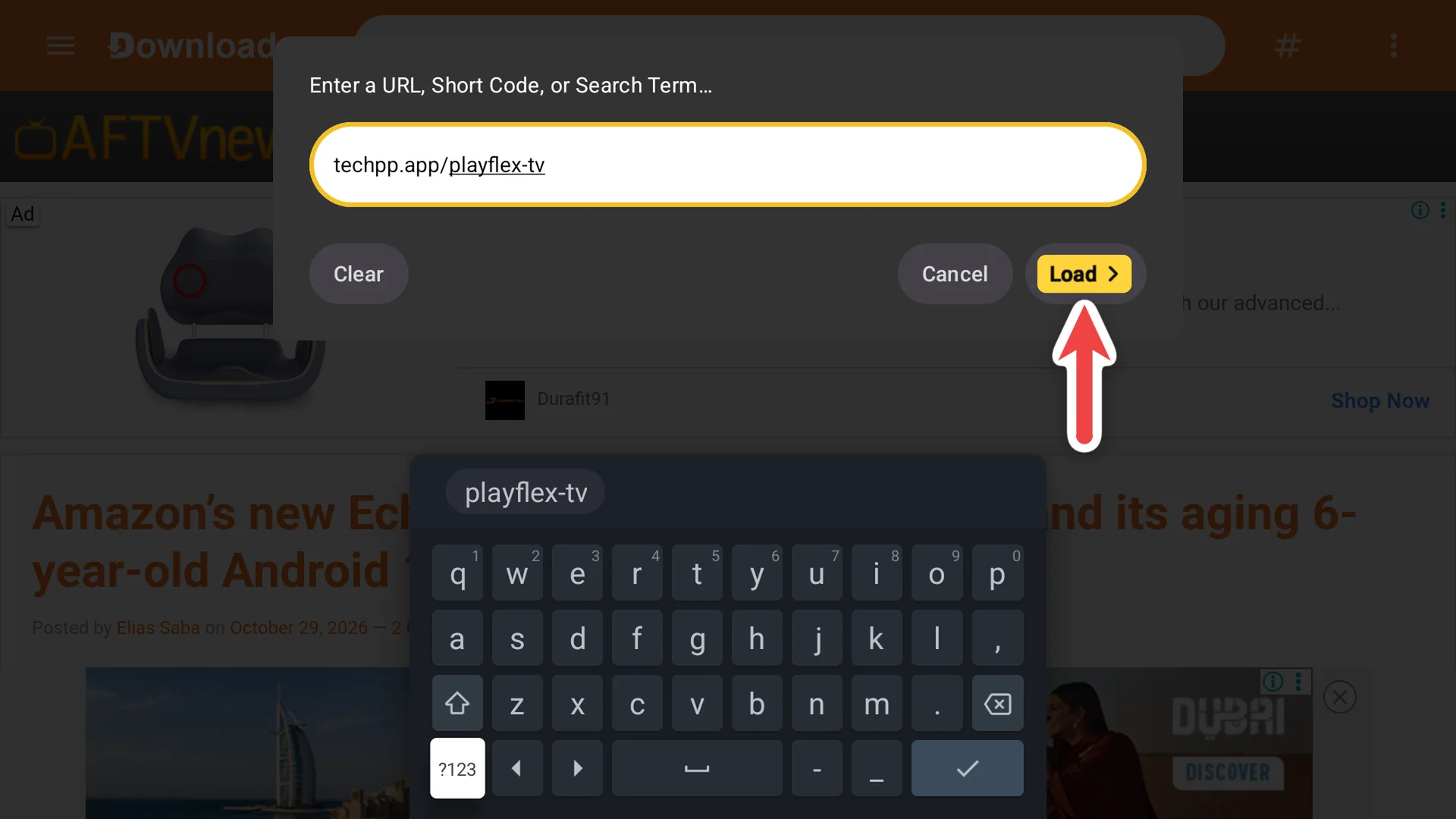
Let Downloader install apps
The first time, the TV says it isn't allowed to install apps from this source. Select Settings, turn on Downloader, then press Back.
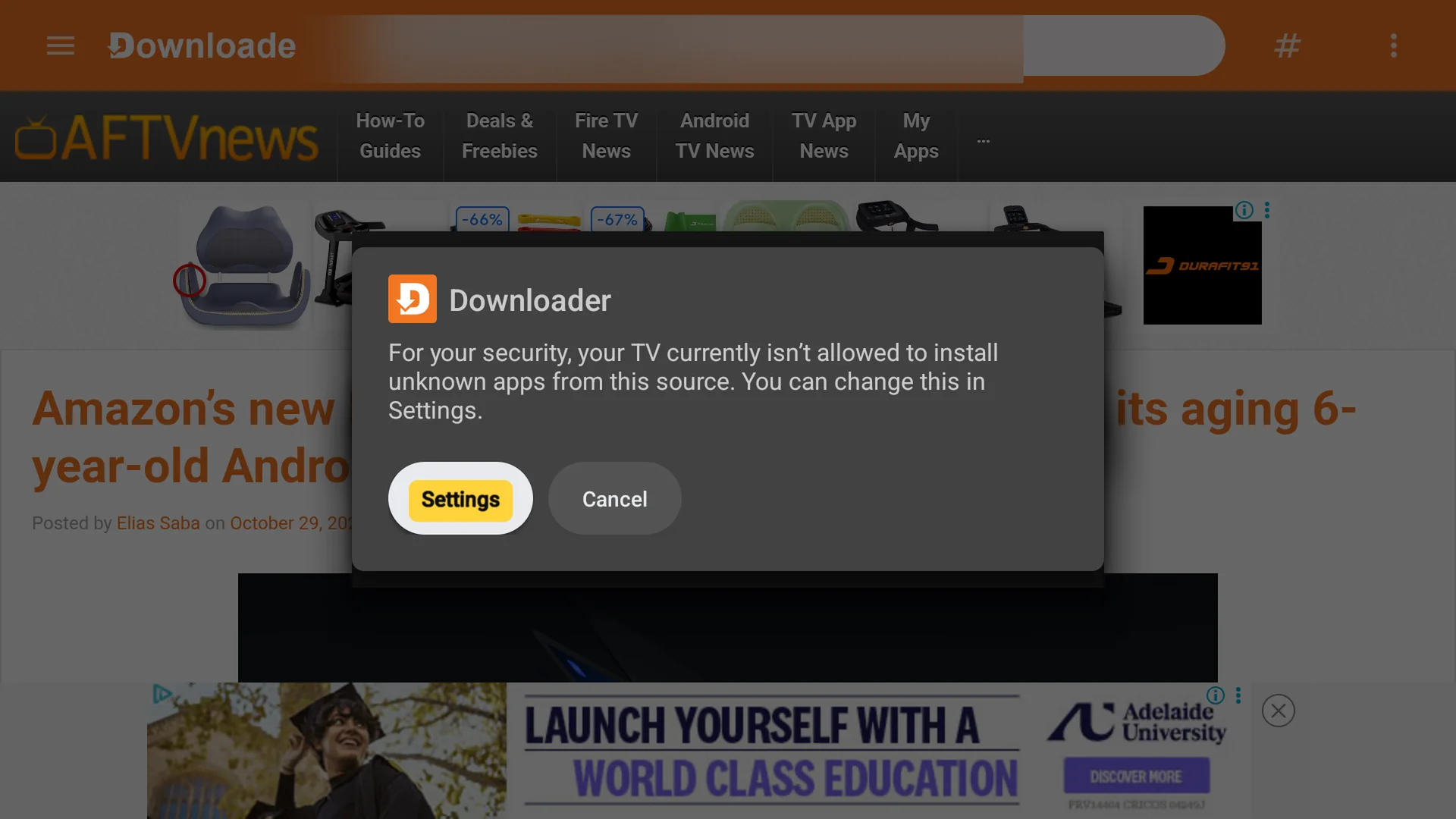
1Select Settings 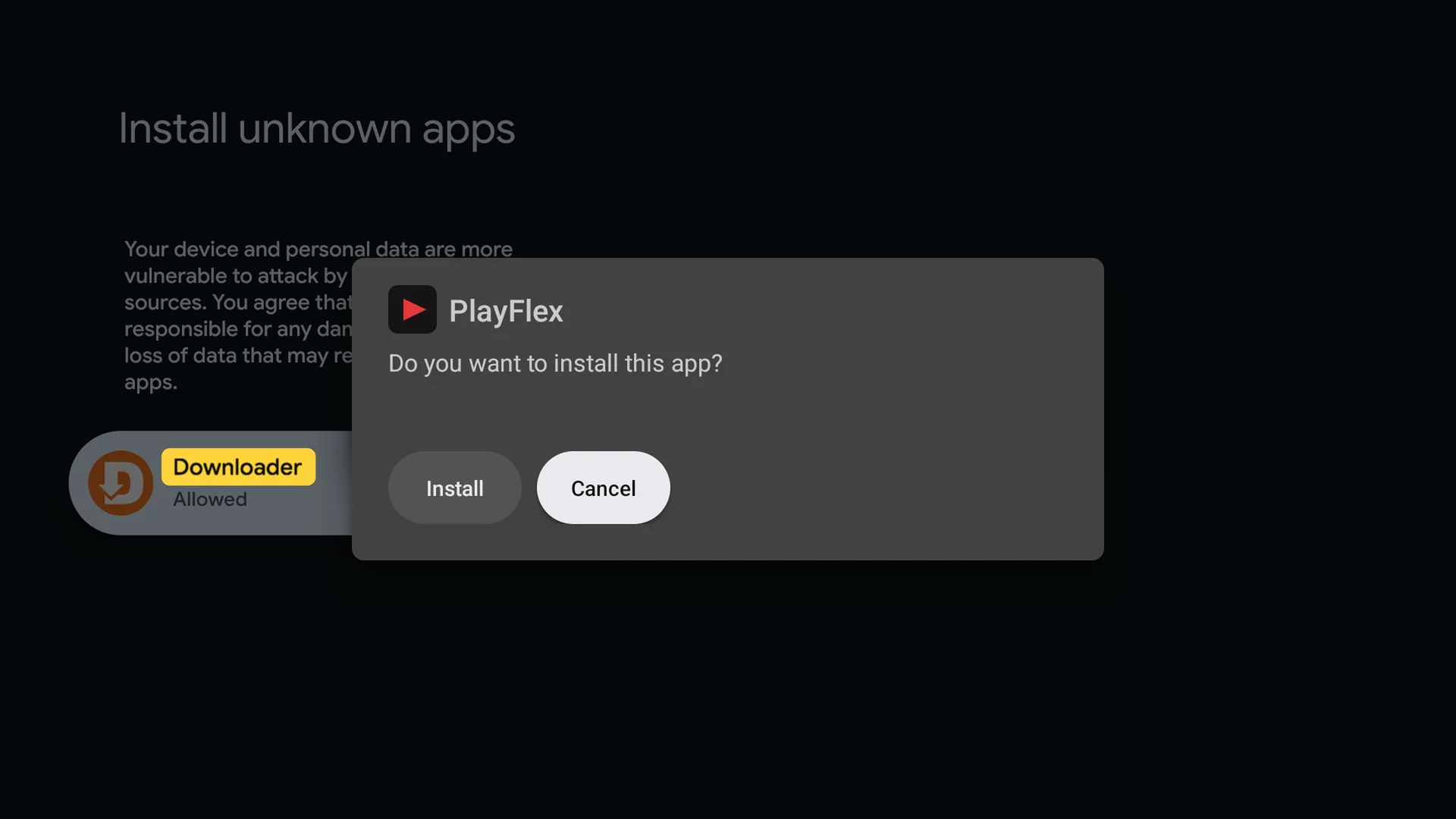
2Turn on Downloader Install PlayFlex
Select Install. When it says App installed, select Open.
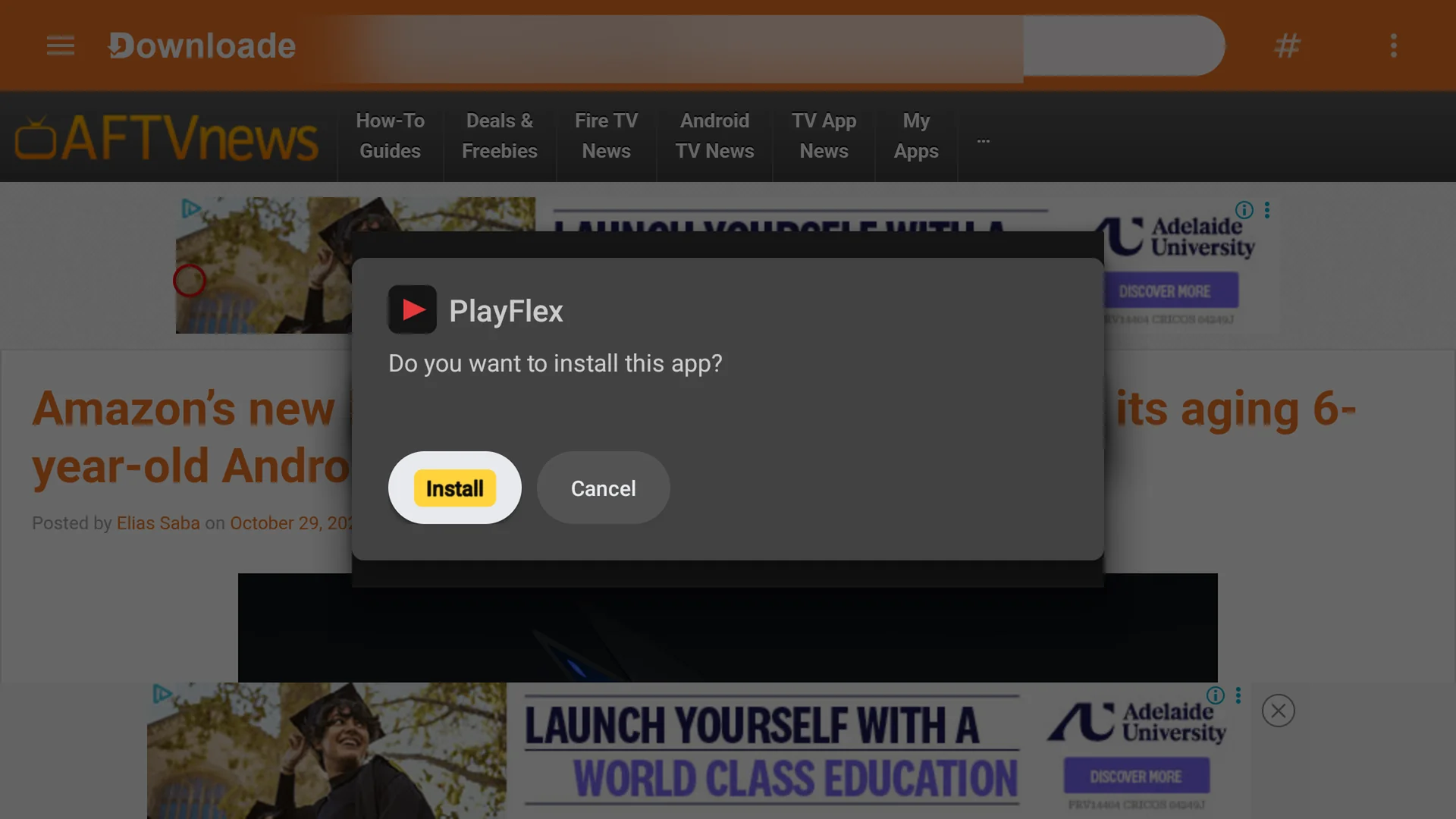
1Select Install 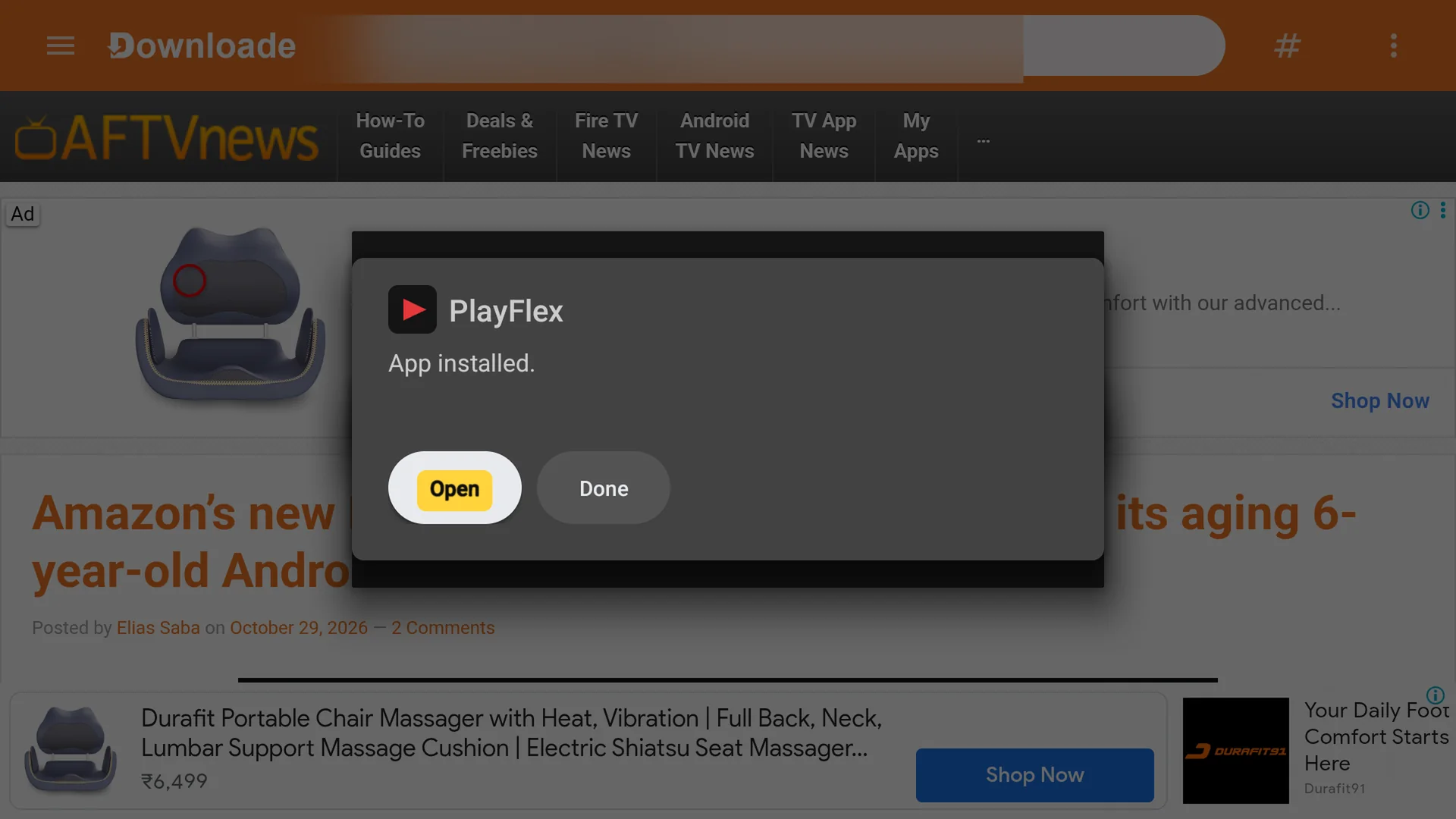
2Select Open Open PlayFlex
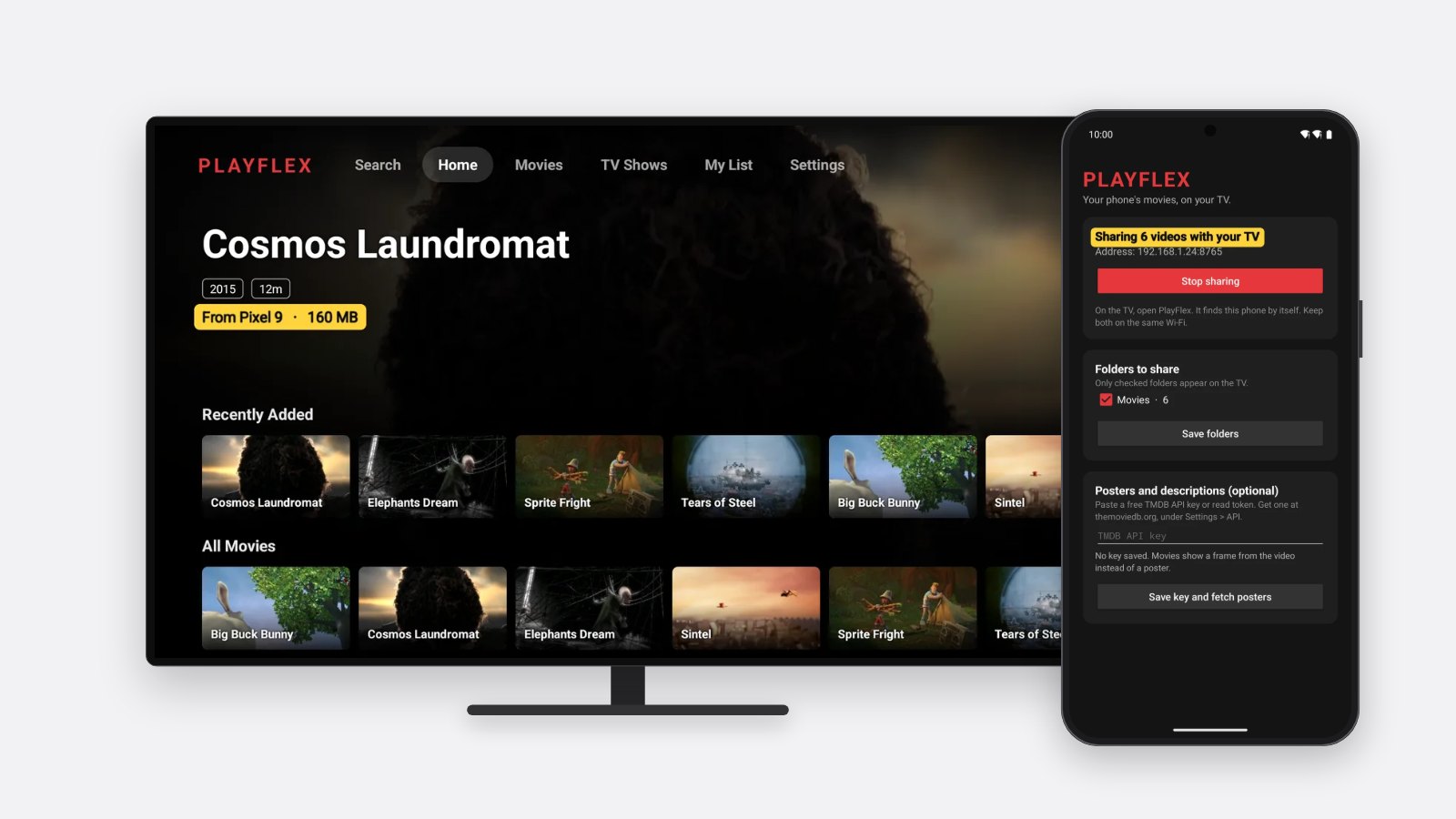
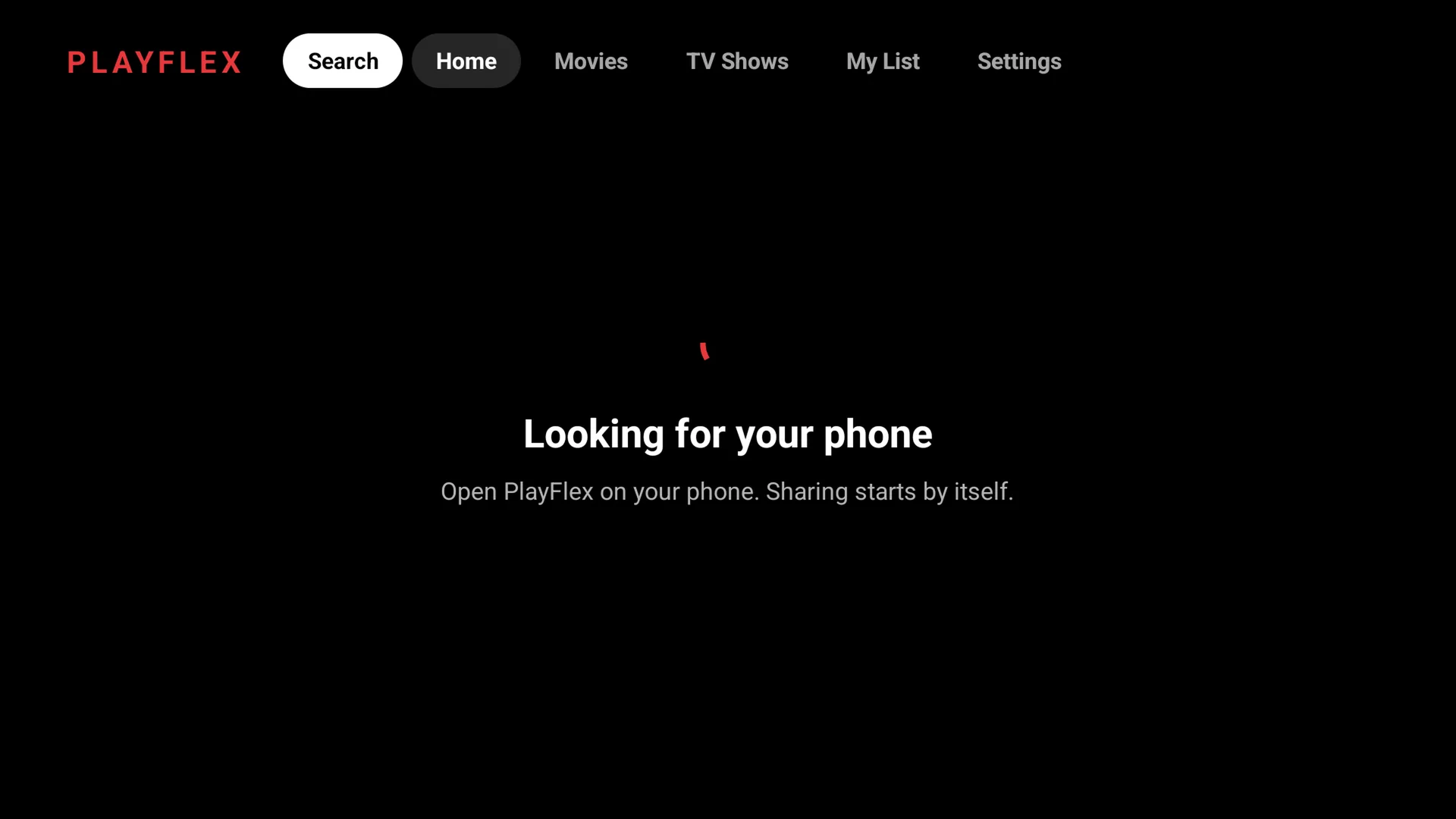
PlayFlex opens and starts looking for your phone. Now set up the phone app if you haven't yet.
Tip: When PlayFlex asks to start movies from your phone, select Open settings. Here's that step.
If something doesn't work
- Downloader can't open the link
- Check the spelling: techpp.app/playflex-tv, small letters, no spaces. Then check the TV is online.
- I can't find Android TV OS build
- On older Android TV it's under Settings > Device Preferences > About > Build. Press OK on Build 7 times.
- It says App not installed
- An older PlayFlex is on the TV. Uninstall it from Settings > Apps, then install again.
Questions
Is PlayFlex free?
Yes. The TV app and the phone app are both free.
Is it safe to turn on Developer options?
Yes. It only shows extra settings. Nothing changes unless you change it.
Can I delete Downloader afterwards?
Yes. You only need it to install or update PlayFlex.
Do I need a Google account?
Only to get Downloader from the Play Store. PlayFlex itself doesn't ask for one.
Next: How to install PlayFlex on your Android phone
Don't have PlayFlex yet? Get the free apps.