How to connect PlayFlex on your TV to your phone
2 min · On your phone and TV · Updated
Most of the time you don't do anything here: open PlayFlex on the TV and your movies are there. If the TV can't see the phone, you type its address once and the TV remembers it.
You need
- PlayFlex on the TV and the phone
- Both on the same Wi-Fi
- Sharing on in the phone app
Steps
Open PlayFlex on the TV
With the phone nearby and sharing on, open PlayFlex on the TV. It looks for your phone by itself.
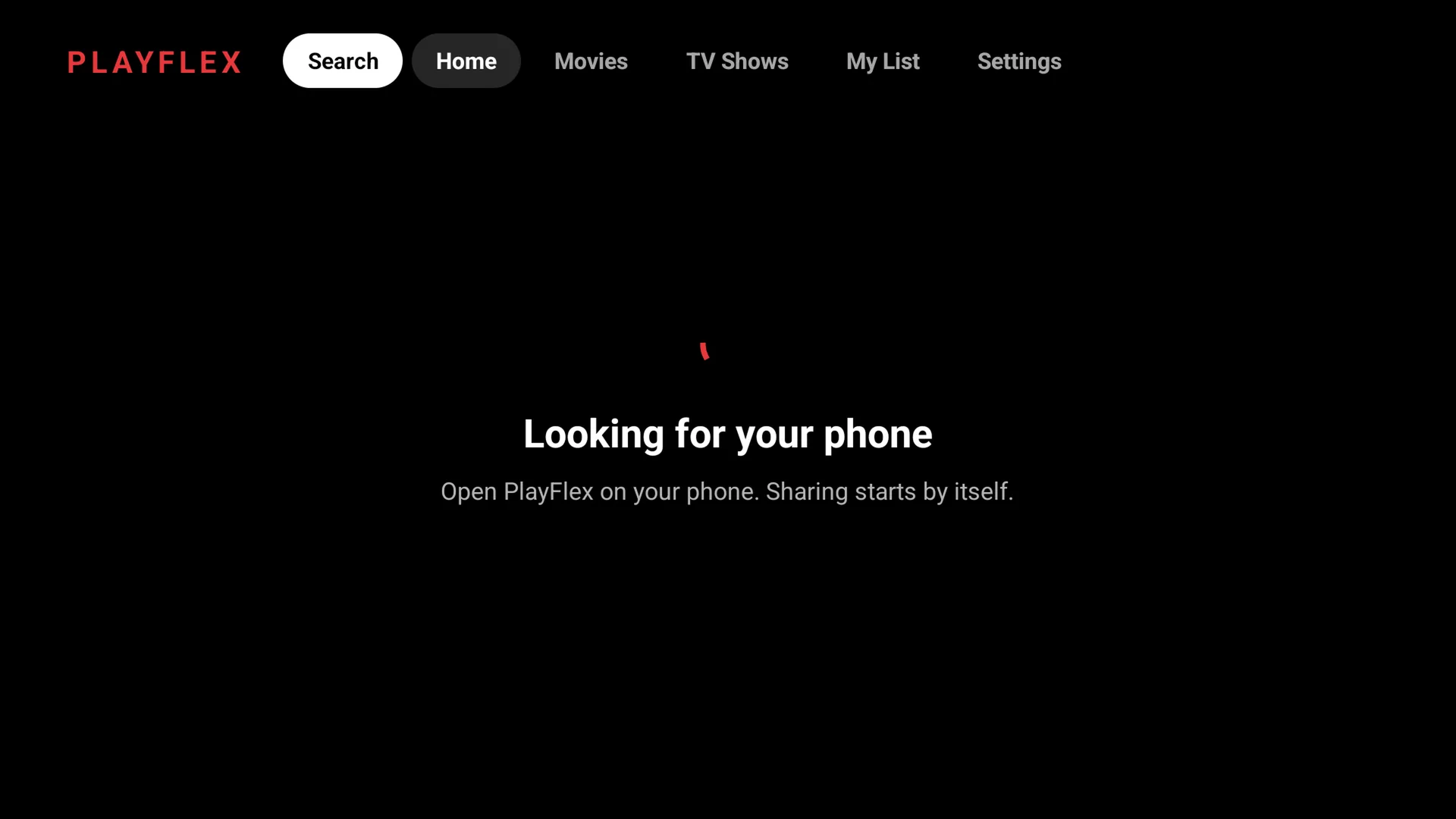
If it can't find your phone
If you see Can't find your phone, select Type phone address.
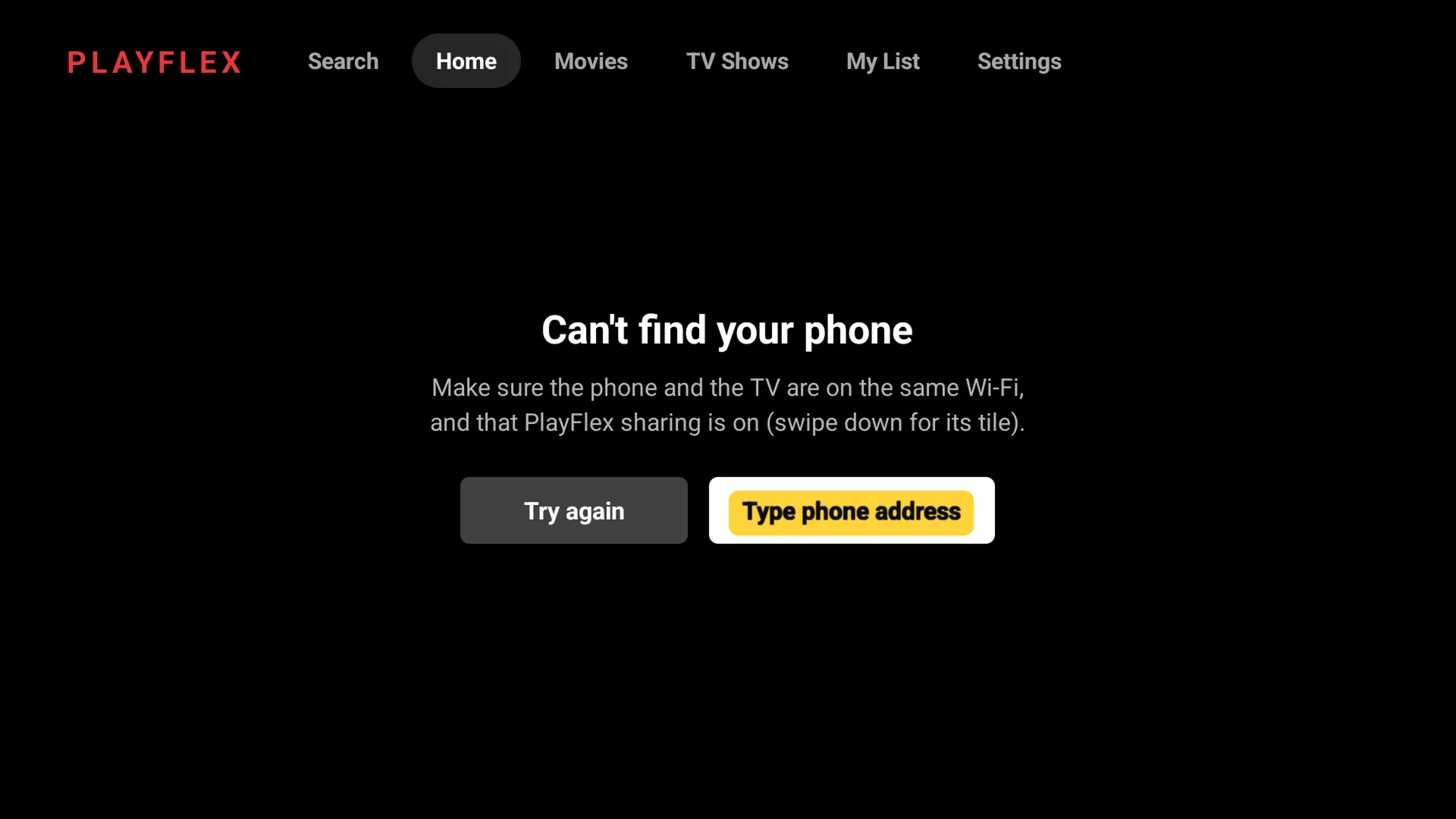
Type the phone's address
On the phone, open PlayFlex settings. The address is under the sharing line, for example
192.168.1.24:8765. On the TV, type only the part before the colon,192.168.1.24, and select Connect.Tip: The TV's number pad has no colon. You don't need it: PlayFlex adds the rest.
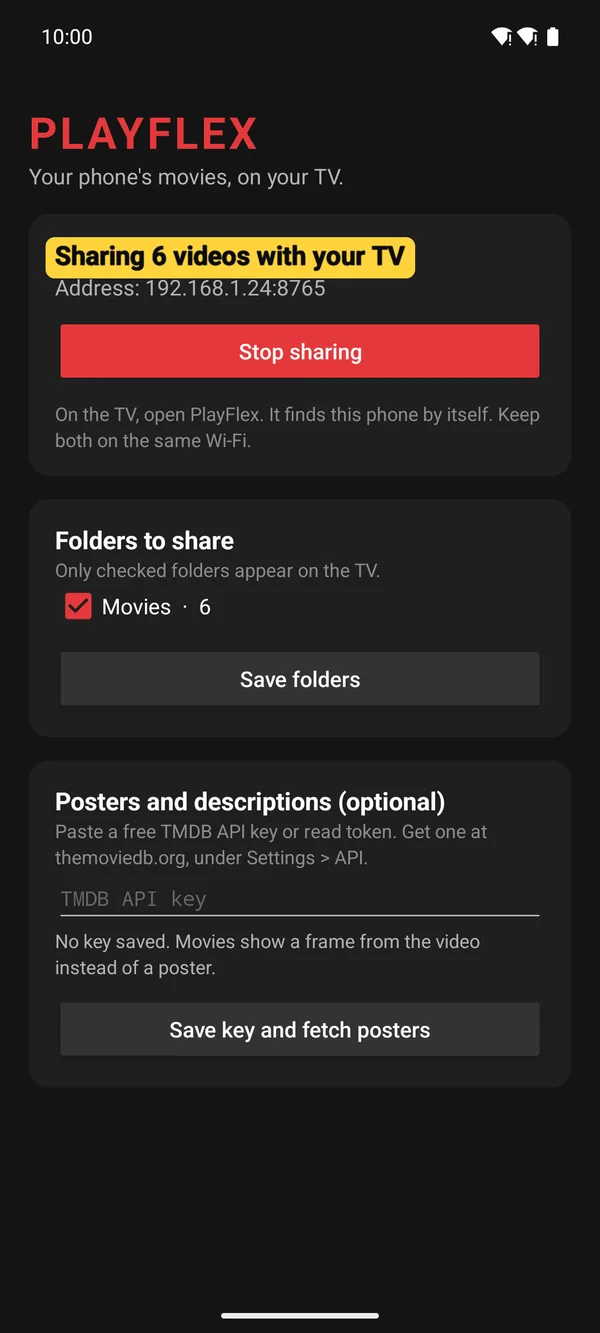
1On the phone: the address 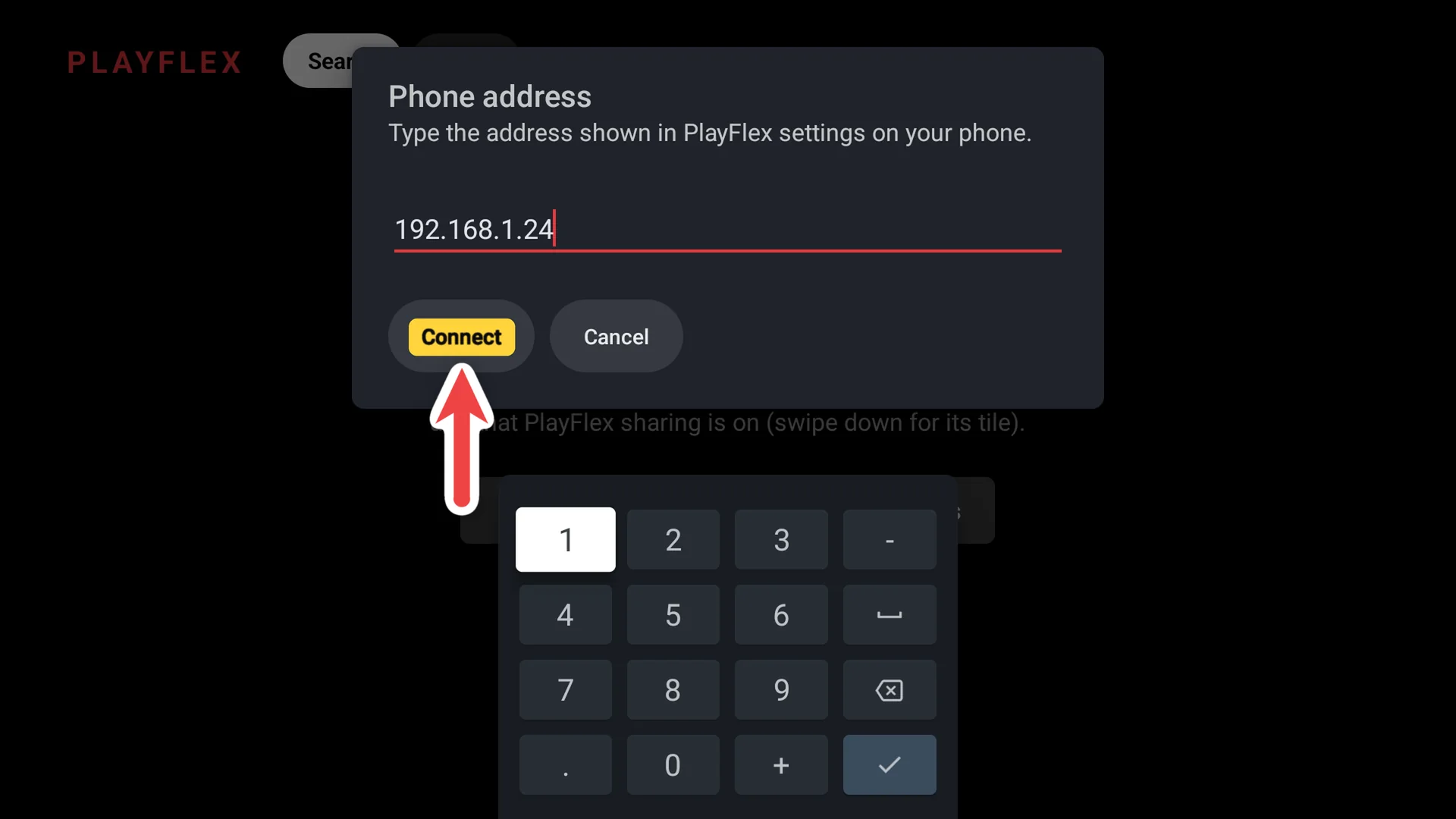
2On the TV: type it, select Connect Your movies show up
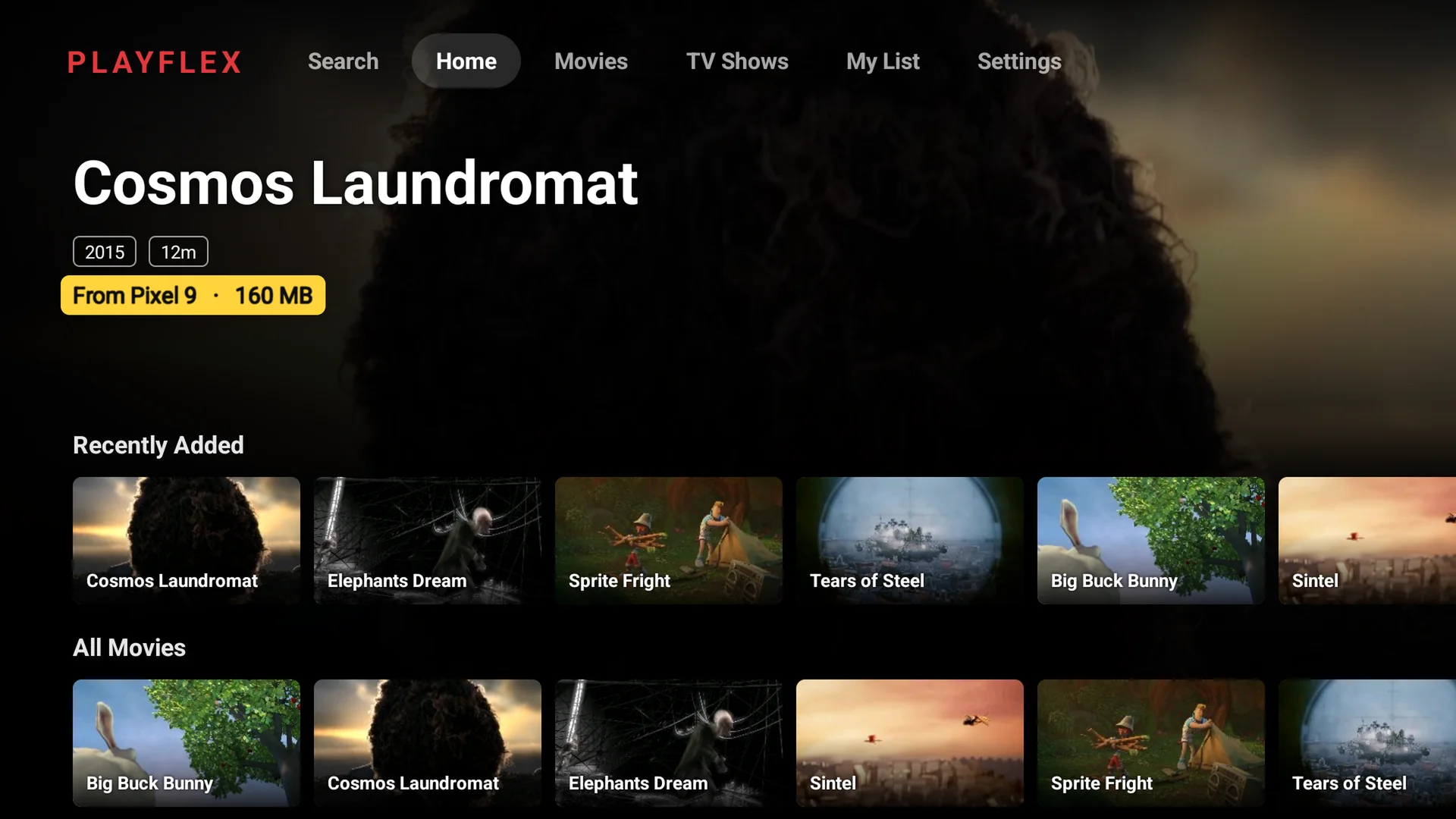
The home screen fills with your movies and shows From Pixel 9 (your phone's name). Next time it connects by itself.
If something doesn't work
- Still can't find the phone
- Put both on the same Wi-Fi network. Guest networks and some routers keep devices apart, so use the main network.
- It worked yesterday, not today
- Your router may have given the phone a new address. Check it in the phone app and type the new one.
- Sharing is off on the phone
- Open PlayFlex on the phone and tap Start sharing, or turn on the PlayFlex tile in Quick Settings.
Questions
Do I have to type the address every time?
No. The TV remembers the last phone it connected to.
Next: How to play a movie from your phone on your TV with PlayFlex
Before this: How to share your phone's movies with PlayFlex
Don't have PlayFlex yet? Get the free apps.