How to continue a movie on your phone or TV in PlayFlex
1 min · On your phone and TV · Updated
Your place in every movie is saved on the phone, so the TV and the phone always agree on where you stopped.
You need
- PlayFlex on the phone and the TV
Steps
Stop where you are
Press Back on the TV remote, or tap Stop on the phone. PlayFlex saves the spot.
Pick it up on your phone
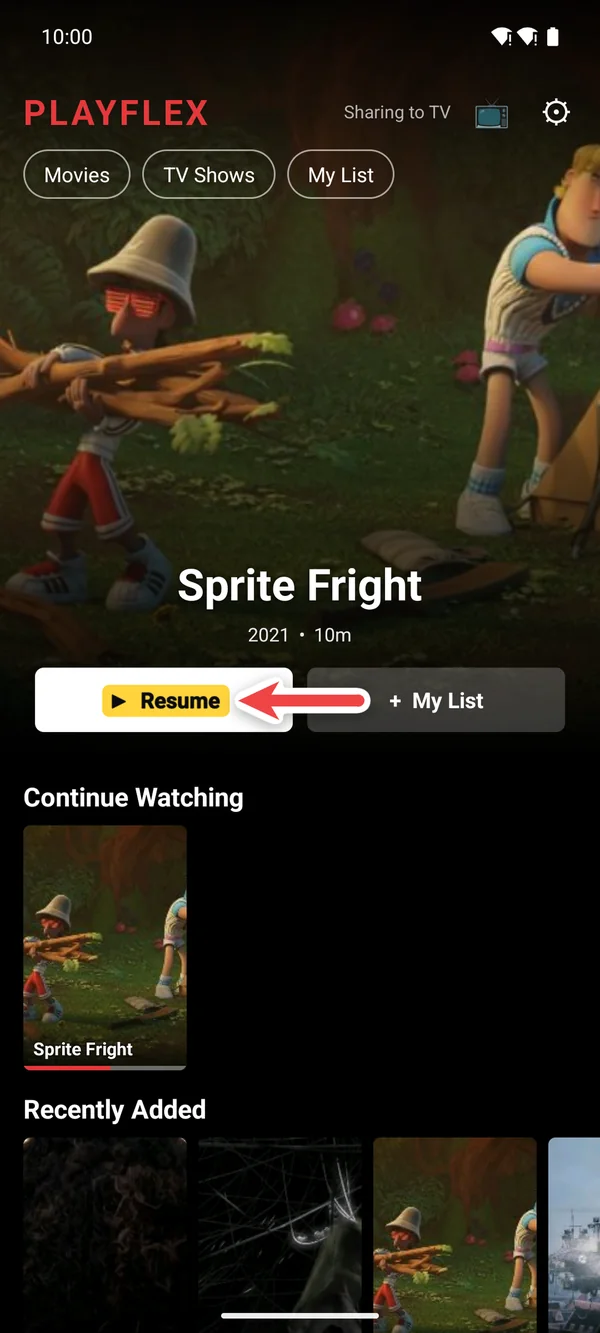
Open PlayFlex on the phone. The movie is at the top with Resume, and it's in Continue Watching too.
Or pick it up on the TV
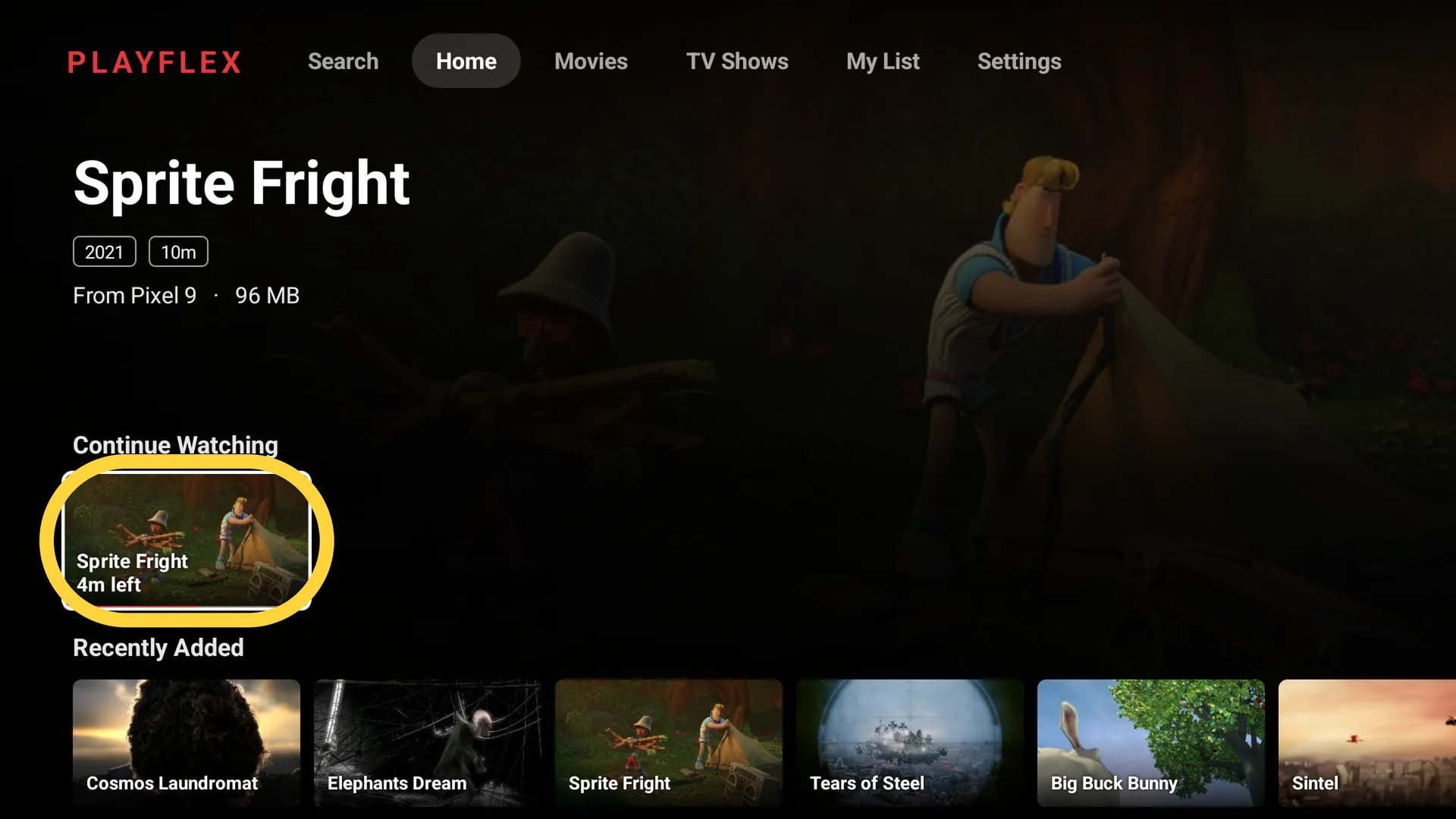
Open PlayFlex on the TV and choose it from Continue Watching. It shows how much is left.
Questions
Does My List sync too?
Yes. Add a movie on the phone and it's on the TV's My List.
Where is my progress saved?
On your phone. Nothing goes to the internet.
Before this: How to add movie posters and descriptions to PlayFlex
Don't have PlayFlex yet? Get the free apps.