
GTA 6 Update Tracker
Latest 1.002.001PS5 and Xbox Series X|SLaunch November 19
After waiting for 13 years, GTA 6 is finally here. It launches on November 19, 2026 for PS5 and Xbox Series X|S, and there is no release date for PC yet. Like any other major game, GTA 6 will get frequent updates that fix bugs and add new features. In this guide, we will track every GTA 6 update on PS5 and Xbox Series X|S, and we will add PC once it is available.
PS5
Update Timeline
Launch
Upcoming- Game unlocks at midnight local time
Update 1.002.001
Out now602.5 MB
- Second pre-launch patch
Update 1.002.000
Out now1.07 GB
- Story data updated
- Map data updated
- Audio, video and texture files unchanged
Pre-load
Out nowUp to 212 GB
- Full game download
PS5
How to Update GTA 6
Step 1
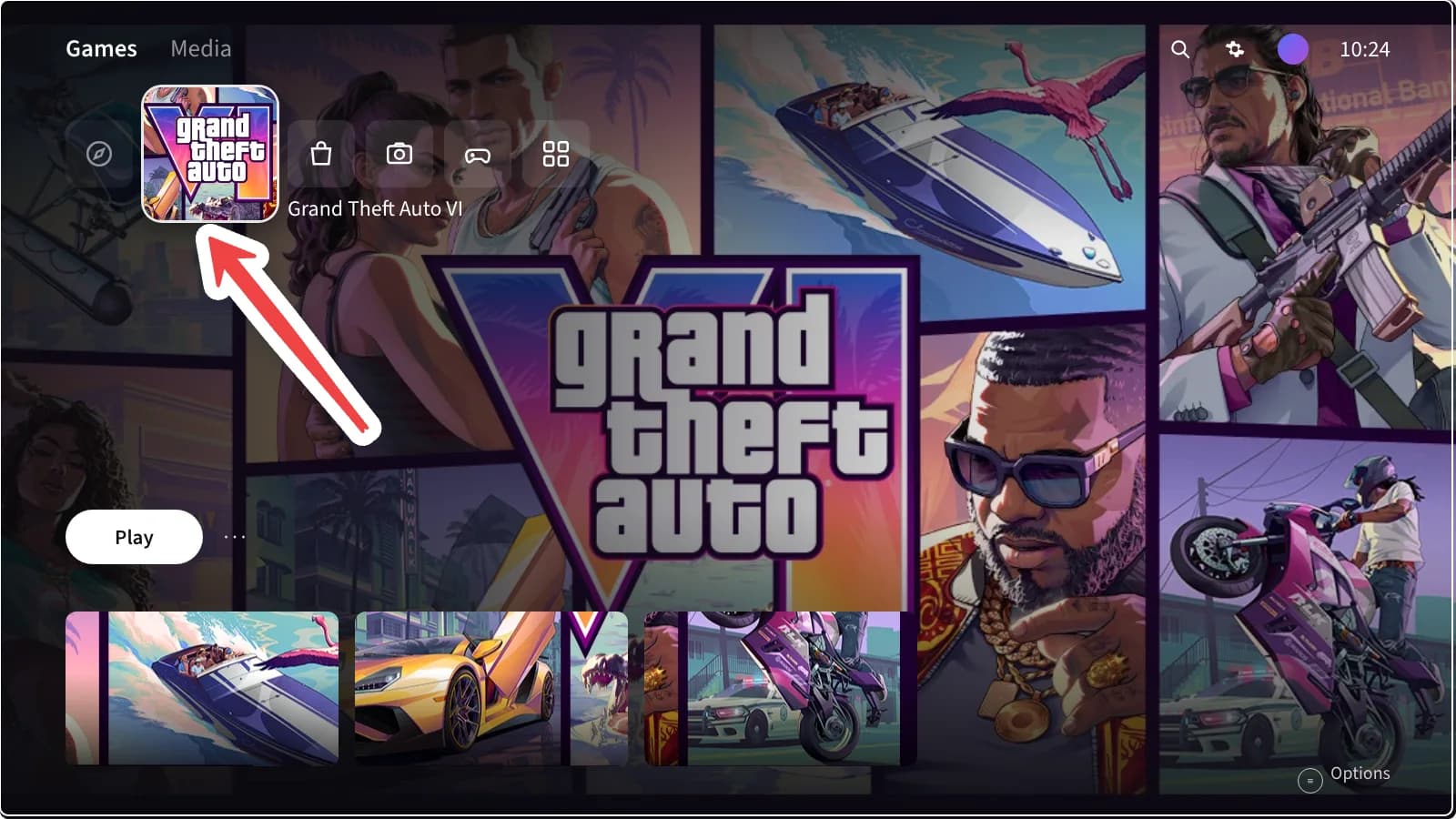
Highlight GTA VI on the home screen and press the Options button.
Step 2
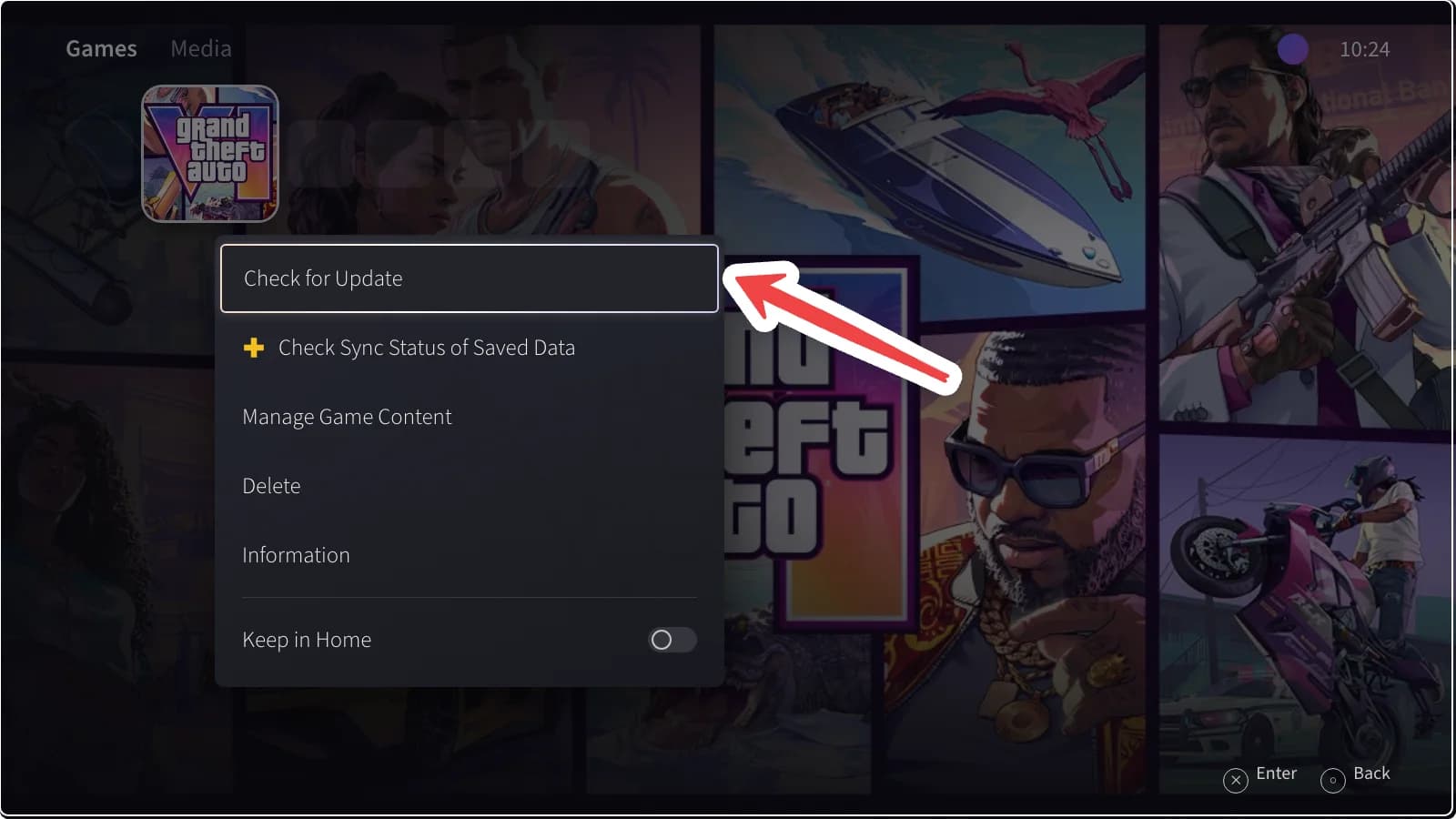
Select Check for Update.
Step 3
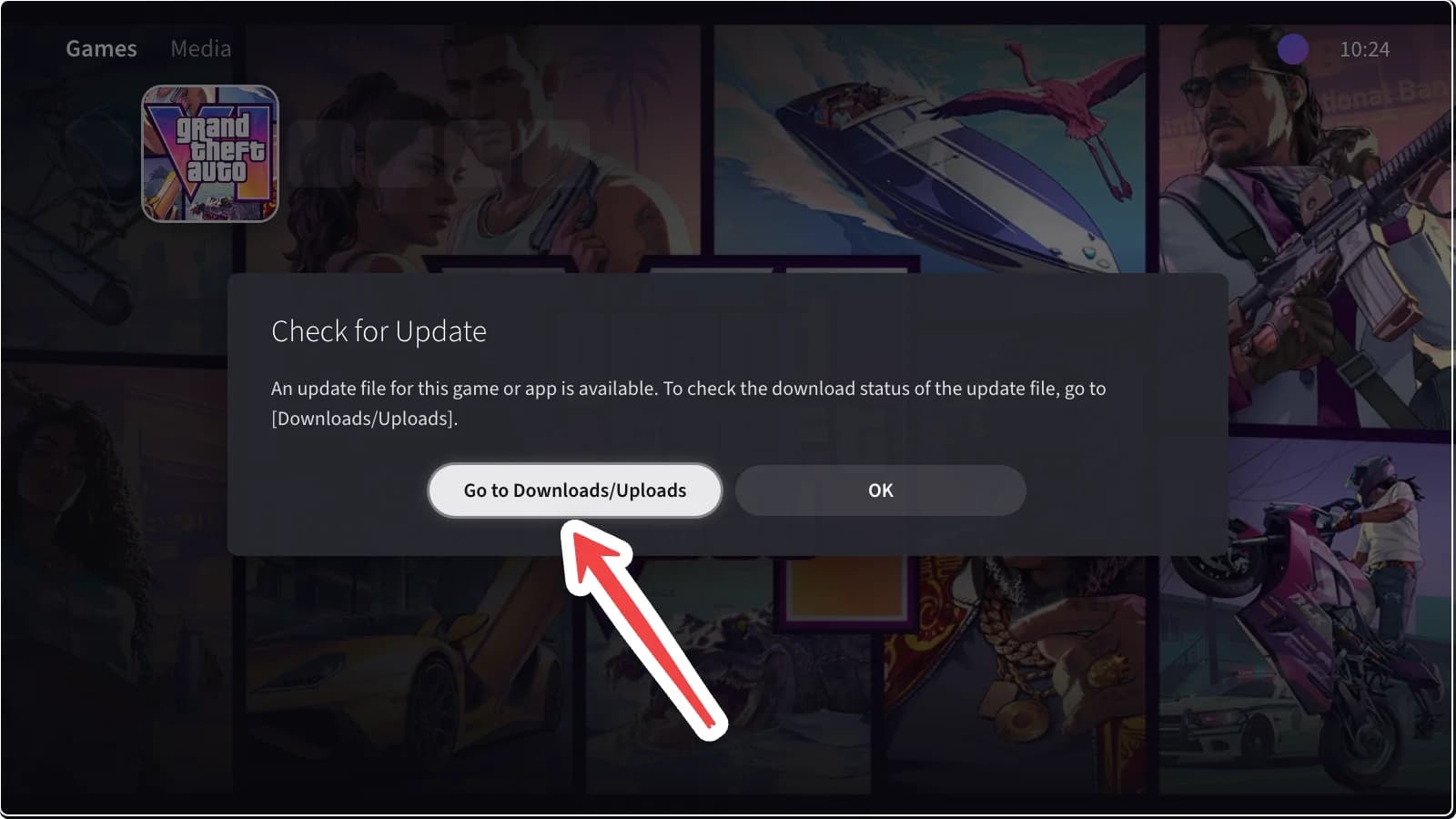
If an update is available, select Go to Downloads/Uploads.
Step 4
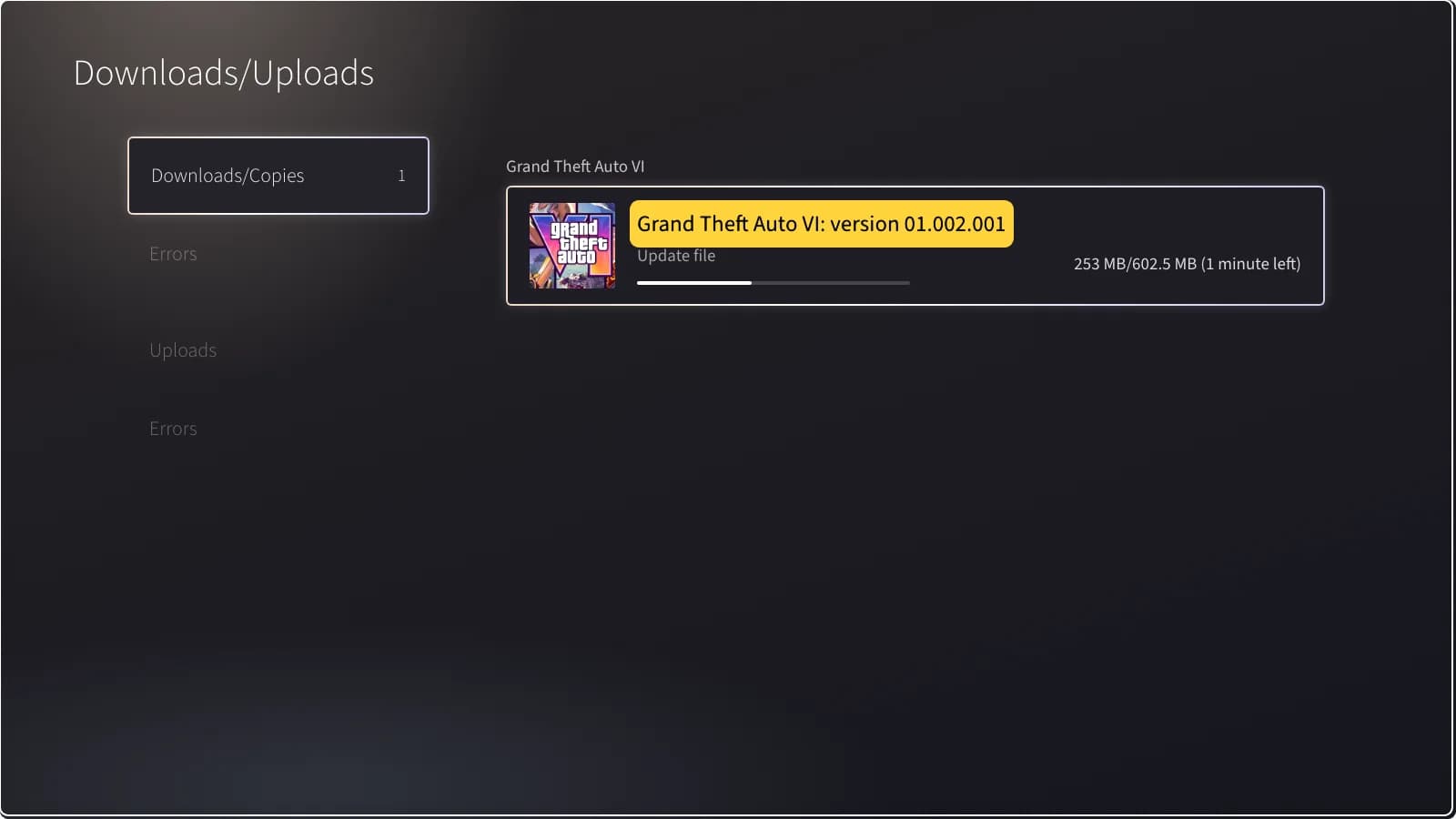
Wait for the update file to finish downloading.
Step 5
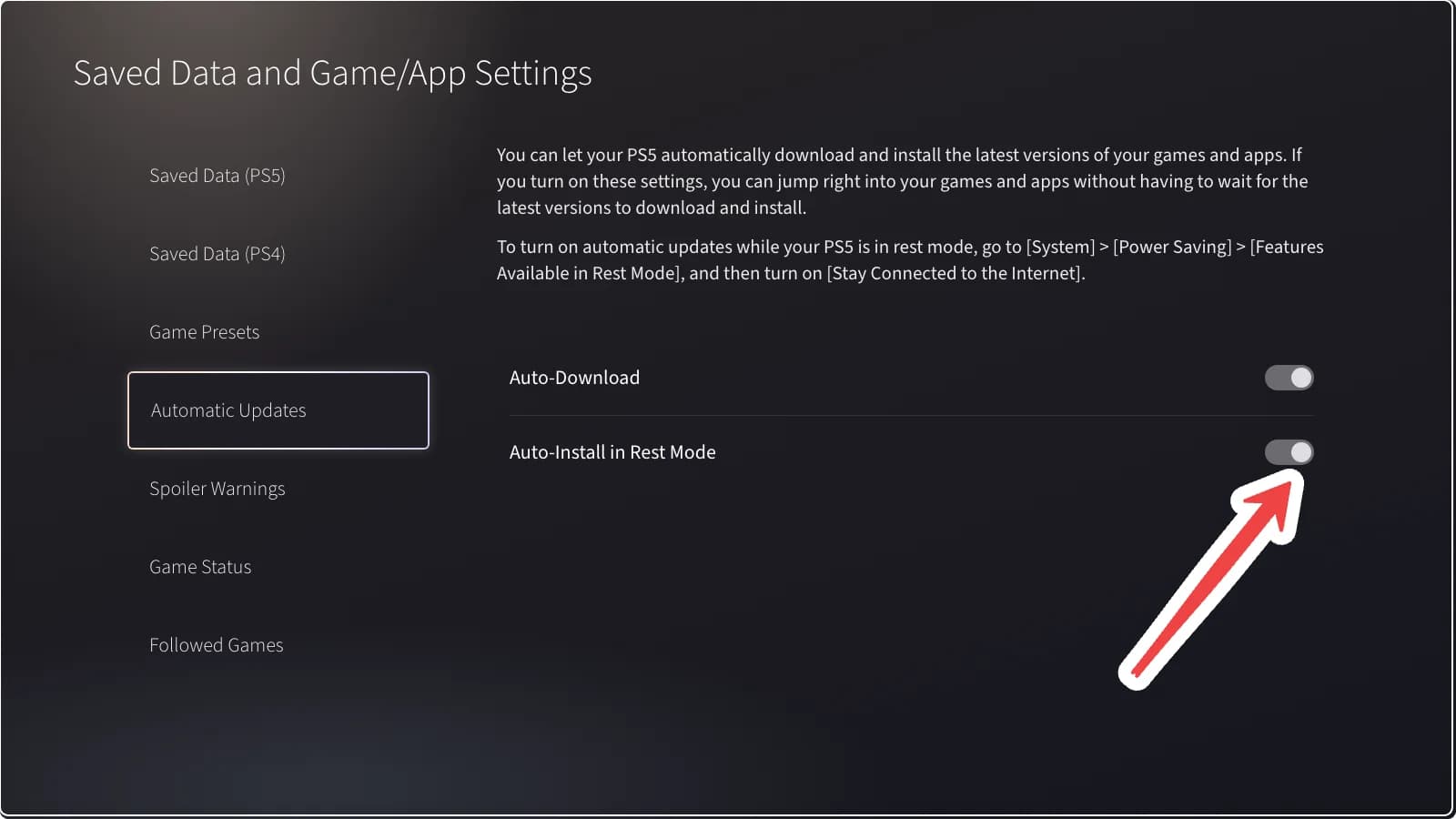
For automatic updates, go to Settings > Saved Data and Game/App Settings > Automatic Updates and turn on both options. Also turn on Stay Connected to the Internet under System > Power Saving > Features Available in Rest Mode.
Xbox Series X|S
Update Timeline
Launch
Upcoming- Game unlocks at midnight local time
Update 1.002.001
Out now1.59 GB
- Second pre-launch patch
Update 1.002.000
Out now2.18 GB
- Story data updated
- Map data updated
- Audio, video and texture files unchanged
Pre-load
Out nowUp to 212 GB
- Full game download
Xbox Series X|S
How to Update GTA 6
Step 1
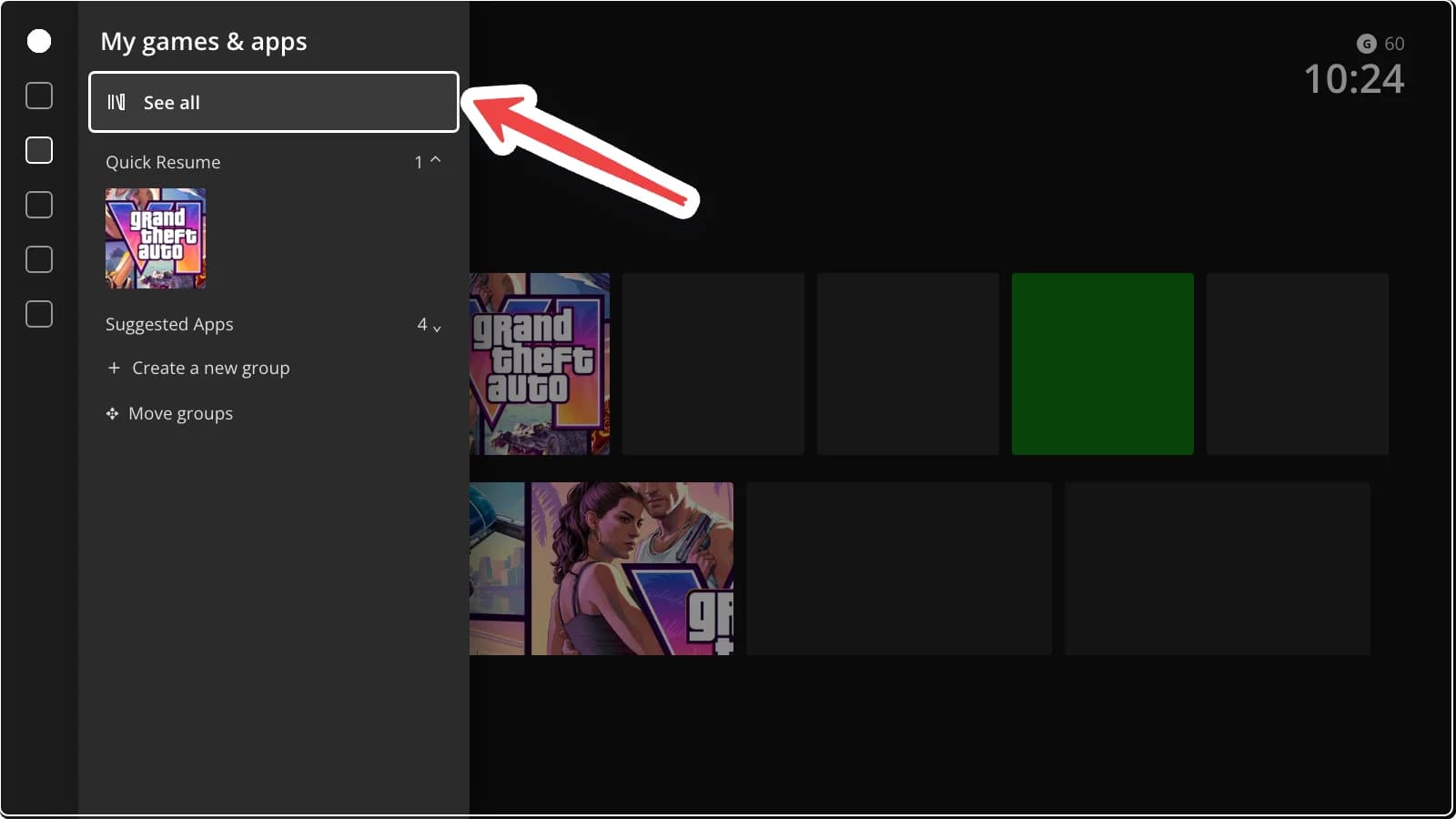
Press the Xbox button, open My games & apps and select See all.
Step 2
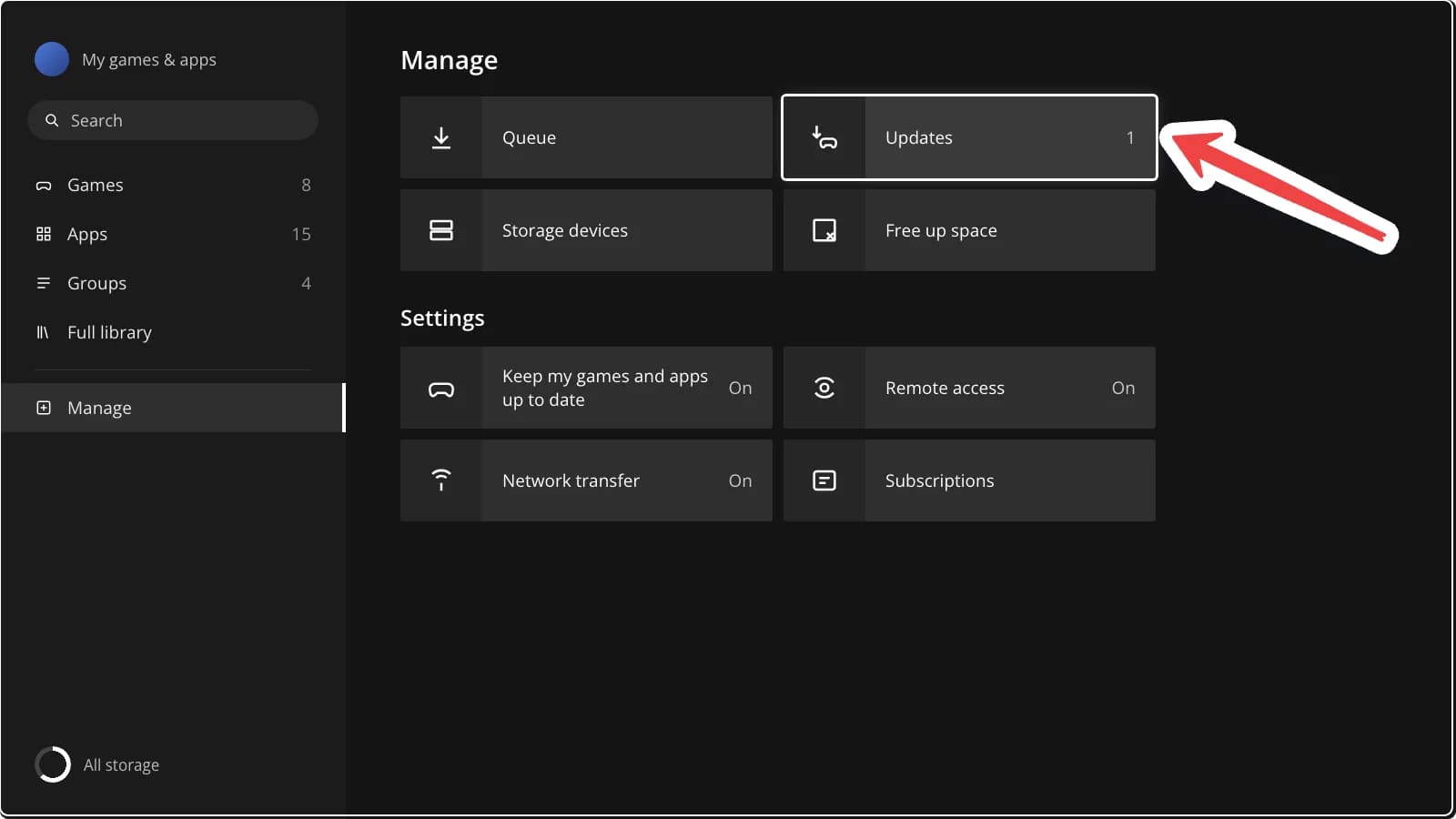
Go to Manage and select Updates.
Step 3
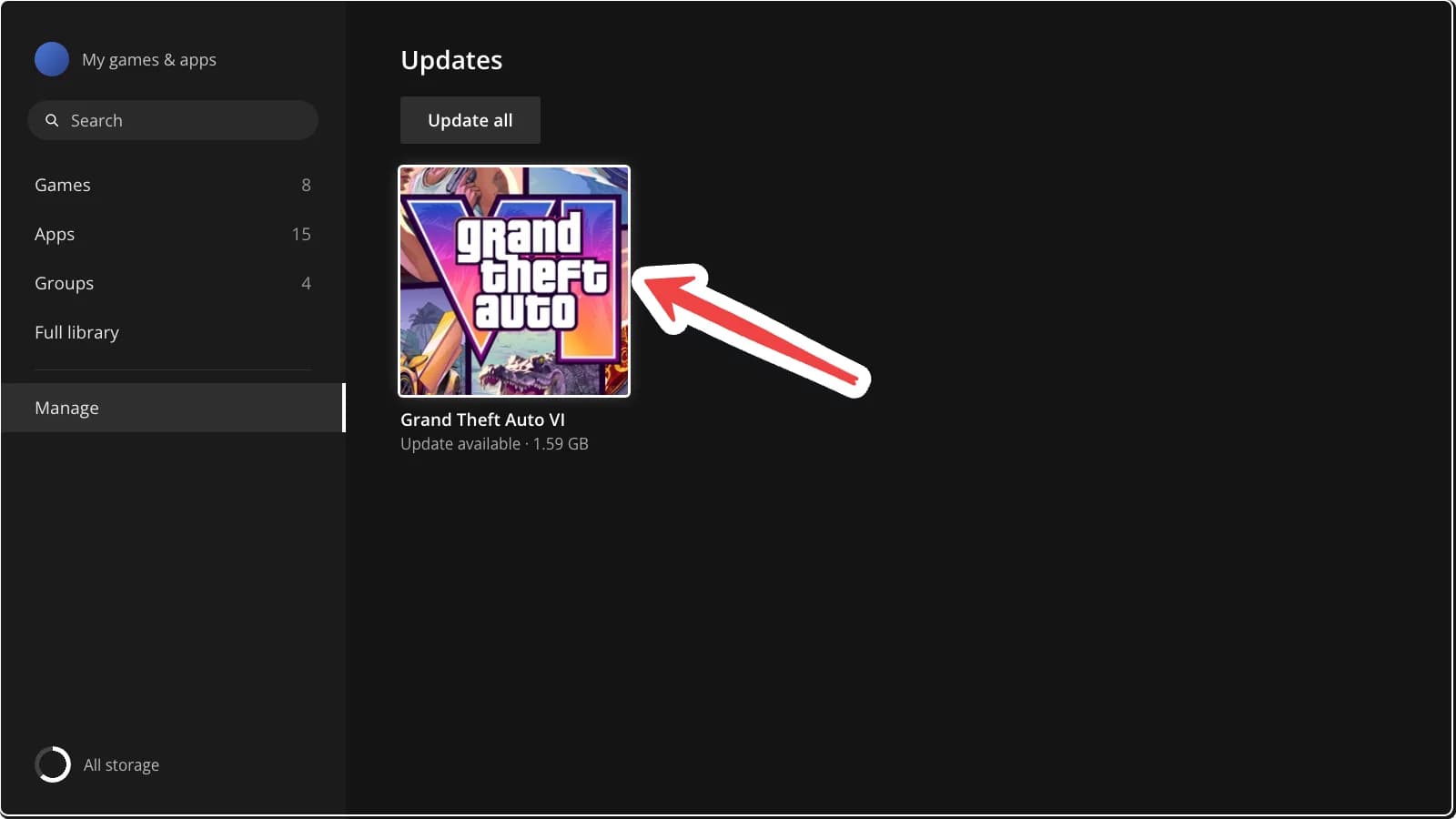
Select GTA VI or Update all to start the update.
Step 4
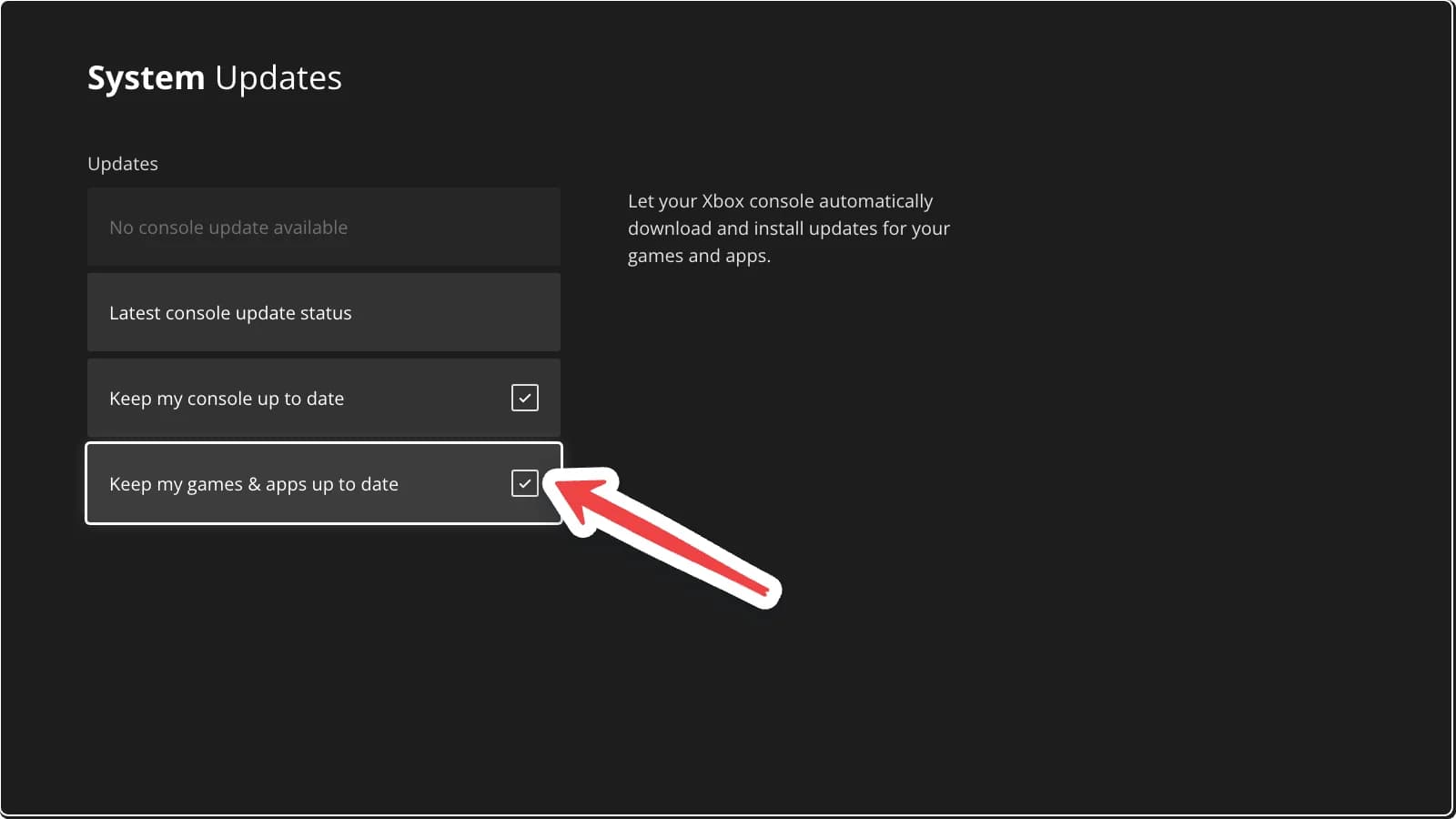
For automatic updates, go to Settings > System > Updates and tick Keep my games & apps up to date.
Still downloading? See how much space GTA 6 needs.
Comments
0Share your thoughts, questions, or feedback about this guide.
Leave a Comment