
Google Rambler Supported Devices
Last updated: Published November 11, 2026
Here is the list of devices that officially support Google's AI voice dictation feature, Rambler. The Google Pixel 11 series came with this feature out of the box, and Google has recently started rolling it out to the Google Pixel 10 series. Other major Android devices are also reportedly getting this feature soon, but for now, here is the official device support list.
Already Getting Rambler
Rambler is in Gboard on these Pixels. On the Pixel 10 series it arrives in stages with the November Pixel Drop, so it can take a few days to show up.
Built in since the Pixel 11 launch, August 2026(4)
 Pixel 11Built in
 Pixel 11 ProBuilt in
 Pixel 11 Pro XLBuilt in
 Pixel 11 Pro FoldBuilt in
November 10, 2026, with the November Pixel Drop(4)
 Pixel 10Rolling out
 Pixel 10 ProRolling out
 Pixel 10 Pro XLRolling out
 Pixel 10 Pro FoldRolling out
Launching With Rambler
The Motorola Signature 27 goes on sale with Rambler built into Gboard.
Launches with Rambler on November 19, 2026(1)
 Motorola Signature 27Nov 19
Expected to Get Rambler
Google says its Gemini Intelligence features are coming to these Galaxy phones, but Rambler isn't confirmed for them yet. Samsung is also testing its own version, Refine Voice Input, for Samsung Keyboard.
Samsung Galaxy(6)
 Galaxy S26 UltraExpected
 Galaxy S26+Expected
 Galaxy S26Expected
 Galaxy Z Fold8 UltraExpected
 Galaxy Z Fold8Expected
 Galaxy Z Flip8Expected
Phones That Still Don't Support Rambler
These phones still don't have Rambler, Google's advanced AI dictation feature, but it's expected to roll out to them in the future.
Pixel 10 series(1)
 Pixel 10aNot Eligible
Pixel 9 series(5)
 Pixel 9Not Eligible
 Pixel 9 ProNot Eligible
 Pixel 9 Pro XLNot Eligible
 Pixel 9 Pro FoldNot Eligible
 Pixel 9aNot Eligible
Pixel 8 series(3)
 Pixel 8Not Eligible
 Pixel 8 ProNot Eligible
 Pixel 8aNot Eligible
Older Pixels(6)
 Pixel 7Not Eligible
 Pixel 7 ProNot Eligible
 Pixel 7aNot Eligible
 Pixel FoldNot Eligible
 Pixel TabletNot Eligible
 Pixel 6aNot Eligible
Google Rambler AI Supported Languages
With Google's Rambler AI feature, you can turn your voice into text without any filler words. Here are the languages Rambler currently supports.
- English
- Hindi and other supported Indian languages
- Arabic
- French
- German
- Italian
- Japanese
- Korean
- Portuguese
- Russian
- Spanish
How to Turn On Rambler
First, update Gboard from the Play Store and make sure it's your keyboard.
- 1
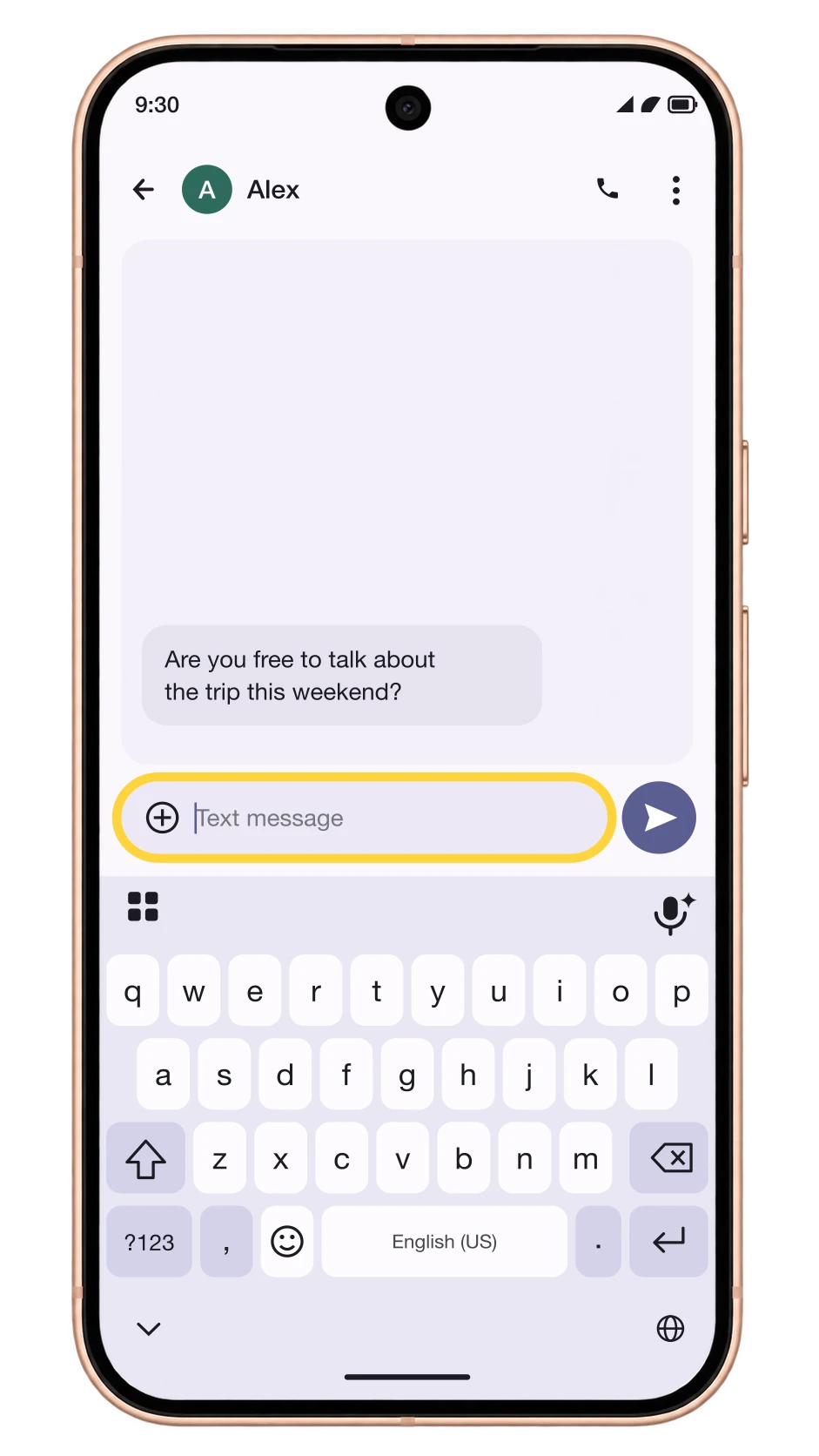
Open a Text Box
Open any app you type in, like Messages, Gmail or Keep, and tap a text box. Gboard slides up from the bottom of the screen.
- 2
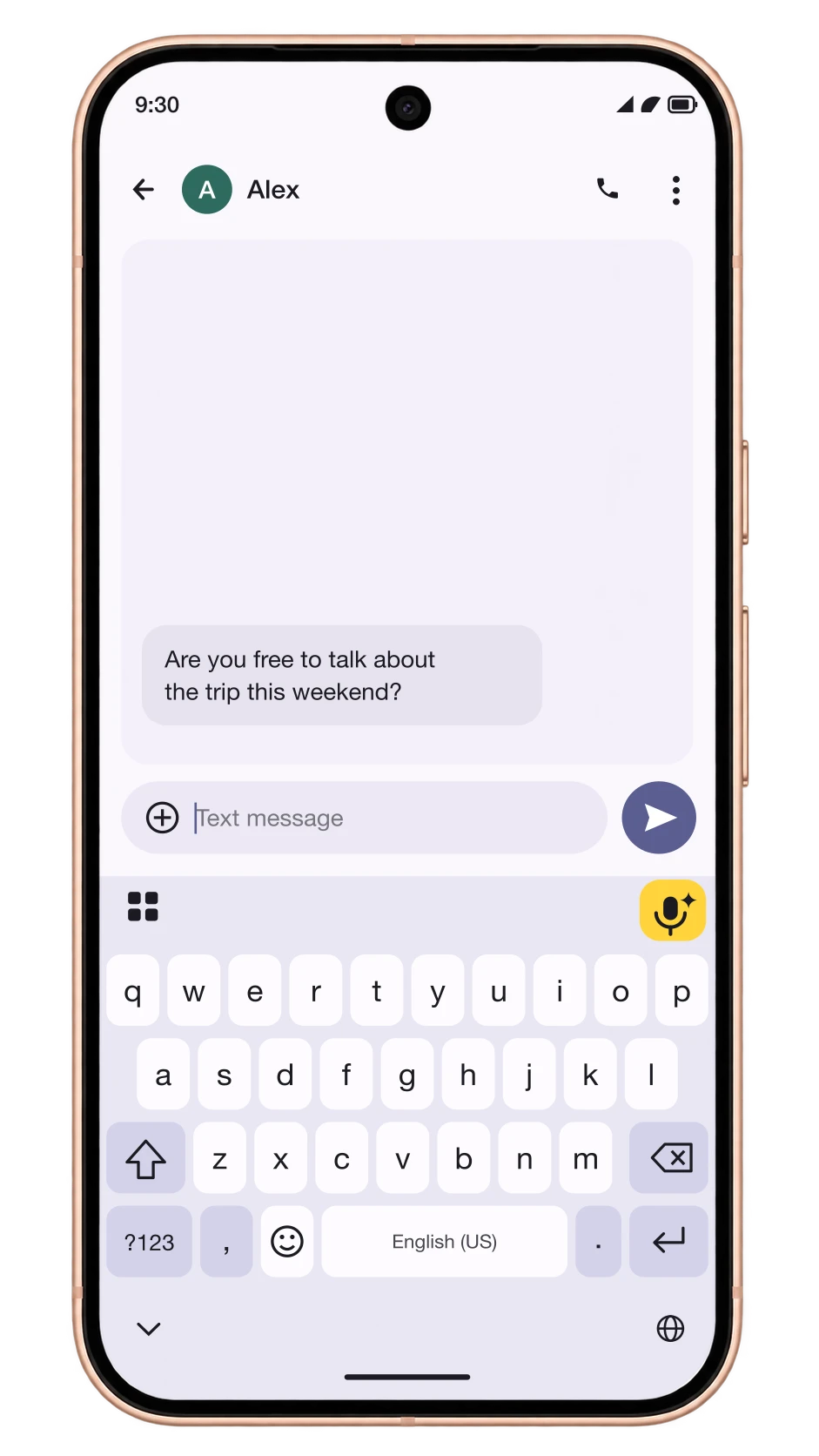
Tap the Rambler Mic
On supported phones, the mic at the top right of Gboard has a small sparkle next to it. Tap the microphone.
- 3
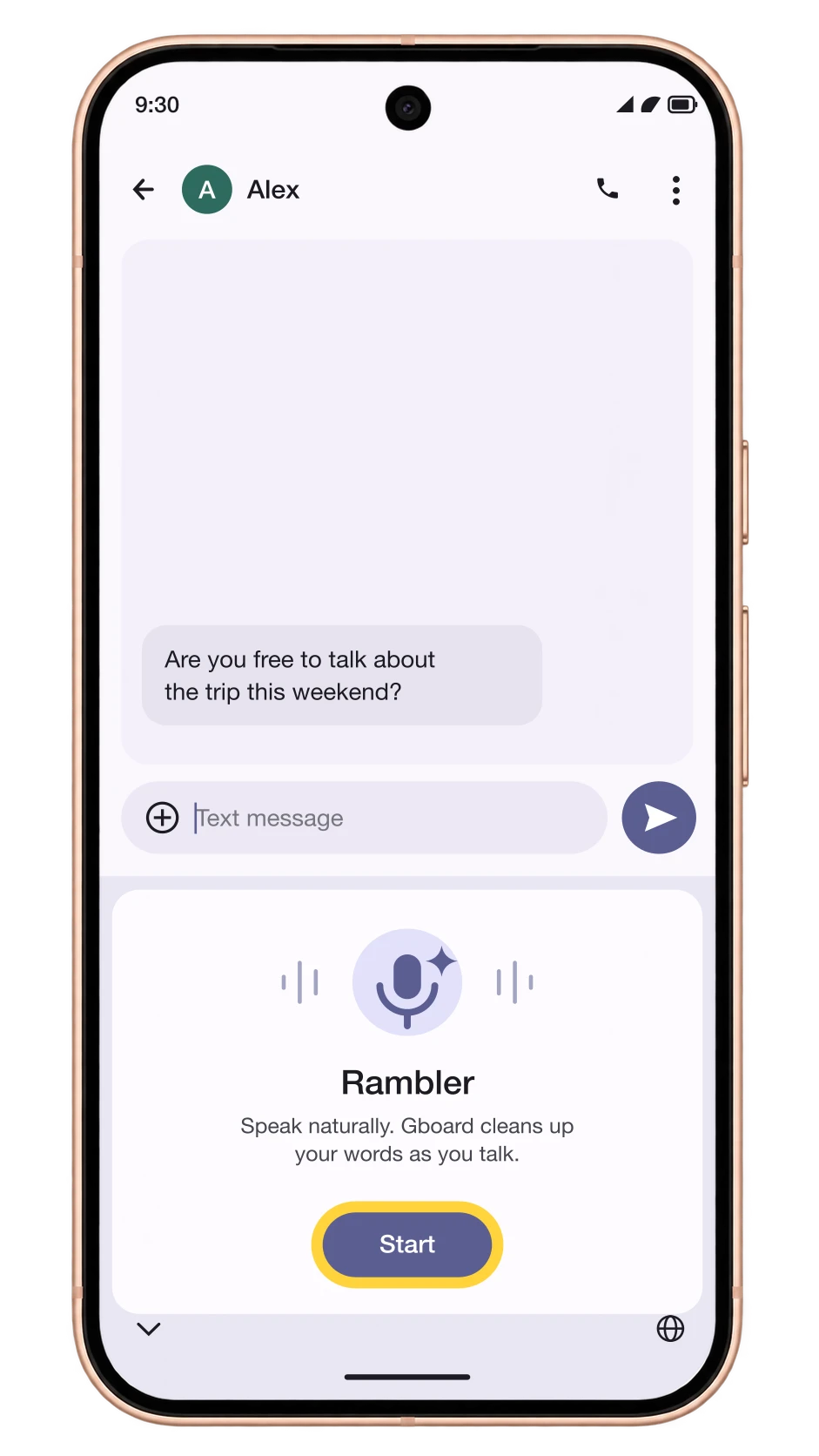
Tap Start on the Intro Screen
The first time, Gboard shows a short Rambler intro. Tap Start. If Gboard asks to use the microphone, choose While using the app.
- 4
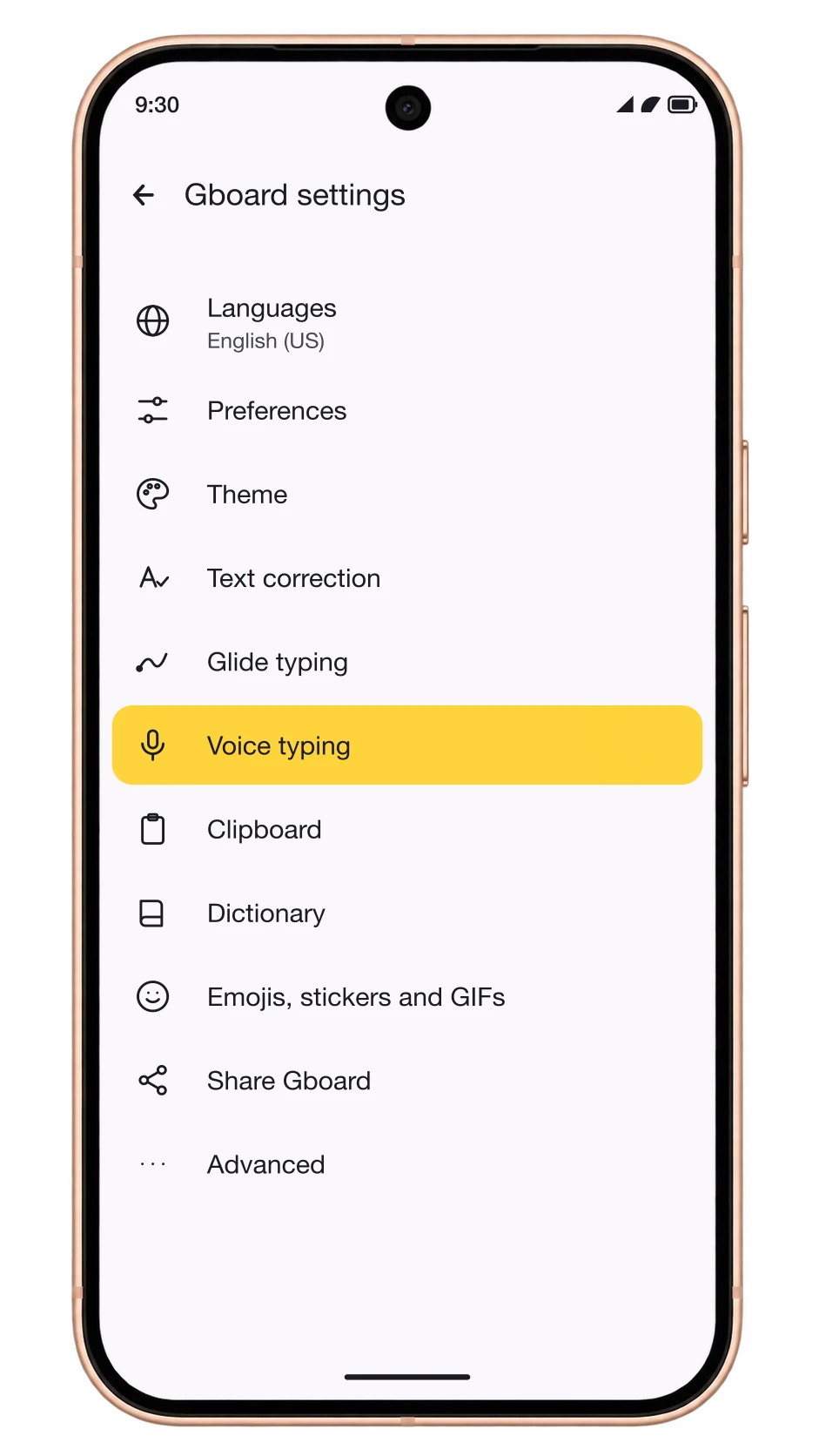
No Intro? Open Voice Typing Settings
If the mic starts the old voice typing instead, open Gboard's menu, tap Settings, then tap Voice typing.
- 5
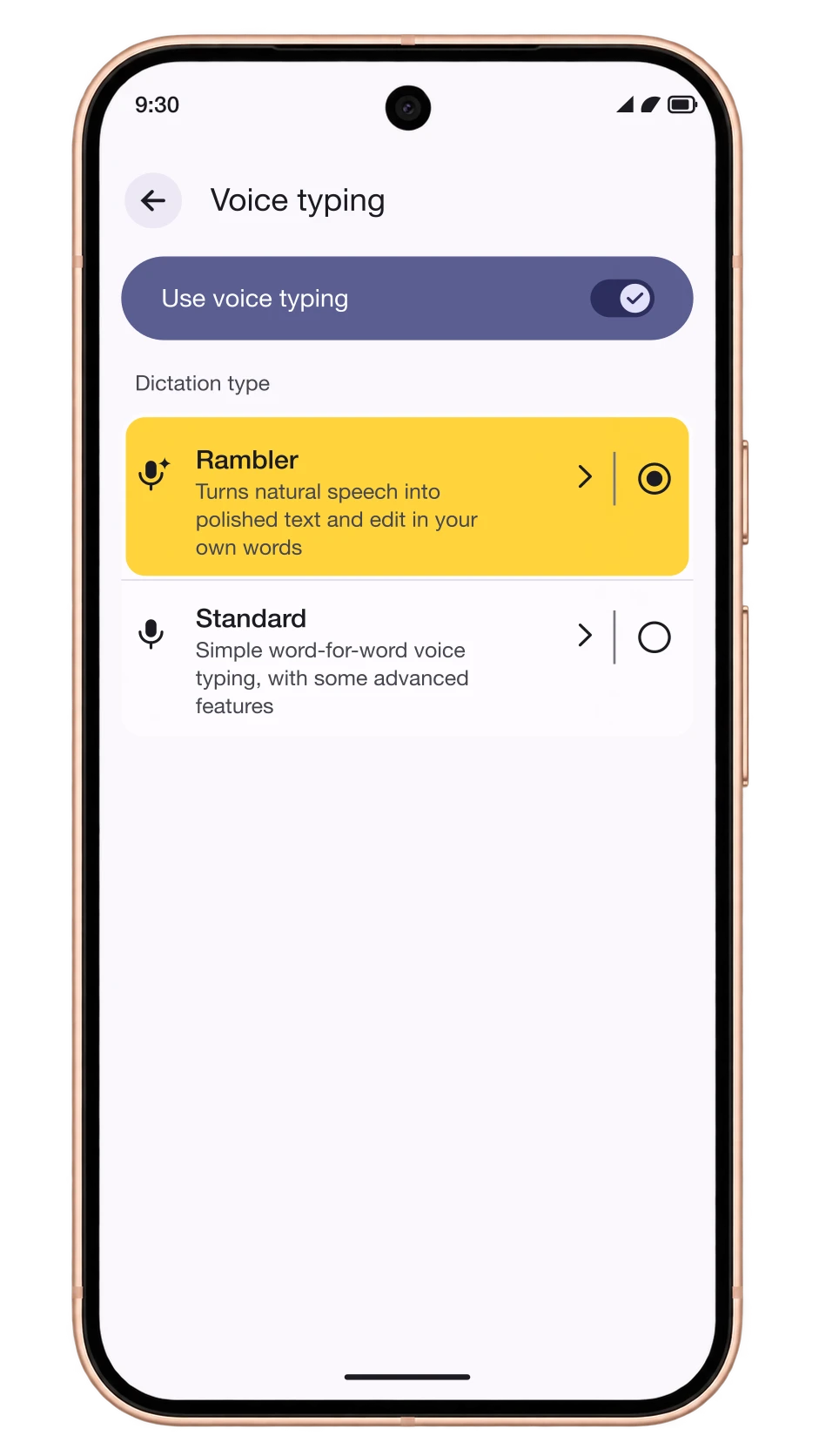
Choose Rambler
Make sure Use voice typing is on, then pick Rambler under Dictation type. Go back to your text box and tap the mic again.
- 6
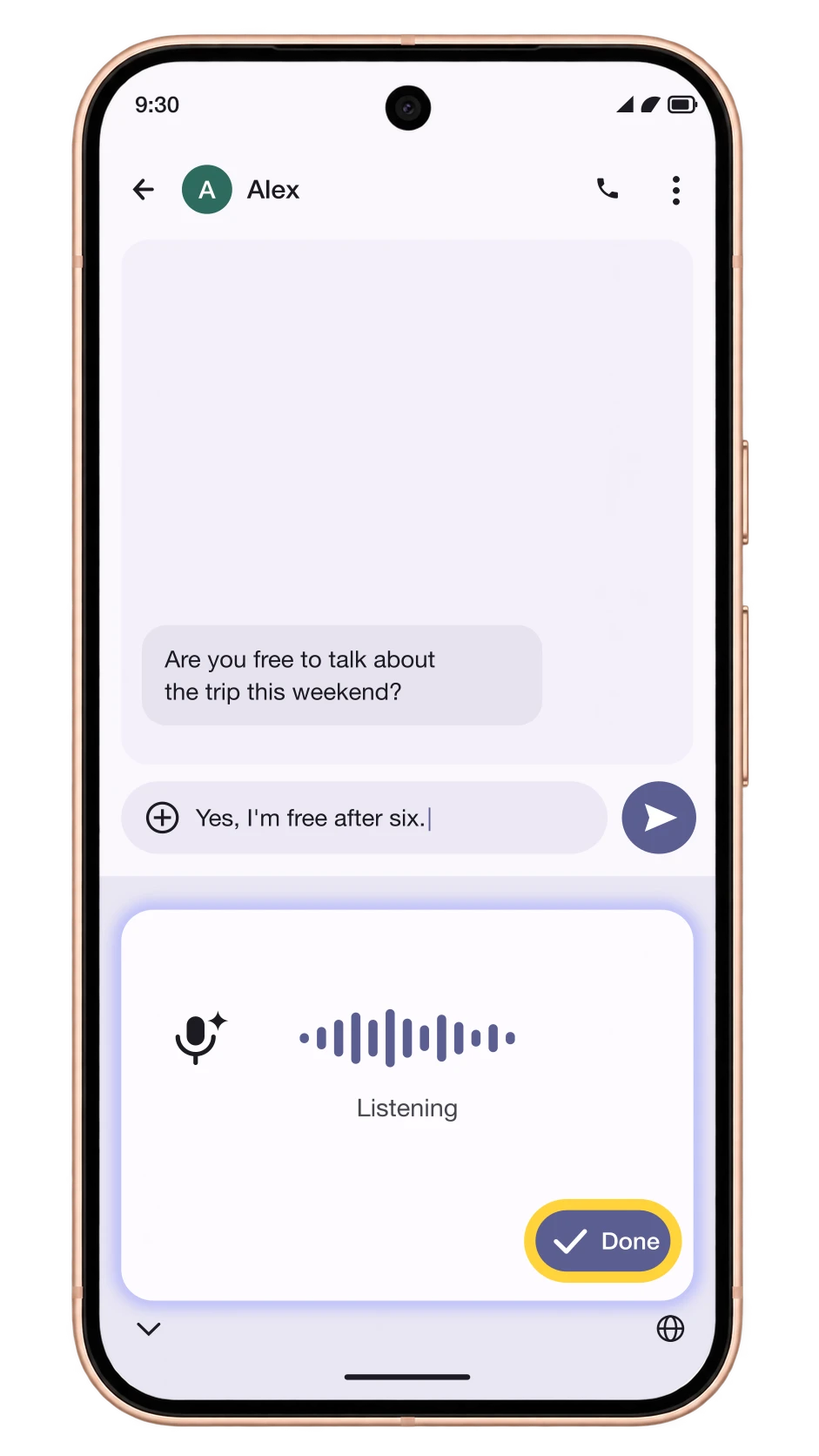
Speak and Tap Done
Talk the way you normally would. You don't need to say commas or full stops. Tap Done and Rambler types a cleaned-up version of what you said.
How to Get Rambler on Other Android Phones
Changelog
- November 2026: Google said its Gemini Intelligence features are coming to the Galaxy S26 series, Z Fold8 Ultra, Z Fold8 and Z Flip8. Rambler isn't confirmed for them yet, and Samsung is testing its own version, Refine Voice Input, for Samsung Keyboard.
- November 10, 2026: Rambler started rolling out to the Pixel 10, 10 Pro, 10 Pro XL and 10 Pro Fold with the November Pixel Drop. The Pixel 10a is not included.
- November 5, 2026: The Motorola Signature 27 was confirmed with Rambler in Gboard. It goes on sale on November 19, 2026.
- August 2026: Rambler launched on the Pixel 11, 11 Pro, 11 Pro XL and 11 Pro Fold.
Comments
0Share your thoughts, questions, or feedback about this guide.
Leave a Comment