
USB port types explained, from USB-A to USB-C
They all say USB, but they do not all fit, and the ones that fit do not all run at the same speed. Here is every USB port type, drawn at its real size, with what each one is for.
Every USB connector, side by side
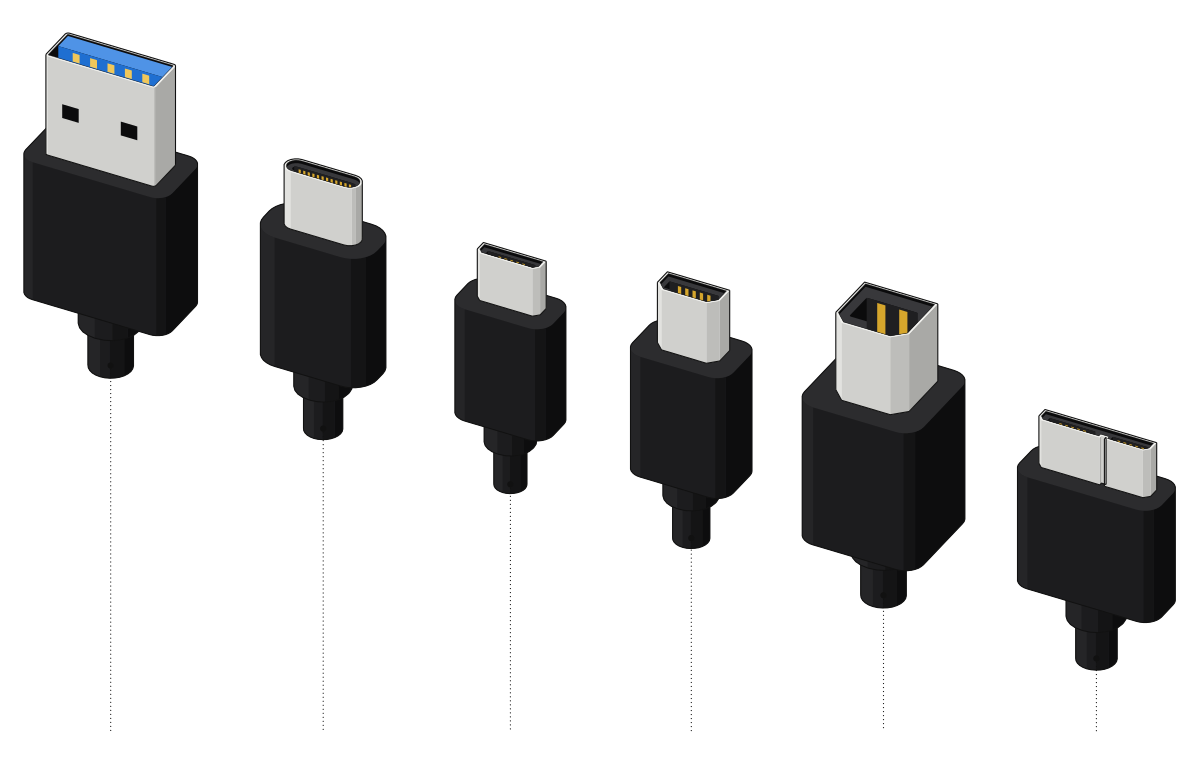 USB-AUSB-CMicro-USBMini-USBUSB-BUSB 3.0 Micro-B
USB-A
- Speed
- 480 Mbps to 10 Gbps
- Also called
- Type-A, standard USB
- Where you see it
- Chargers, desktops, older laptops, flash drives
- Plugs in
- One way up
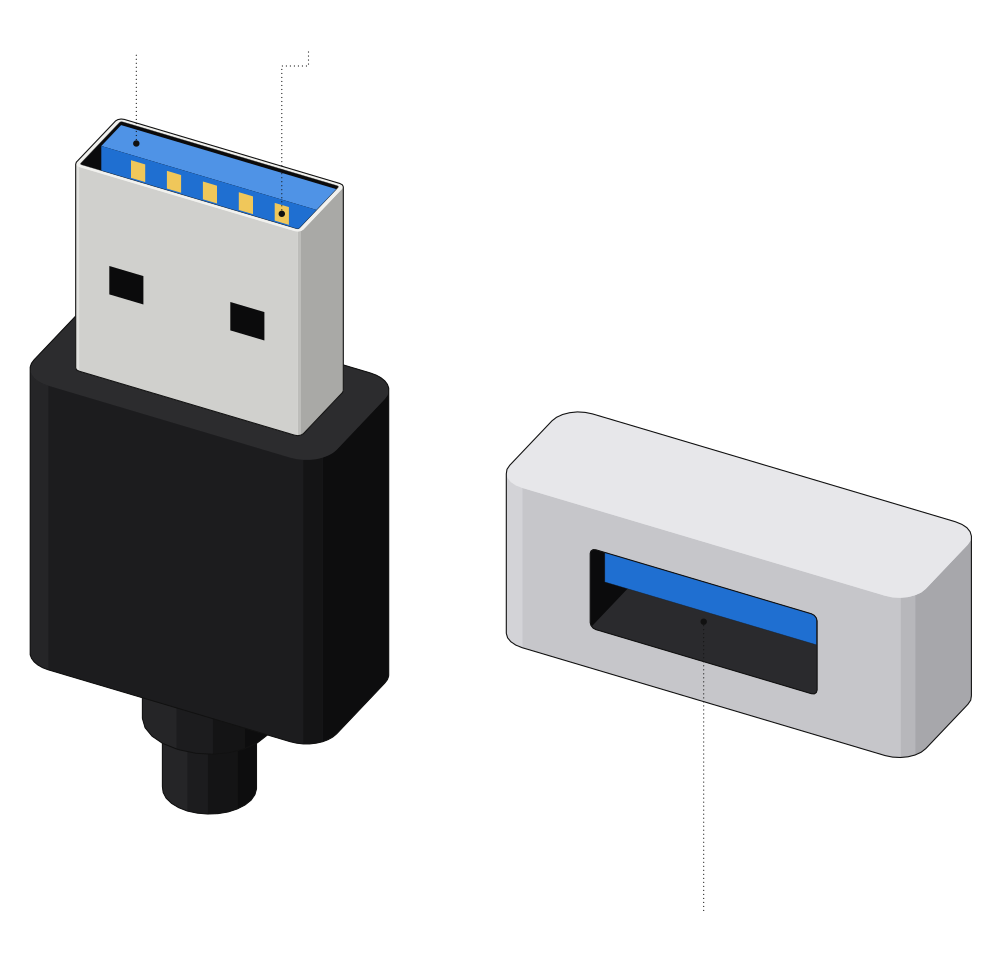 Blue insert: USB 35 extra contactsFits one way up
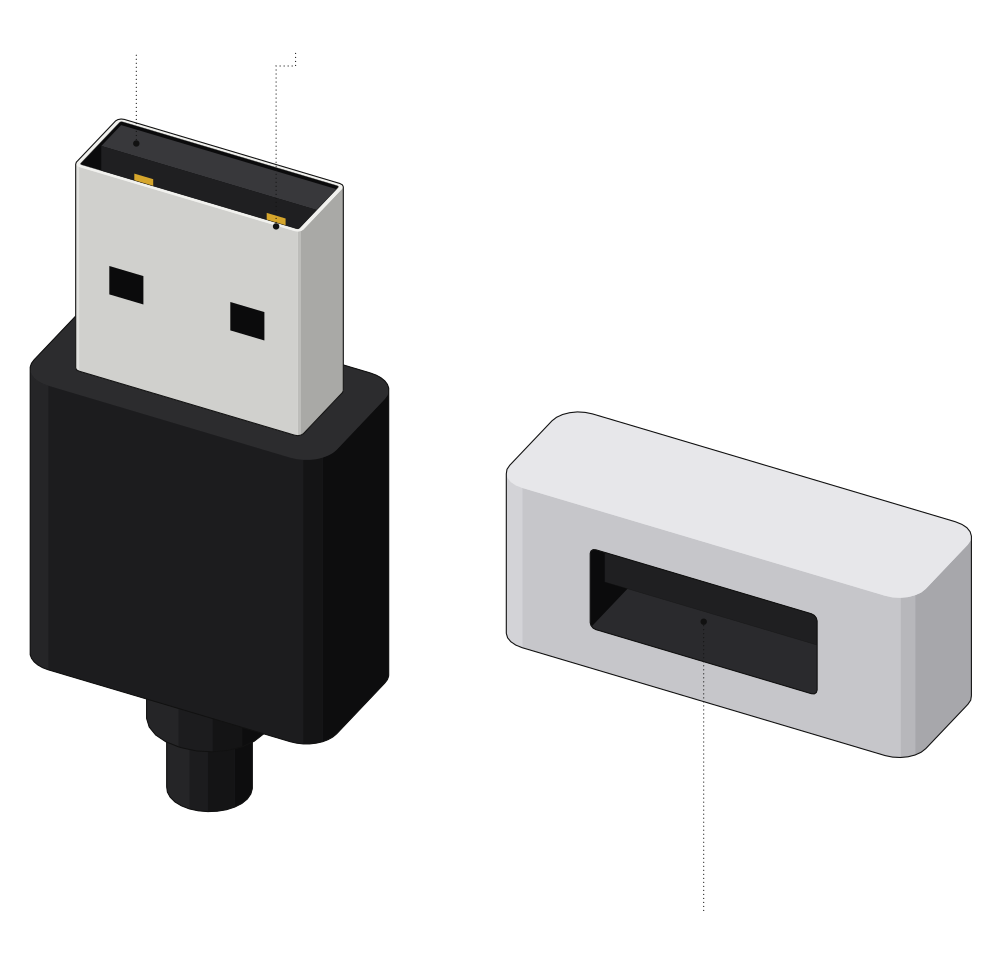 Black insert: USB 2.04 contactsBlack tongue in the port
The classic flat USB port: it only fits one way, and it is still on chargers, desktops, TVs and flash drives. Look at the plastic inside: black or white usually means USB 2.0, blue usually means USB 3 at 5 Gbps or faster.
USB-C
- Speed
- 480 Mbps to 80 Gbps
- Also called
- Type-C
- Where you see it
- Phones, laptops, tablets, chargers, iPhone 15 and later
- Plugs in
- Either way up
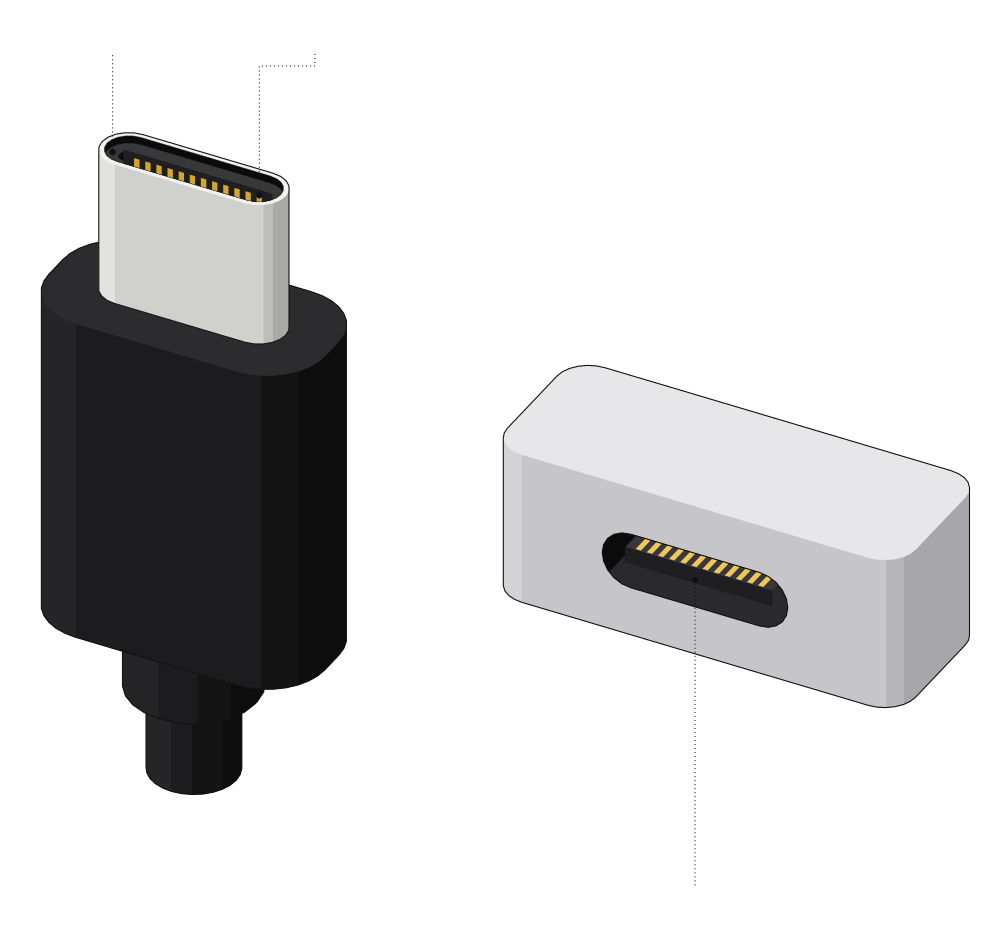 Same shape both ways up12 contacts a sideThin tongue in the middle
USB-C fits either way up and is on almost every new phone, laptop and charger. But it is only a shape: a USB-C port can run at anything from 480 Mbps to 80 Gbps, so check the marks next to it (below).
Micro-USB
- Speed
- Up to 480 Mbps (USB 2.0)
- Also called
- Micro-B, micro USB
- Where you see it
- Older Android phones, Bluetooth speakers, power banks
- Plugs in
- One way up
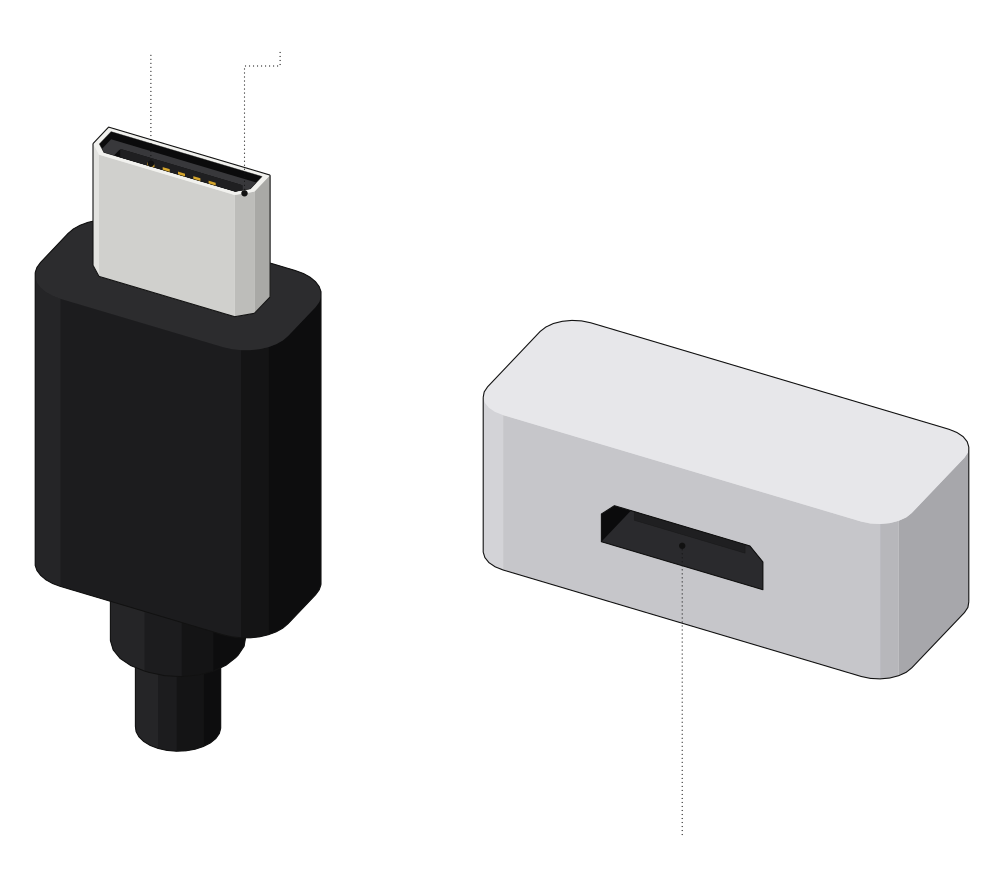 5 contactsAngled cornersWide side up
The charging port on Android phones before USB-C. Two angled corners mean it fits one way, and it runs at USB 2.0 speed.
USB 3.0 Micro-B
- Speed
- 5 Gbps
- Also called
- USB 3 Micro-B
- Where you see it
- Portable hard drives, a few older phones
- Plugs in
- One way up
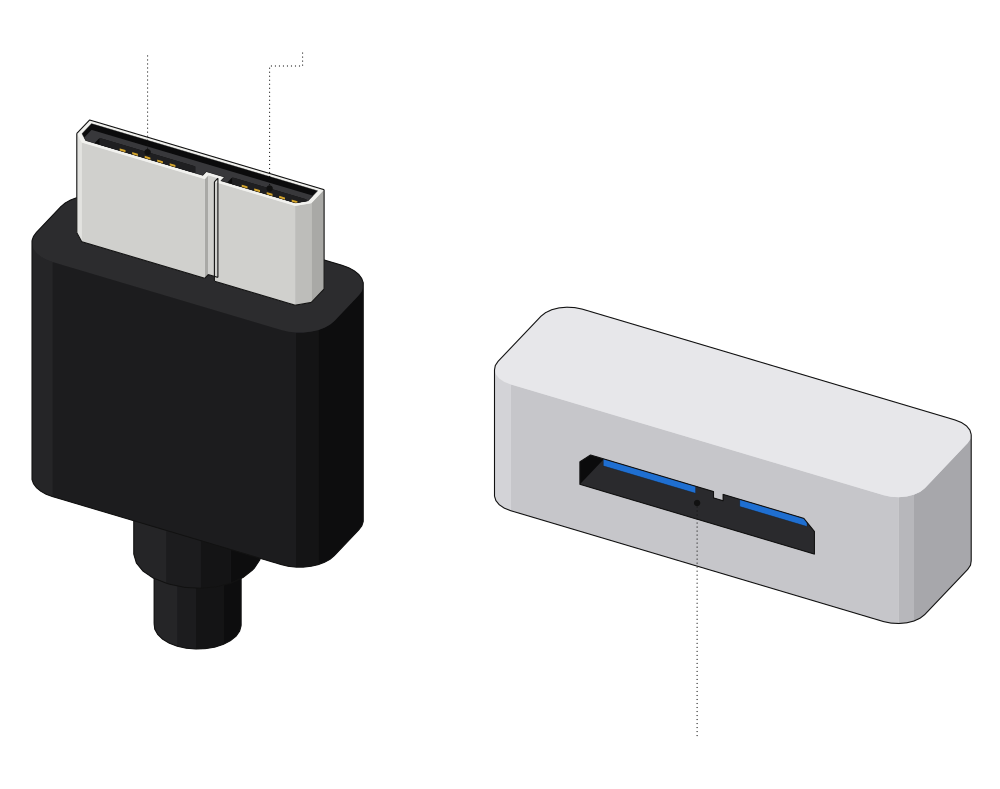 Micro-USB partExtra USB 3 partPort on a hard drive
The wide port on most portable hard drives. A normal Micro-USB cable fits the left half, but only at USB 2.0 speed.
Mini-USB
- Speed
- Up to 480 Mbps (USB 2.0)
- Also called
- Mini-B
- Where you see it
- Older cameras and gadgets
- Plugs in
- One way up
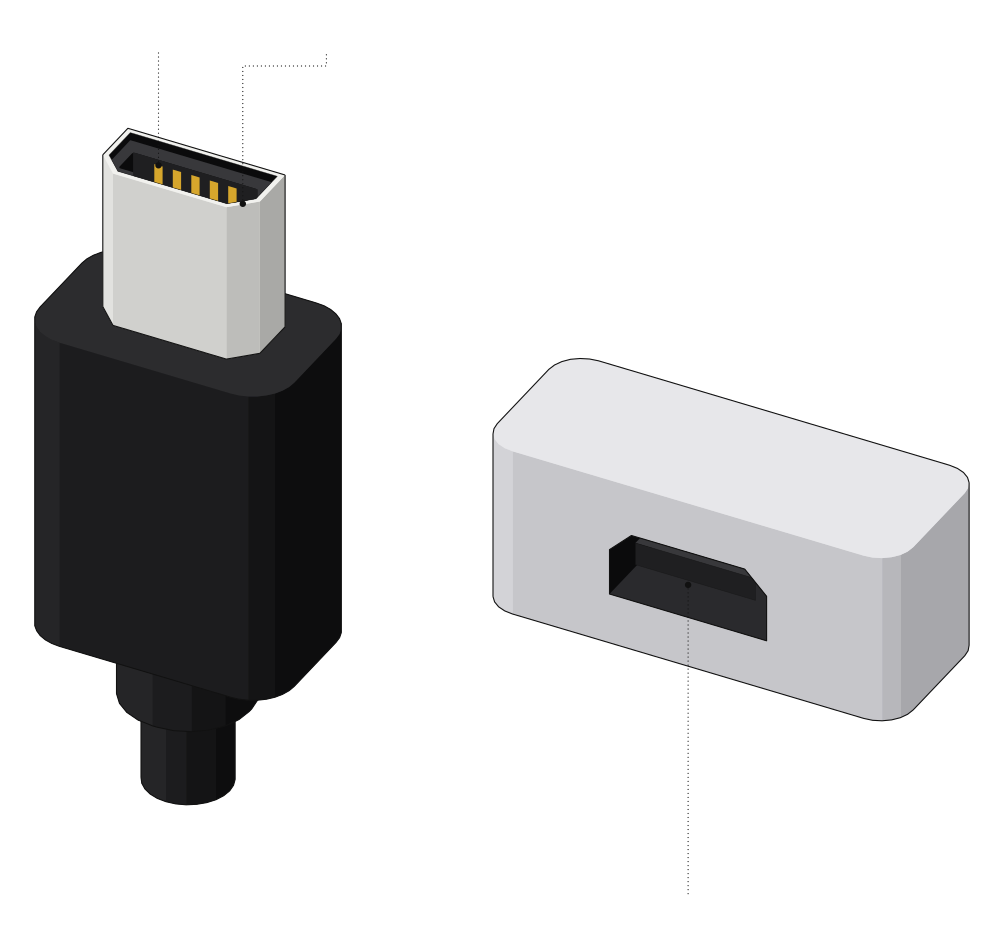 5 contactsThicker, angled cornersMini-USB port
Older and thicker than Micro-USB. Today you mostly see it on older cameras and gadgets.
USB-B
- Speed
- 480 Mbps (USB 2.0), 5 Gbps (USB 3.0)
- Also called
- Type-B, printer cable
- Where you see it
- Printers, scanners, audio interfaces, docks
- Plugs in
- One way up
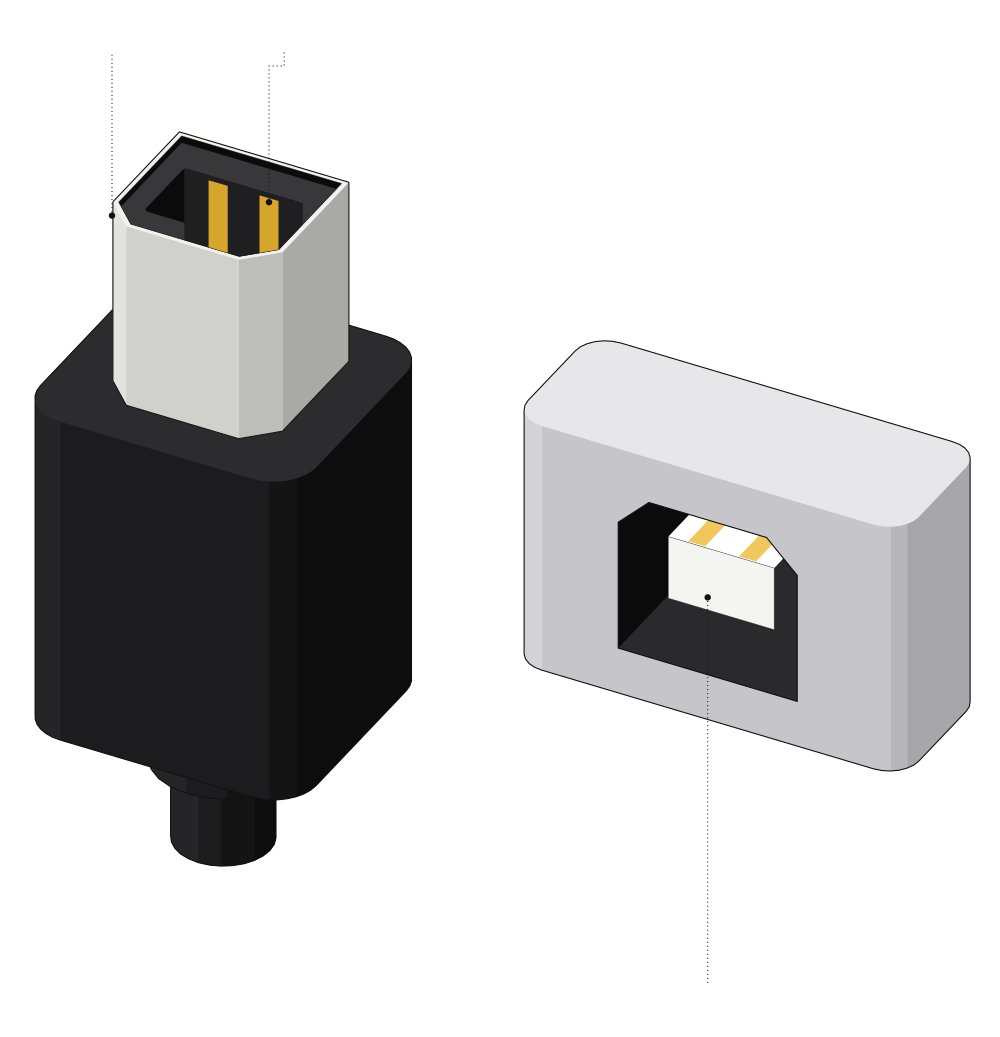 Two corners cut offContacts insidePort on a printer
The square printer plug, so you can never connect two computers by mistake. A USB 3.0 version adds a block on top for 5 Gbps.
How to tell USB ports apart on your laptop
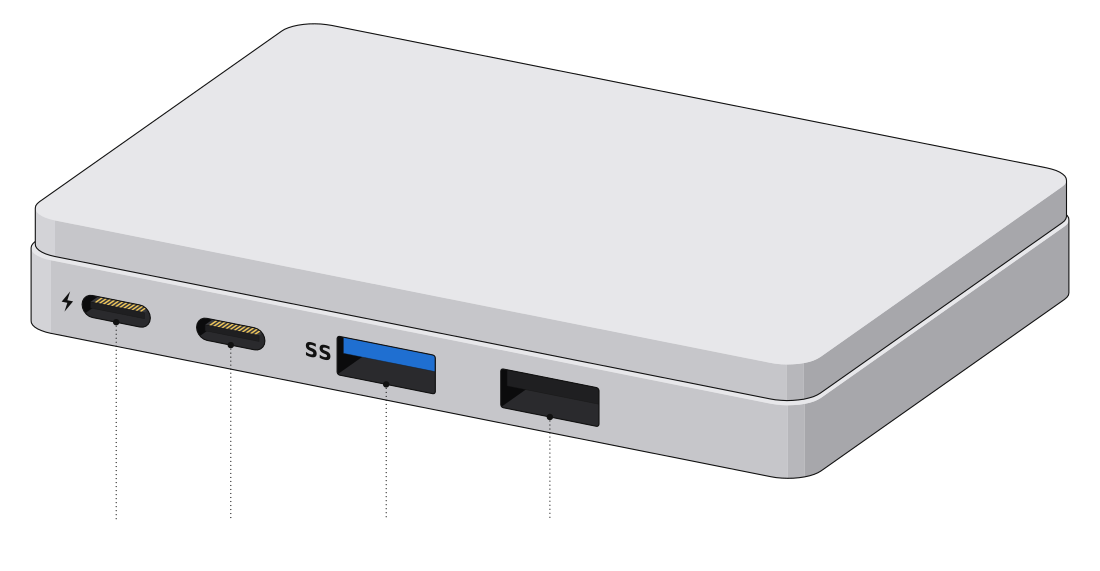 ThunderboltUSB-CBlue USB-ABlack USB-A
| What you see | What it means |
|---|---|
| Lightning bolt next to USB-C | Thunderbolt: 40 Gbps or faster, docks and displays |
| Plain USB-C | Anything from 480 Mbps to 80 Gbps, check the spec sheet |
| Blue insert or SS logo | Usually USB 3, 5 Gbps or faster |
| SS10 logo | 10 Gbps |
| Black or white insert | Usually USB 2.0, 480 Mbps |
| Red, orange or yellow insert, or a battery icon | Keeps charging while the laptop sleeps or is off |
USB speeds, in plain numbers
| Name on the box | Also sold as | Top speed | Connector |
|---|---|---|---|
| USB 1.1 | Full Speed | 12 Mbps | USB-A, USB-B |
| USB 2.0 | Hi-Speed | 480 Mbps | All of them |
| USB 5Gbps | USB 3.0, USB 3.1 Gen 1, USB 3.2 Gen 1 | 5 Gbps | USB-A, USB-C, USB-B, Micro-B |
| USB 10Gbps | USB 3.1 Gen 2, USB 3.2 Gen 2 | 10 Gbps | USB-A, USB-C |
| USB 20Gbps | USB 3.2 Gen 2x2 | 20 Gbps | USB-C only |
| USB 40Gbps | USB4 (40 Gbps) | 40 Gbps | USB-C only |
| USB 80Gbps | USB4 Version 2.0 | 80 Gbps | USB-C only |
| Thunderbolt 3 and 4 | 40 Gbps | USB-C only | |
| Thunderbolt 5 | 80 Gbps, up to 120 Gbps | USB-C only |
USB 3.0, USB 3.1 Gen 1 and USB 3.2 Gen 1 are the same 5 Gbps. That is why newer boxes just print the speed, like USB 10Gbps.
How much power a USB port gives
Above 60 W you also need a cable rated for it. Certified USB-C cables are marked 60W or 240W, so for a laptop, get a 240W one.
USB port types compared
| Connector | Plug size | Reversible | Top speed | Where you see it |
|---|---|---|---|---|
| USB-A | 12 x 4.5 mm | No | Up to 10 Gbps | Chargers, PCs, flash drives |
| USB-C | 8.25 x 2.4 mm | Yes | Up to 80 Gbps | Phones, laptops, chargers |
| Micro-USB | 6.85 x 1.8 mm | No | 480 Mbps | Older phones, speakers |
| USB 3.0 Micro-B | 12.2 x 1.8 mm | No | 5 Gbps | Portable hard drives |
| Mini-USB | About 7 x 3 mm | No | 480 Mbps | Older cameras |
| USB-B | 8 x 7.25 mm | No | 480 Mbps or 5 Gbps | Printers, audio gear |
Comments
0Share your thoughts, questions, or feedback about this guide.