
SSD sizes explained, from M.2 2230 to 2.5-inch
SSDs come in a handful of shapes, and buying the wrong one is an easy mistake. I have drawn every common size at its real dimensions, so you can see which one fits your PC, laptop or console.
Every SSD size, to scale
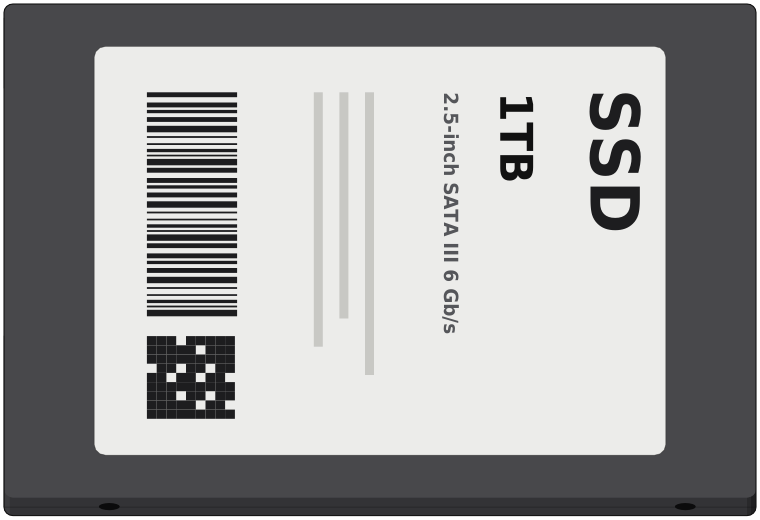
2.5-inch100 x 69.85 mm
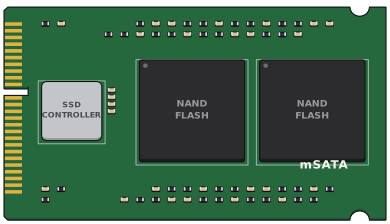
mSATA50.8 x 29.85 mm
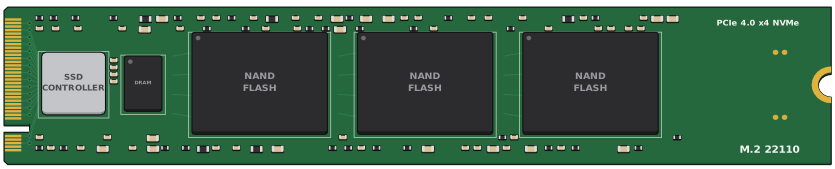
M.2 2211022 x 110 mm
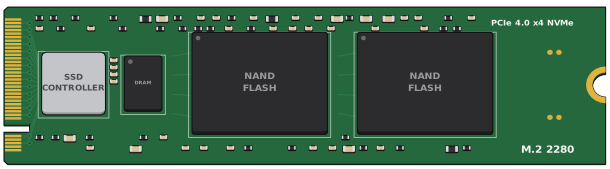
M.2 228022 x 80 mm
M.2 226022 x 60 mm
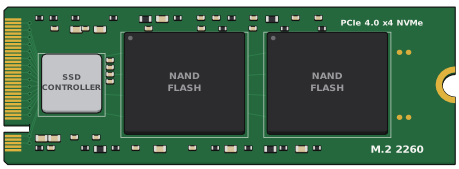
M.2 224222 x 42 mm
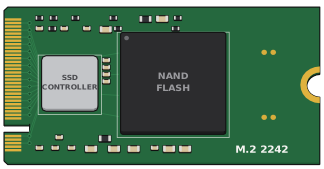
M.2 223022 x 30 mm
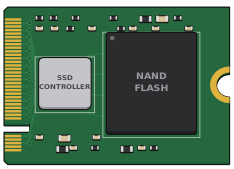
M.2 2280
- Size
- 22 x 80 mm
- Interface
- NVMe or SATA
- Where you see it
- Desktops, most laptops, PS5
- Screw
- One, at 80 mm
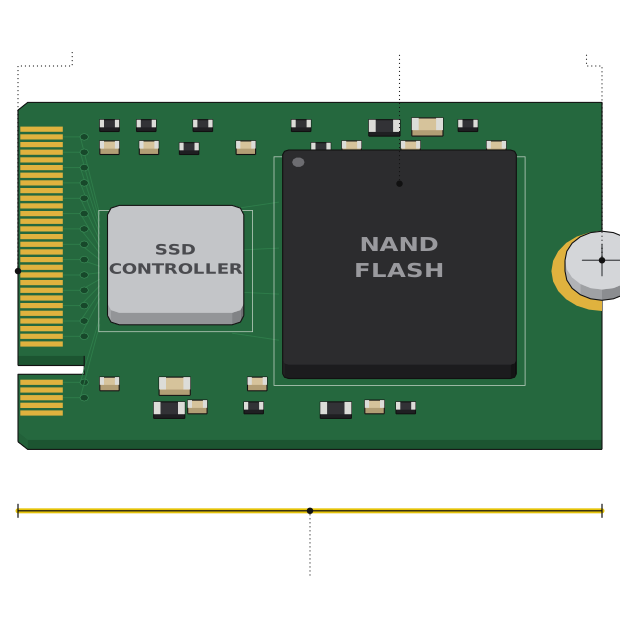
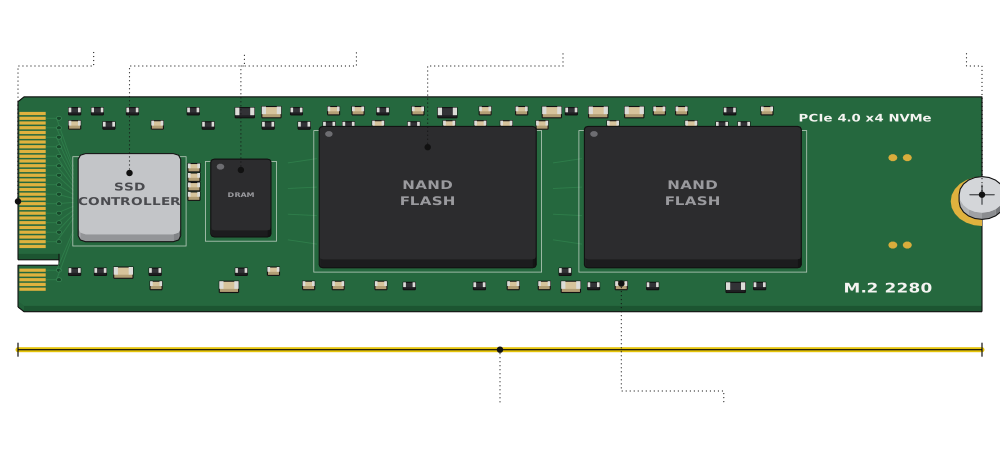 Gold edge connectorControllerDRAM cacheNAND flash: your files live hereScrewCapacitors and resistors80 mm long, 22 mm wide
The four digits are the size: 22 mm wide and 80 mm long. This is the SSD most desktops and laptops take, so if you are not sure, start here.
M.2 2230
- Size
- 22 x 30 mm
- Interface
- NVMe
- Where you see it
- Steam Deck, original ROG Ally, thin laptops
- Screw
- One, at 30 mm
 Same connectorOne NAND chipScrew30 mm long
Same connector, a lot less board. It is the go-to size for handhelds and thin laptops, and a 2230 drive also fits a 2280 slot if the board has a screw hole at 30 mm.
M.2 2242, 2260 and 22110
M.2 2242Budget laptops, mini PCs
M.2 2260Rare, older laptops
M.2 22110Workstations, servers
Same 22 mm width and connector, just different lengths. Check how far your slot's screw standoff sits from the connector before you buy.
M.2 keys: M, B and B+M
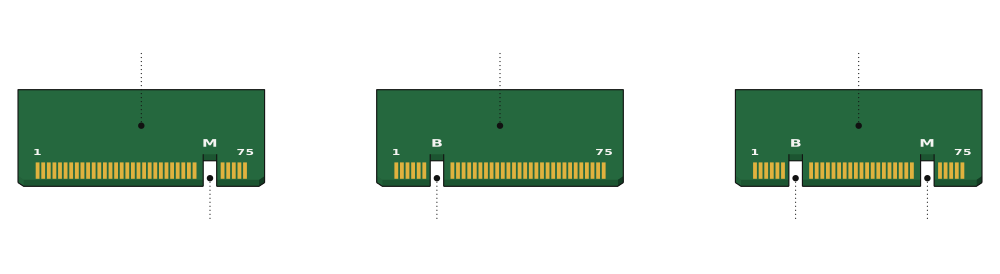 Usually NVMeM keyRare on SSDsB keyUsually SATAB keyM key
The notches in the gold edge are called keys, and they decide which slots a card fits. NVMe SSDs almost always use the M key, while B+M usually means a slower SATA drive.
NVMe vs SATA on M.2
Two M.2 drives can look identical and run at very different speeds. Check that your slot supports NVMe, and which PCIe generation, before you pay for a fast drive.
Where an M.2 SSD goes
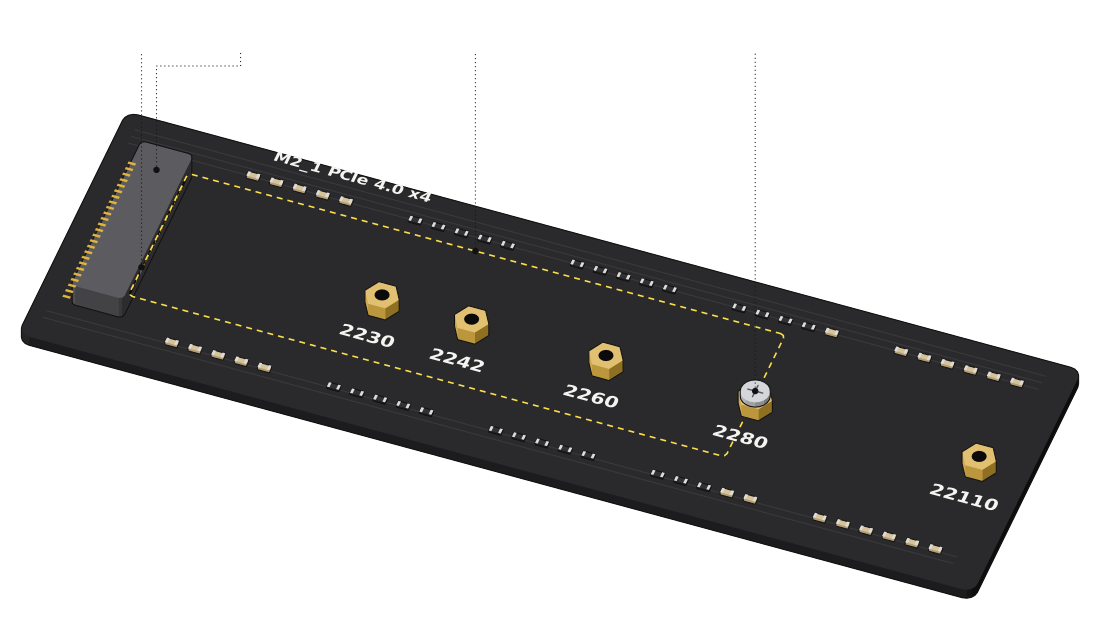 M.2 slotWhere a 2280 card liesStandoff with its screwKey ridge
The card slides into the slot at an angle, lies flat and is held by one screw. Most boards have a standoff at 80 mm, and some add holes for the other lengths.
2.5-inch SATA SSD
- Size
- 100 x 69.85 mm
- Thickness
- About 7 mm
- Interface
- SATA, up to 560 MB/s
- Where you see it
- Older laptops, desktops
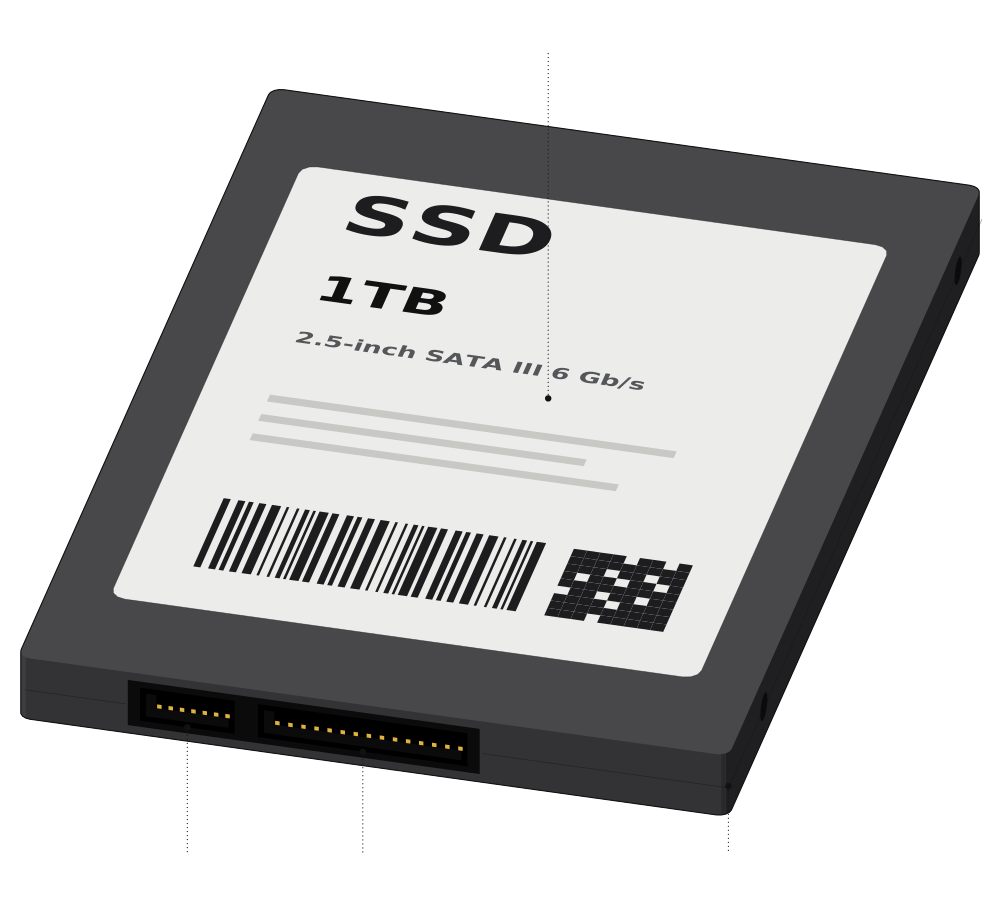 SATA dataSATA powerAbout 7 mm thick100 x 70 mm, the size of a 2.5-inch laptop drive
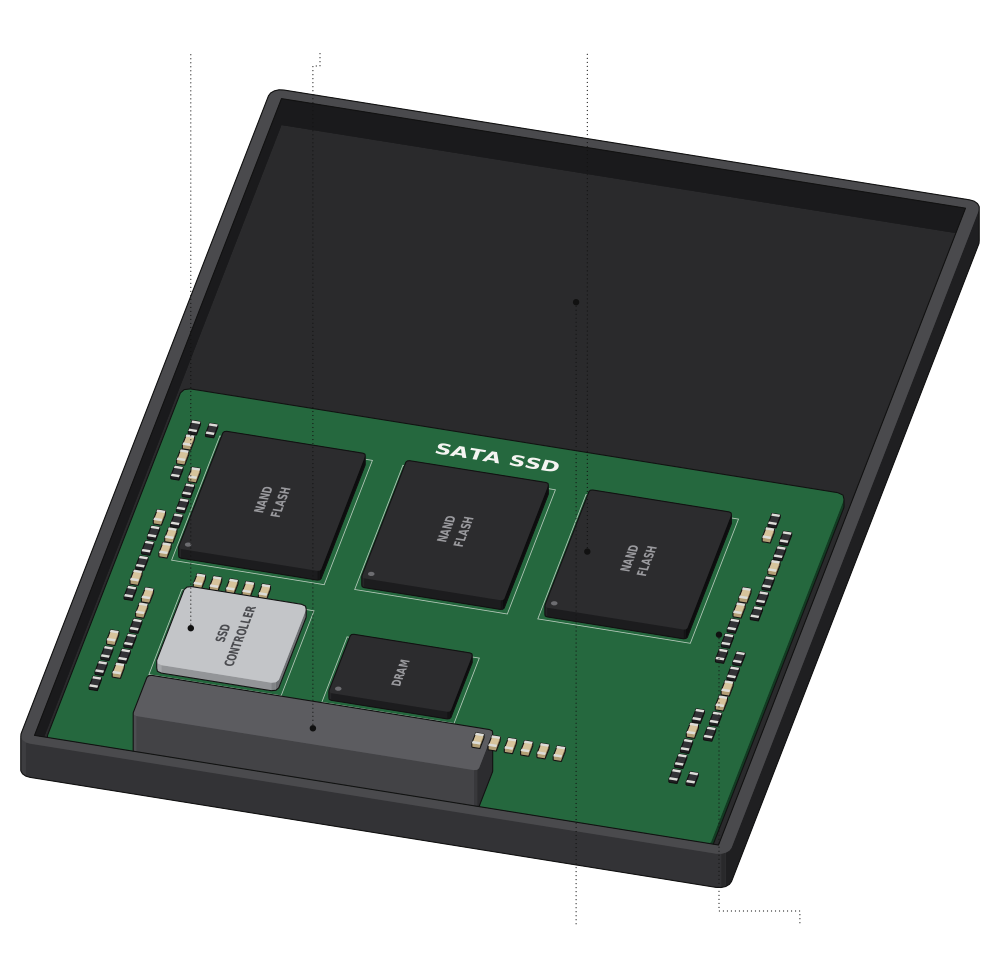 SATA connectorControllerNAND flashThe board fills about half the caseEmpty space
This is the same size as a laptop hard drive, which makes it the easiest upgrade for an older machine. It plugs in with a SATA data cable and a SATA power cable.
mSATA
- Size
- 50.8 x 29.85 mm
- Interface
- SATA
- Where you see it
- Older laptops and mini PCs
- Screws
- Two
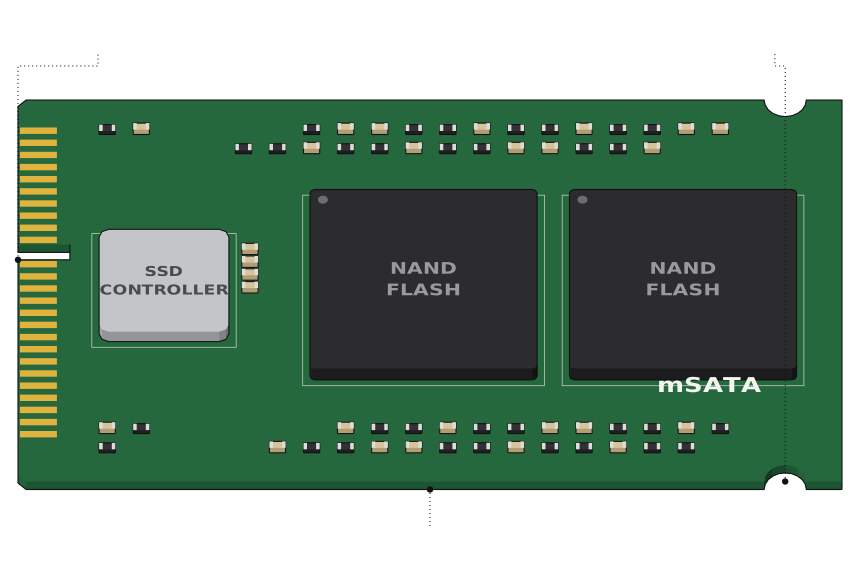 Mini PCIe-style edgeTwo screw notches50.8 x 29.85 mm
mSATA came before M.2 and is now mostly found in older laptops. It does not fit an M.2 slot, even though the cards look alike.
SSD sizes compared
| Form factor | Size | Interface | Where you see it |
|---|---|---|---|
| M.2 2230 | 22 x 30 mm | NVMe | Steam Deck, original ROG Ally, thin laptops |
| M.2 2242 | 22 x 42 mm | NVMe or SATA | Some budget laptops and mini PCs |
| M.2 2260 | 22 x 60 mm | NVMe or SATA | Rare, a few older laptops |
| M.2 2280 | 22 x 80 mm | NVMe or SATA | Desktops, most laptops, PS5, ROG Ally X |
| M.2 22110 | 22 x 110 mm | NVMe | Workstations and servers |
| 2.5-inch | 100 x 69.85 x 7 mm | SATA | Older laptops, desktops, consoles |
| mSATA | 50.8 x 29.85 mm | SATA | Older laptops and mini PCs |
| U.2 | 2.5-inch, usually 15 mm thick | NVMe | Servers and workstations |
Which SSD size should you buy?
| If you have | Buy |
|---|---|
| Desktop PC or most laptops | M.2 2280 NVMe |
| PS5 | M.2 2230 to 22110, PCIe 4.0 NVMe |
| Steam Deck or original ROG Ally | M.2 2230 NVMe |
| ROG Ally X | M.2 2280 NVMe |
| Older laptop with a drive bay | 2.5-inch SATA |
Comments
0Share your thoughts, questions, or feedback about this guide.