
Reddit Icons and Symbols Explained
Reddit packs a lot of small icons into every post. The up and down arrows are votes, the speech bubble opens the comments, and the two circling arrows let you repost a post to another community. Then there are pins, locks, awards and flairs that are easy to miss if you are new to Reddit.
In this guide, you will learn what every icon in the latest Reddit app means, screen by screen. And this is an interactive guide. You can tap on every icon on the screens below to know what it does.
Home Feed
How to get here: RedditHome
Top bar and a post
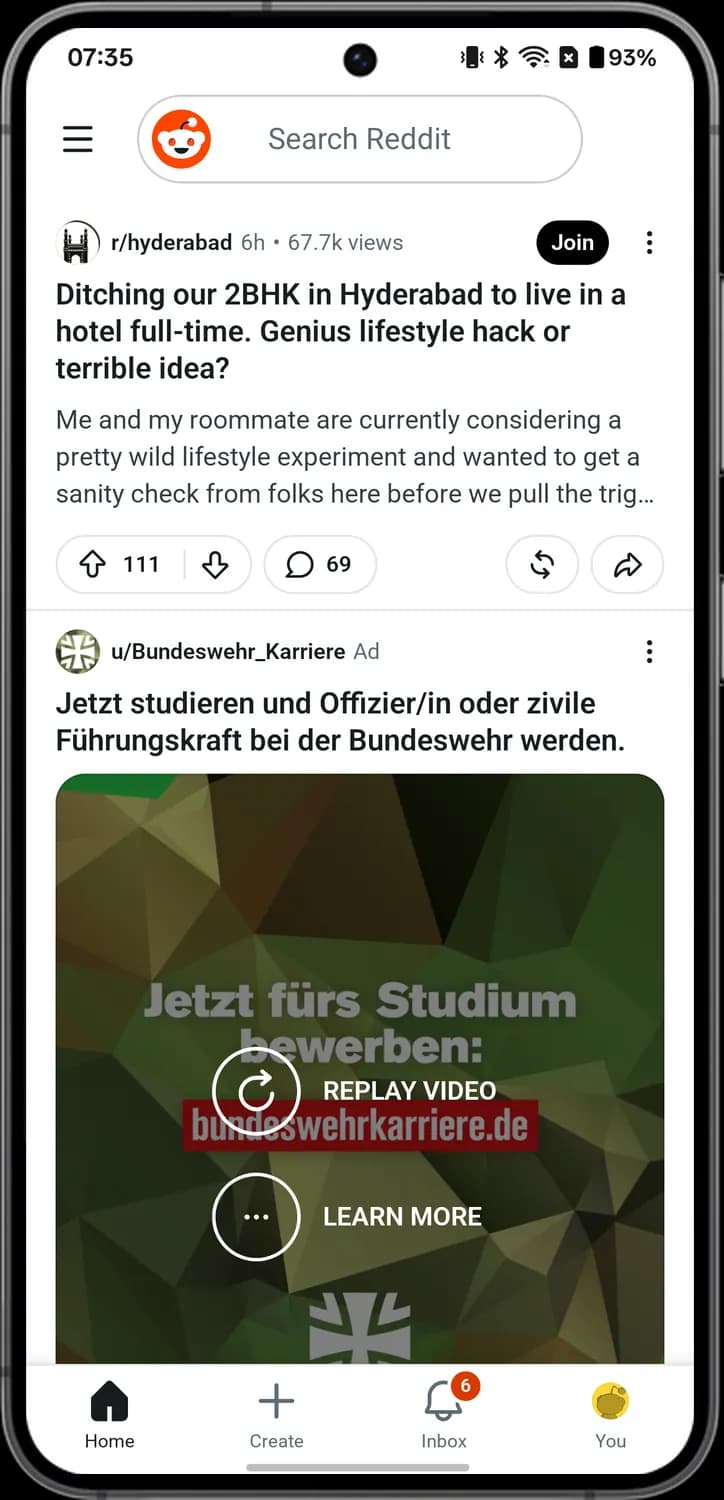

Community menu
The three lines at the top left. Tap it to open the community menu, with feeds, games and the communities you visited.

Search bar
The Reddit logo and the Search Reddit bar. Tap it to search for posts, communities and people.

Community icon
The round picture next to r/hyderabad. It shows which community the post comes from.

Join
The black Join button on a post from a community you have not joined. Tap it to join that community.

More options
The three dots at the top right of a post. Tap it for the post menu, with Copy link, Save, Report and more.

Ad label
The word Ad next to the name means the post is a paid ad, not a normal post.
Post actions
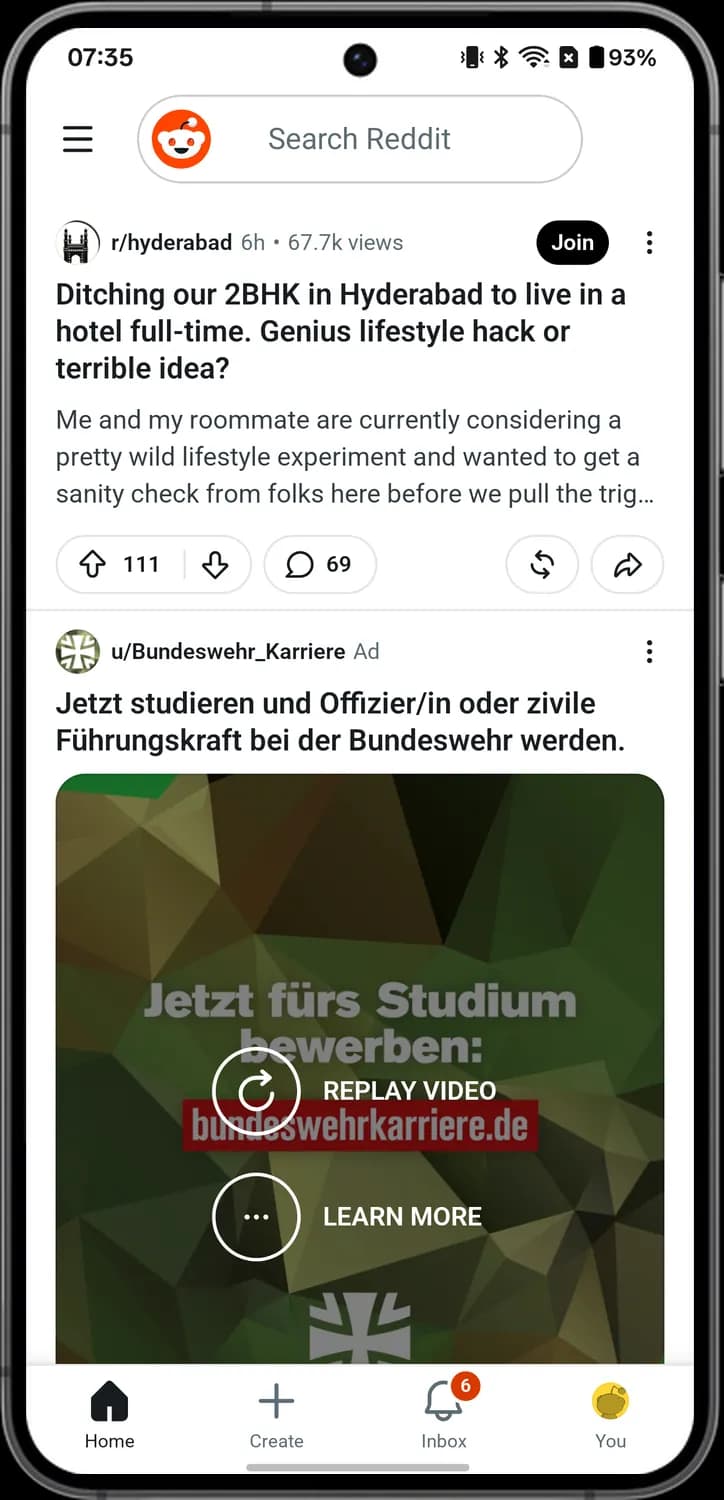

Upvote
The arrow pointing up, with the vote count next to it. Tap it to upvote the post, and tap it again to take the vote back.

Downvote
The arrow pointing down. Tap it to downvote the post.

Comments
The speech bubble, with the number of comments. Tap it to open the post and read the comments.

Repost
The two arrows going round in a circle. Tap it to open the Repost sheet and post it again to your profile or a community.

Share
The curved arrow pointing right. Tap it to open the Share sheet and send the post to an app or copy its link.
Tab bar
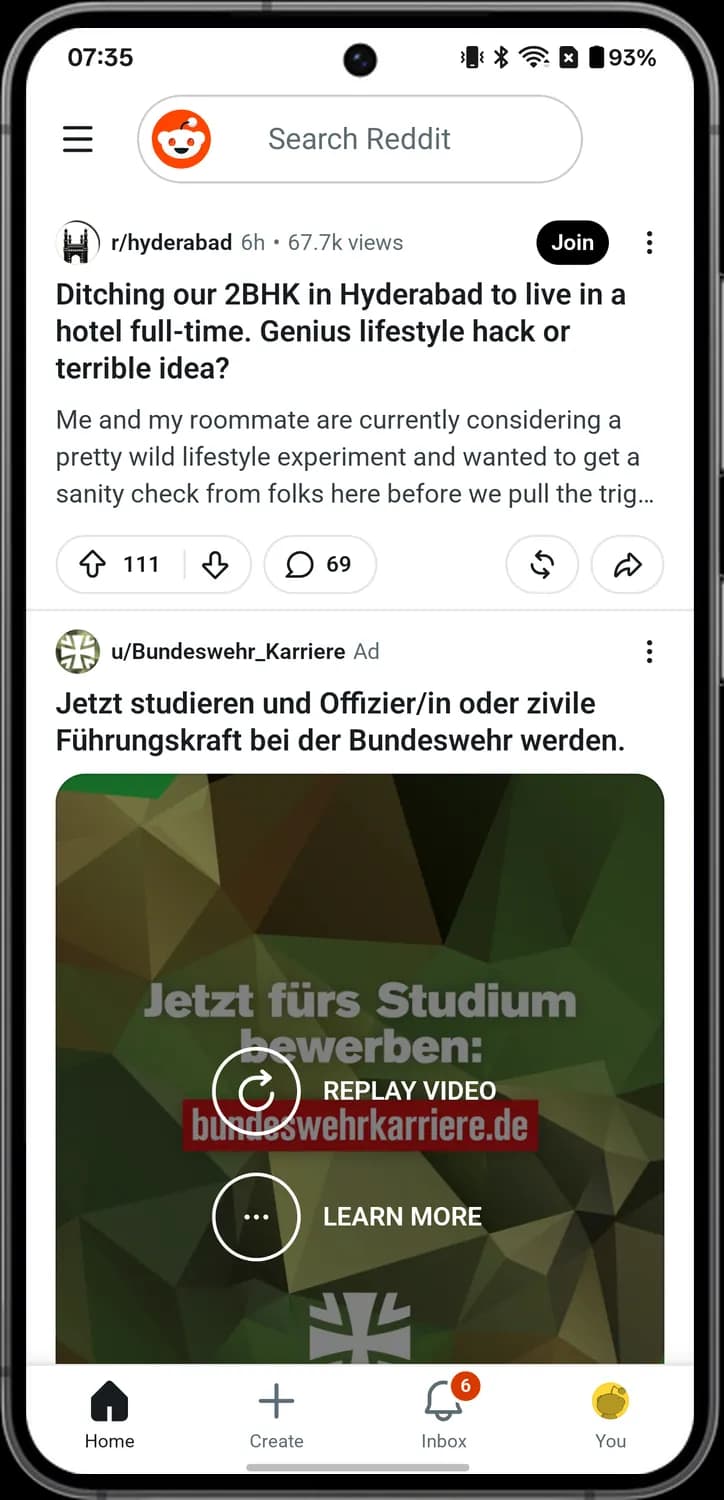

Home
The house. Tap it to go back to your Home feed.

Create
The plus sign. Tap it to write a new post.
Inbox
The bell. Tap it to open your notifications and chats.

You
Your avatar. Tap it to open your profile.

Unread badge
The red circle with a number on the bell. It shows how many notifications you have not read yet.
Repost sheet
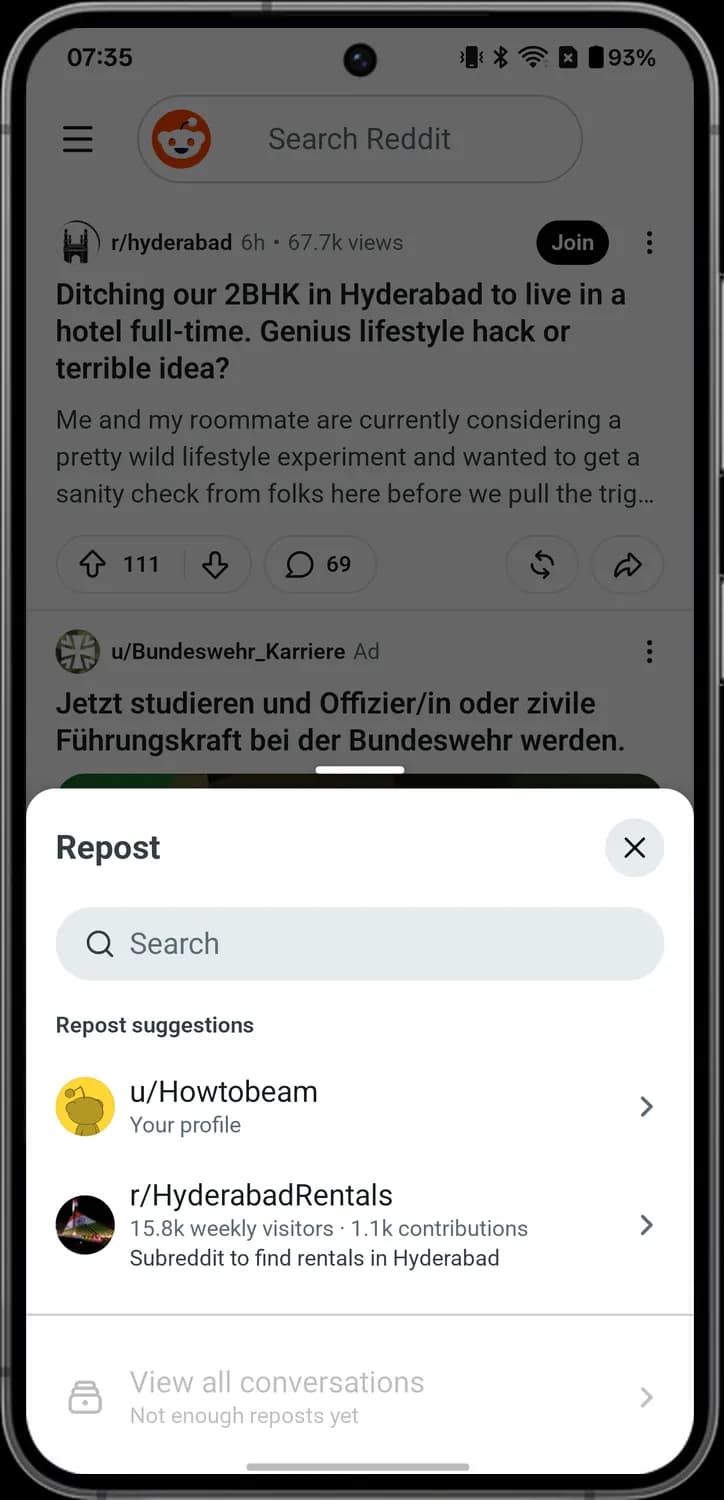

Close
The X at the top right of a sheet. Tap it to close the sheet without doing anything.

Search communities
The magnifying glass in the Search box. Type here to find a community to repost to.
Your profile
Your avatar with u/ and your name. Tap it to repost the post to your own profile.
Suggested community
A community picture under Repost suggestions. Tap it to repost the post to that community.
Post menu
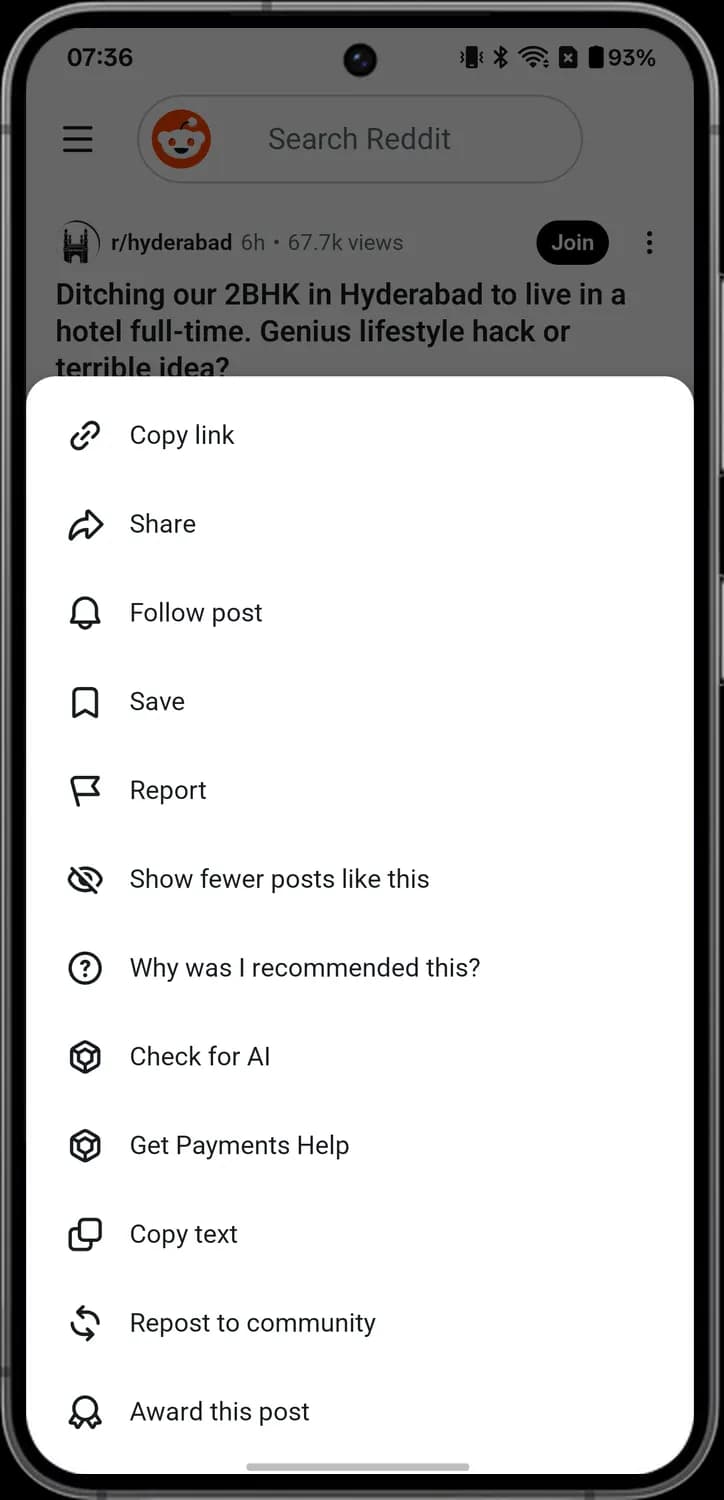

Copy link
The chain link. Tap it to copy the post's link so you can paste it anywhere.

Follow post
The bell. Tap it to get a notification when there are new comments on the post.

Save
The bookmark. Tap it to save the post so you can find it again later.

Report
The flag. Tap it to report the post to the community's moderators or to Reddit.

Show fewer posts like this
The eye with a line through it. Tap it to see fewer posts like this one in your feed.

Why was I recommended this?
The question mark in a circle. Tap it to see why Reddit showed you this post.
Posts and Comments
How to get here: HomeTap a post
Open post
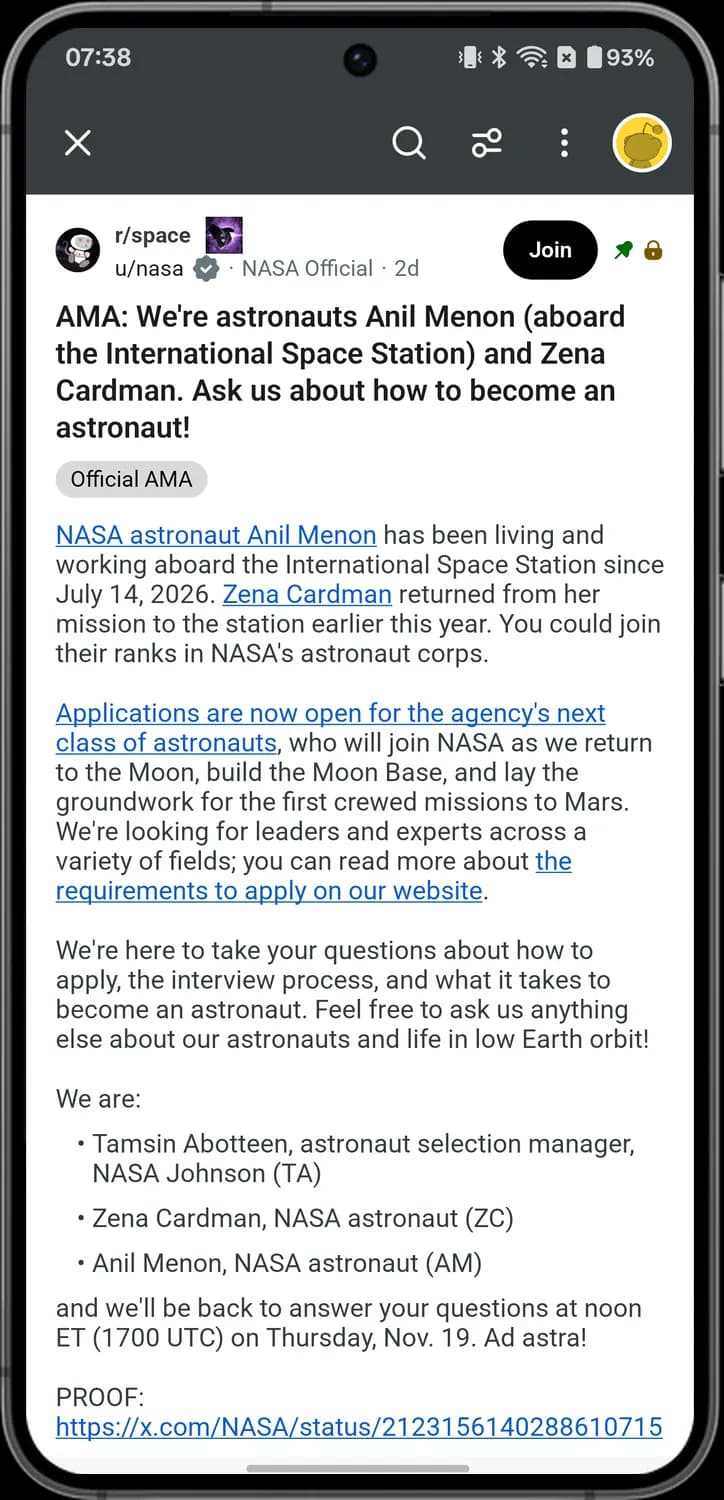

Close post
The X at the top left. Tap it to close the post and go back.

Search comments
The magnifying glass in the top bar. Tap it to search the comments on this post.

Sort comments
The two sliders. Tap it to change the order of the comments.

Post menu
The three dots in the top bar. Tap it for the post menu, with Award, Hide, Download and more.

Verified badge
The grey badge with a tick next to a name. It means Reddit has verified the account.

User flair
The grey words after a name, like NASA Official. This is the user's flair, a label they carry in this community.

Pinned
The green pin. It means the community's moderators pinned the post to the top.

Locked
The padlock. It means the post is locked, so no one can add new comments.
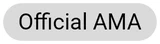
Post flair
The grey tag under the title, like Official AMA. It is the post's flair, a label that sorts posts in the community.
Post menu
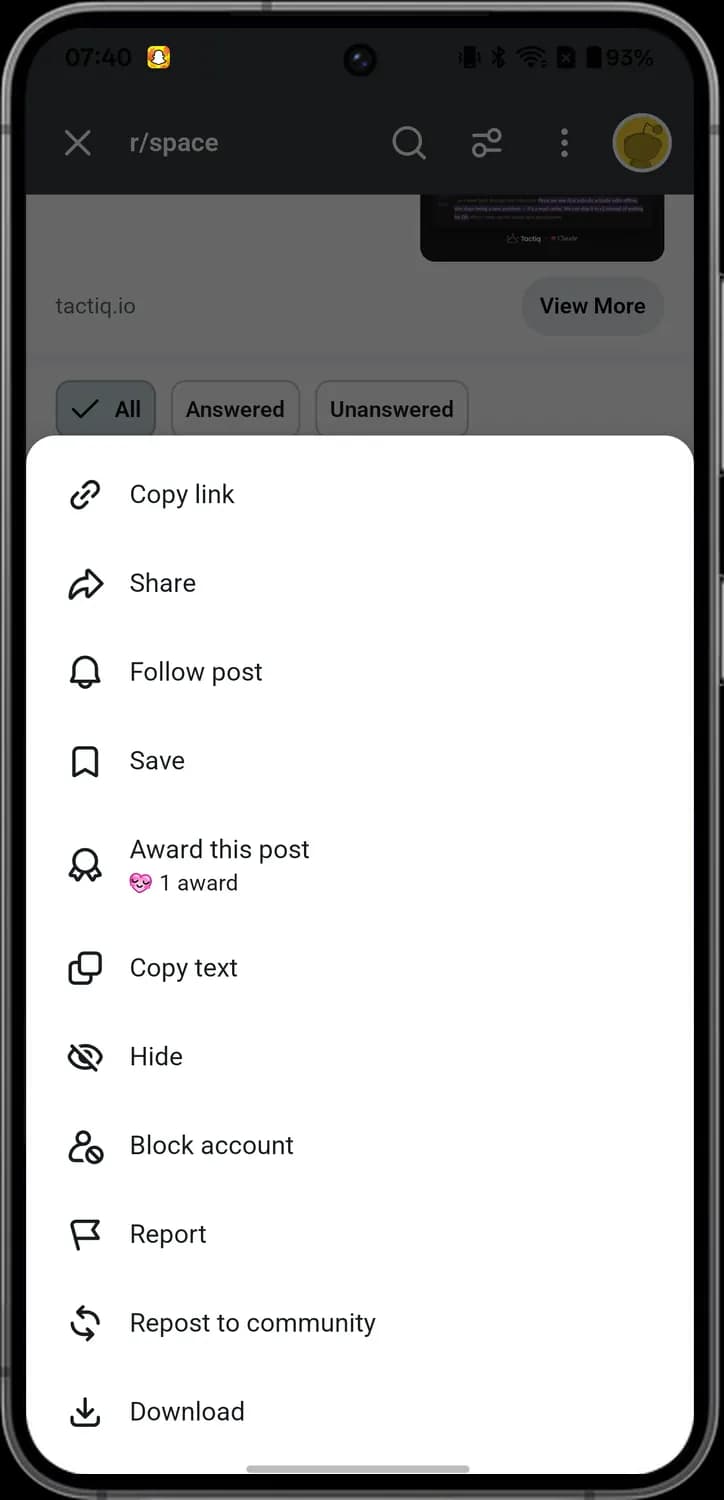

Award this post
The ribbon. Tap it to give the post an award. The line under it shows how many awards it has.

Copy text
The two squares. Tap it to copy the text of the post.

Hide
The eye with a line through it. Tap it to hide the post from your feed.

Block account
The person with a no sign. Tap it to block the account that posted it.

Download
The arrow pointing down into a tray. Tap it to download the post to your phone.
End of the post
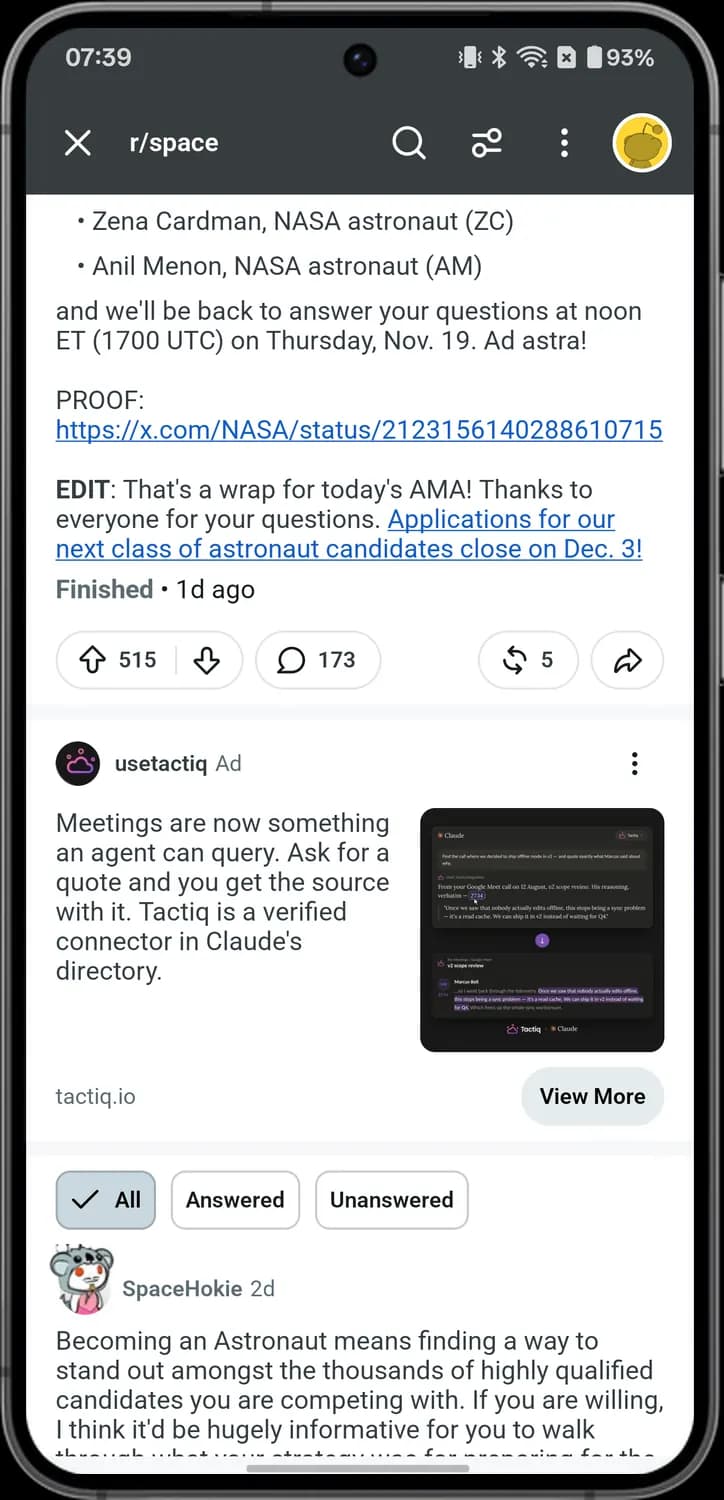

AMA comment filter
The All, Answered and Unanswered chips above the comments. Tap one to show only those comments; the tick marks the one in use.

AMA status
Finished with a time under an AMA post means the questions and answers session has ended.
Comments
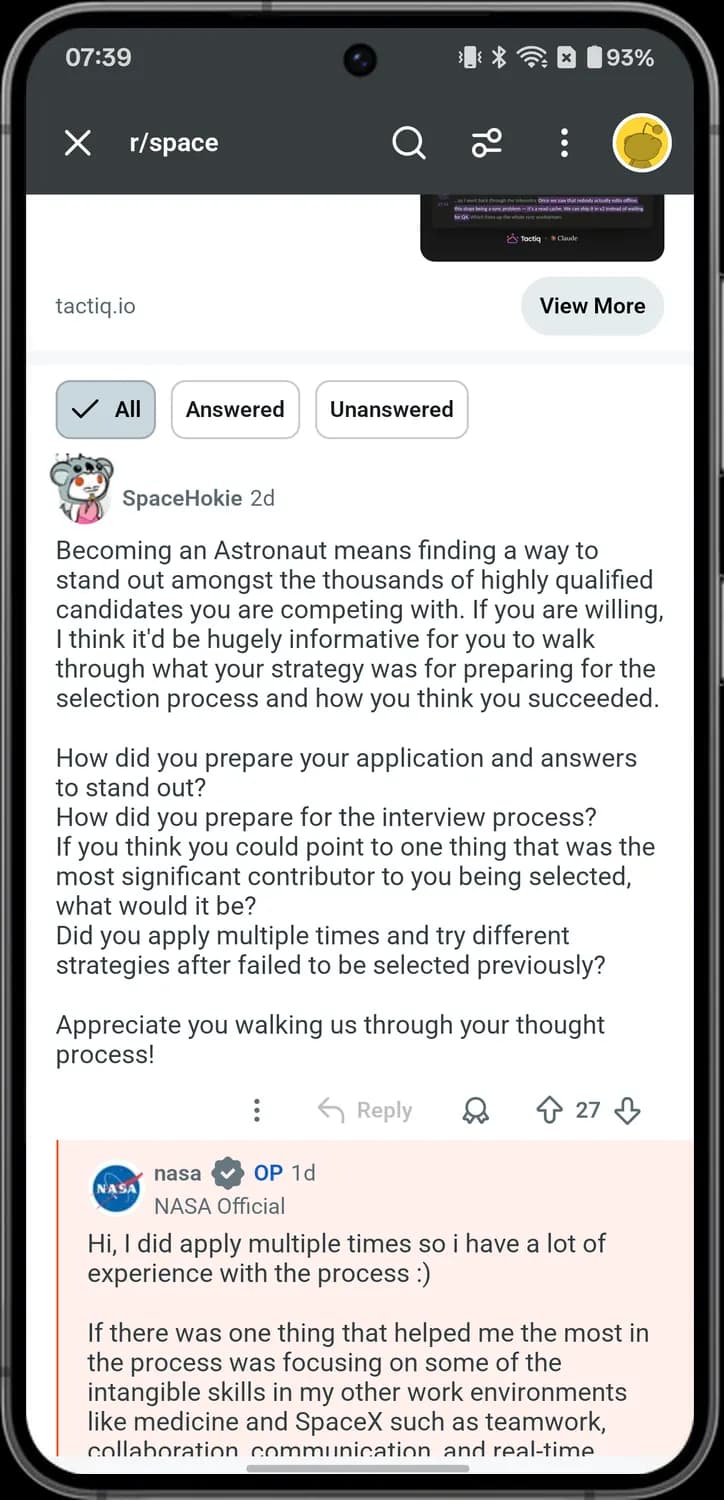

Comment options
The three dots under a comment. Tap it for the comment menu, with Share, Save, Copy text and more.

Reply
The curved arrow with Reply. Tap it to reply to the comment. It is grey here because the post is locked.

Award comment
The ribbon under a comment. Tap it to give the comment an award.

OP tag
The blue OP next to a name. It means this person wrote the original post.
Comment menu
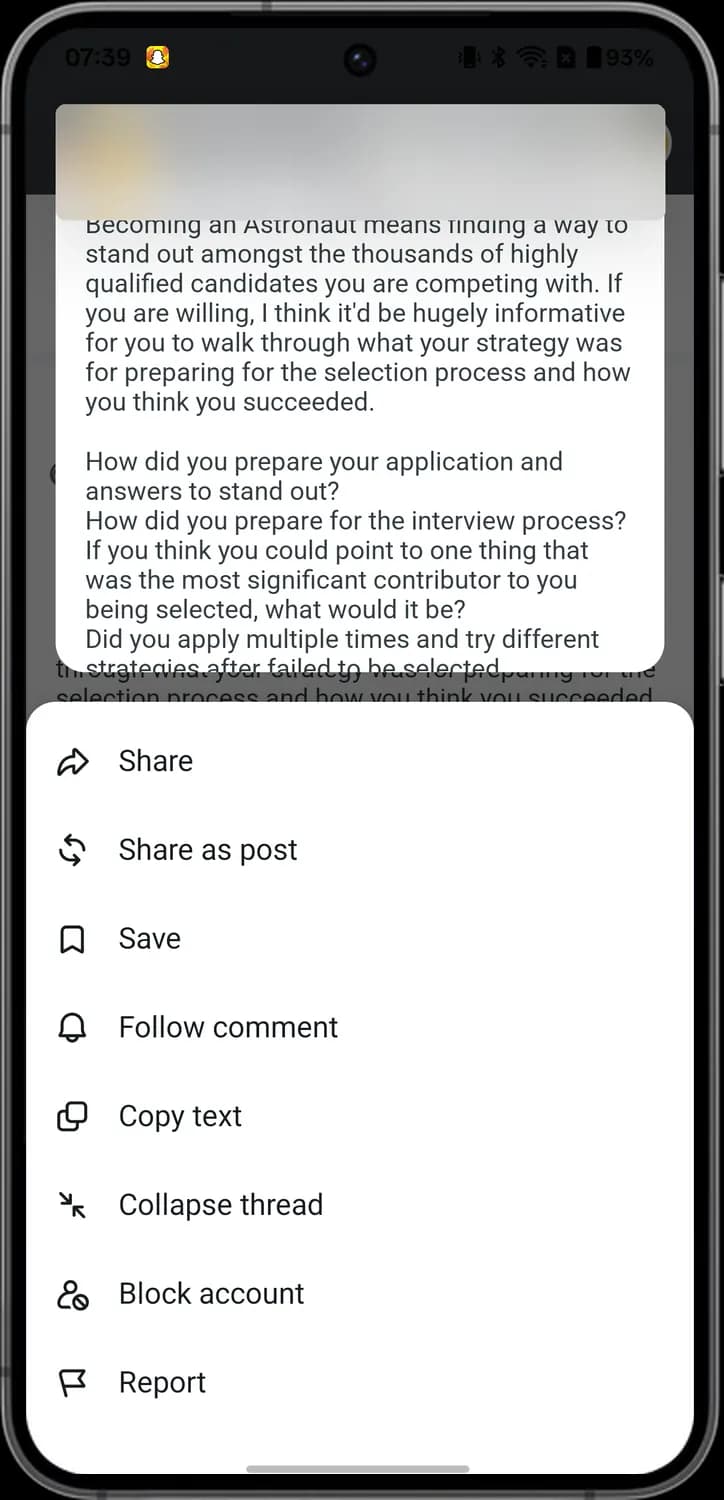

Share as post
The two round arrows. Tap it to share the comment as a new post.

Follow comment
The bell. Tap it to get a notification when someone replies to the comment.

Collapse thread
The two arrows pointing at each other. Tap it to fold the comment and its replies out of the way.
Sort comments
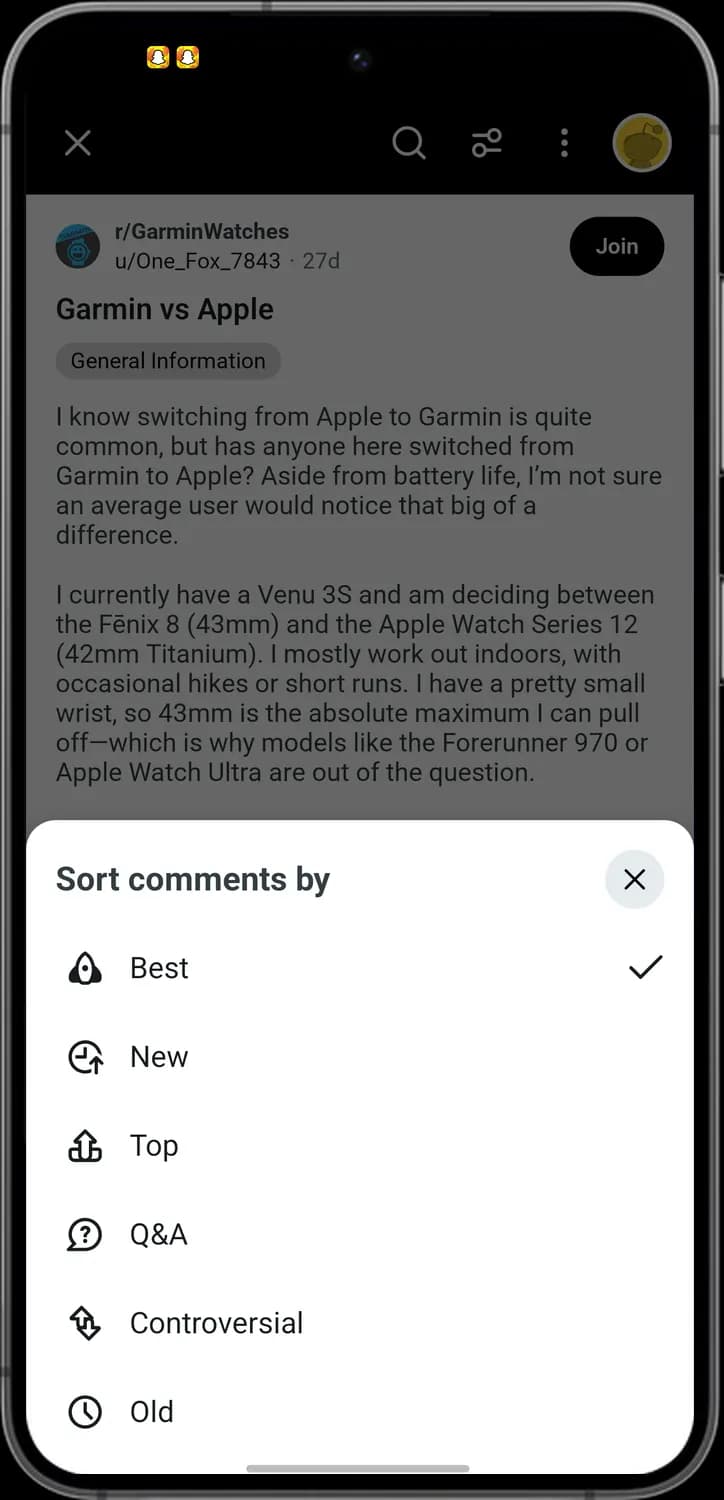

Close sort
The X in a circle. Tap it to close the sheet without changing anything.

Best comments
The rocket. Best puts the comments people like most at the top.

New comments
The clock with an arrow. New shows the newest comments first.

Top comments
The arrow on a stand. Top shows the most upvoted comments first.

Q&A
The question mark in a bubble. Q&A brings up the comment threads the person who posted replied to.

Controversial comments
The two arrows going opposite ways. Controversial shows comments with lots of upvotes and downvotes.

Old
The clock. Old shows the oldest comments first.

Selected sort
The tick at the right of a row. It marks the order in use now.
Writing a Comment
How to get here: HomeTap a postJoin the conversation
Comment box
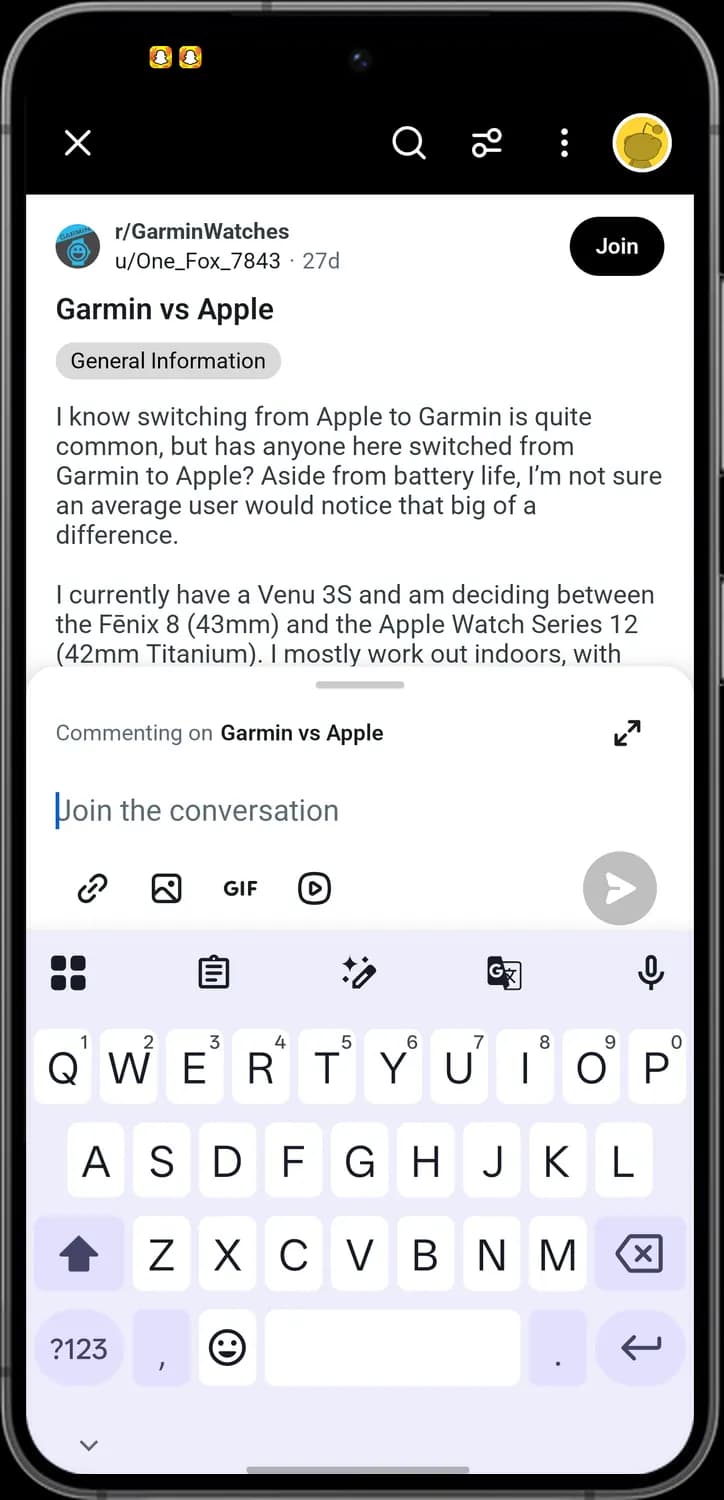

Full screen
The two arrows pointing out. Tap it to open the comment box full screen.

Add a link
The chain link. Tap it to add a link with its own name to your comment.

Add an image
The picture frame. Tap it to add a photo from your phone.

Add a GIF
The word GIF. Tap it to search for a GIF and add it.

Add a video
The play button in a rounded square. Tap it to record a video or pick one from your phone.

Send comment
The paper plane in a grey circle. It stays grey until you type something.

Commenting on
The line at the top of the box. It shows which post your comment goes to.
Full screen
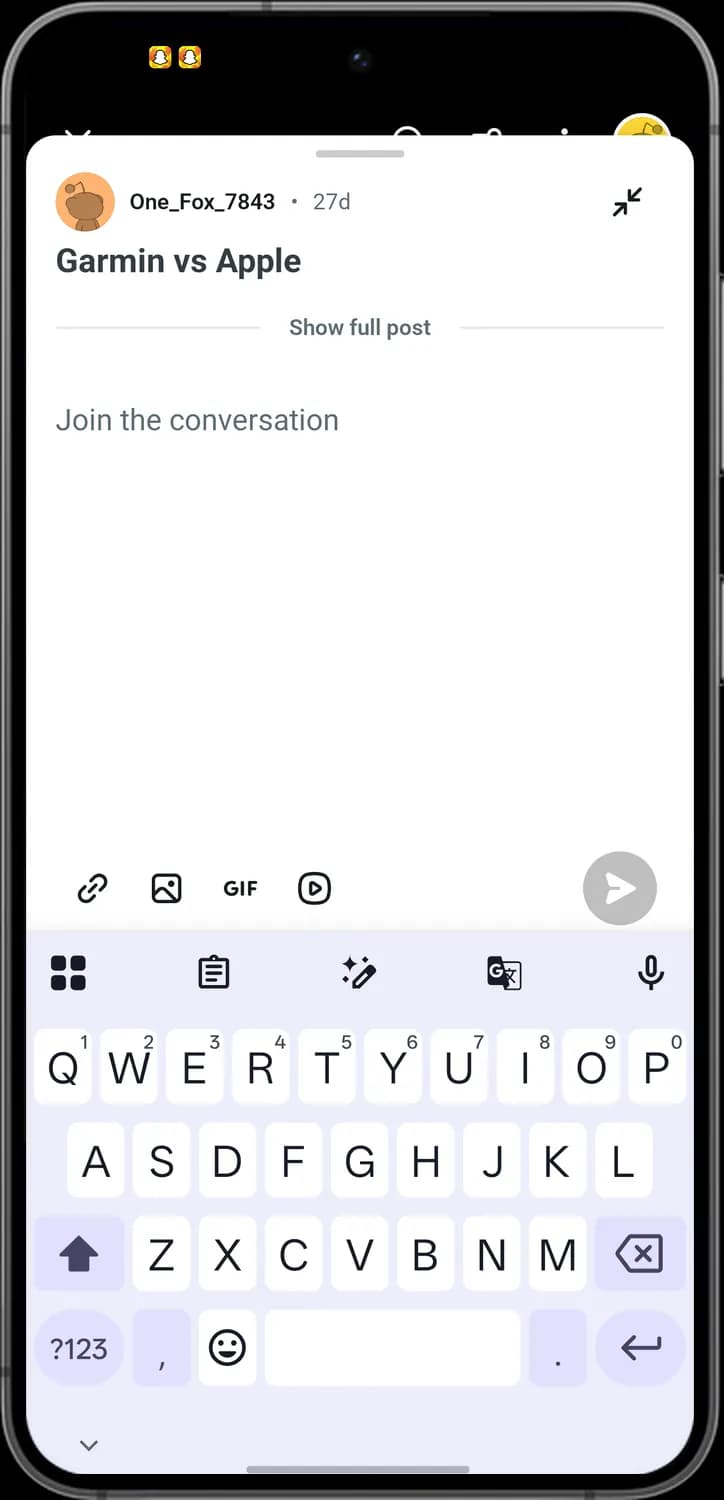

Small box
The two arrows pointing in. Tap it to make the comment box small again.
Show full post
Show full post. Tap it to read the whole post while you write.
Ready to send
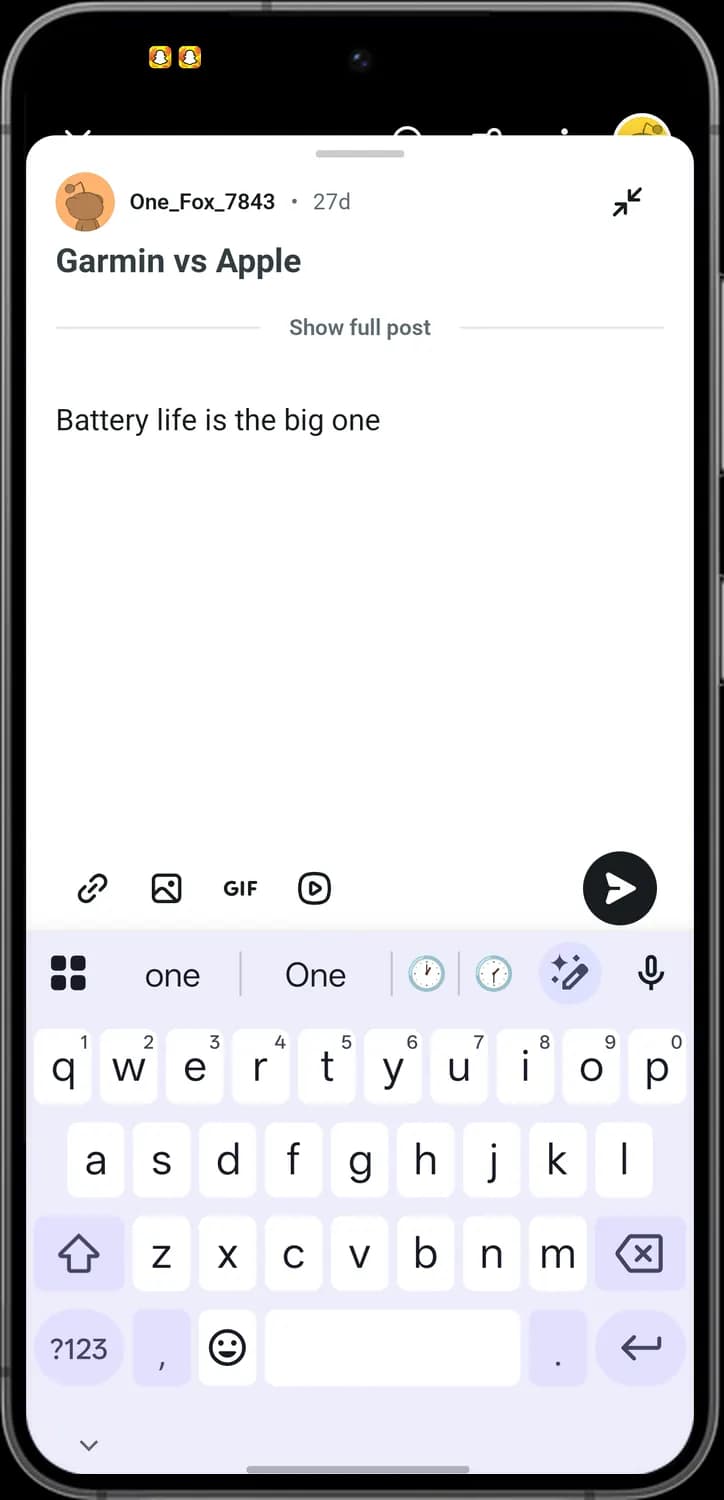

Send comment
The paper plane turns black once you type. Tap it to post your comment.
GIF picker
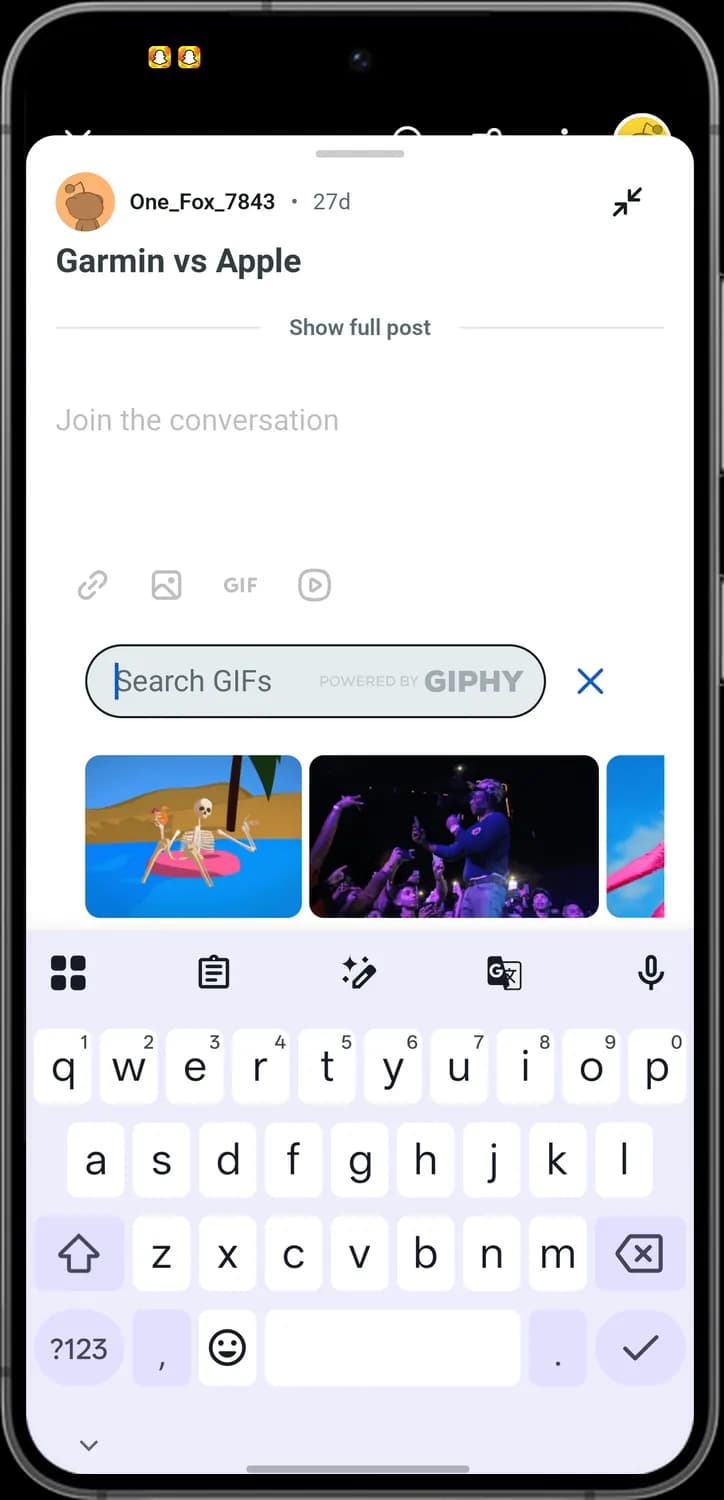
Search GIFs
The Search GIFs box. Type a word to find GIFs from GIPHY, then tap one to add it.

Close GIF picker
The blue X. Tap it to close the GIF picker.
Add a video
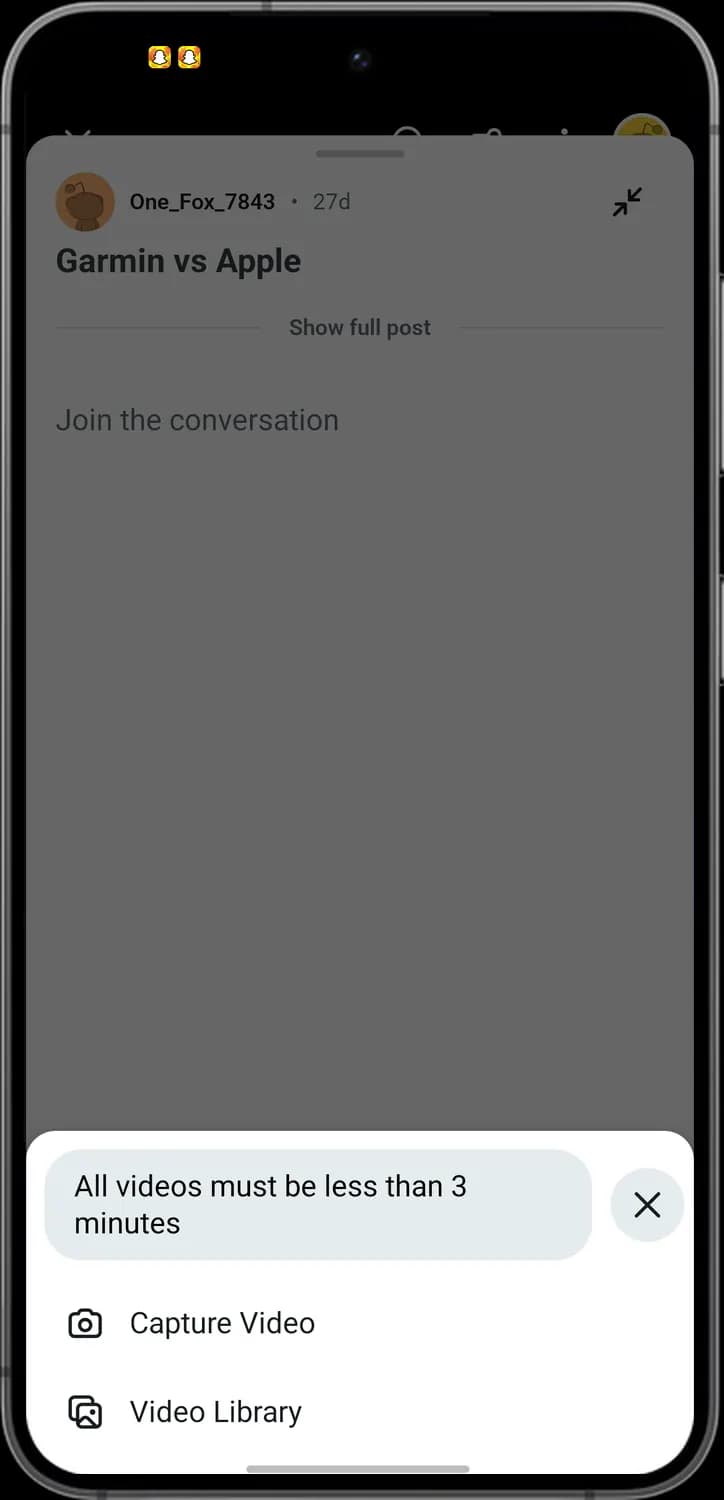

Capture Video
The camera. Tap it to record a new video. Videos must be shorter than 3 minutes.

Video Library
The picture stack. Tap it to pick a video from your phone.

Close
The X in a circle. Tap it to close the sheet.
Add a link
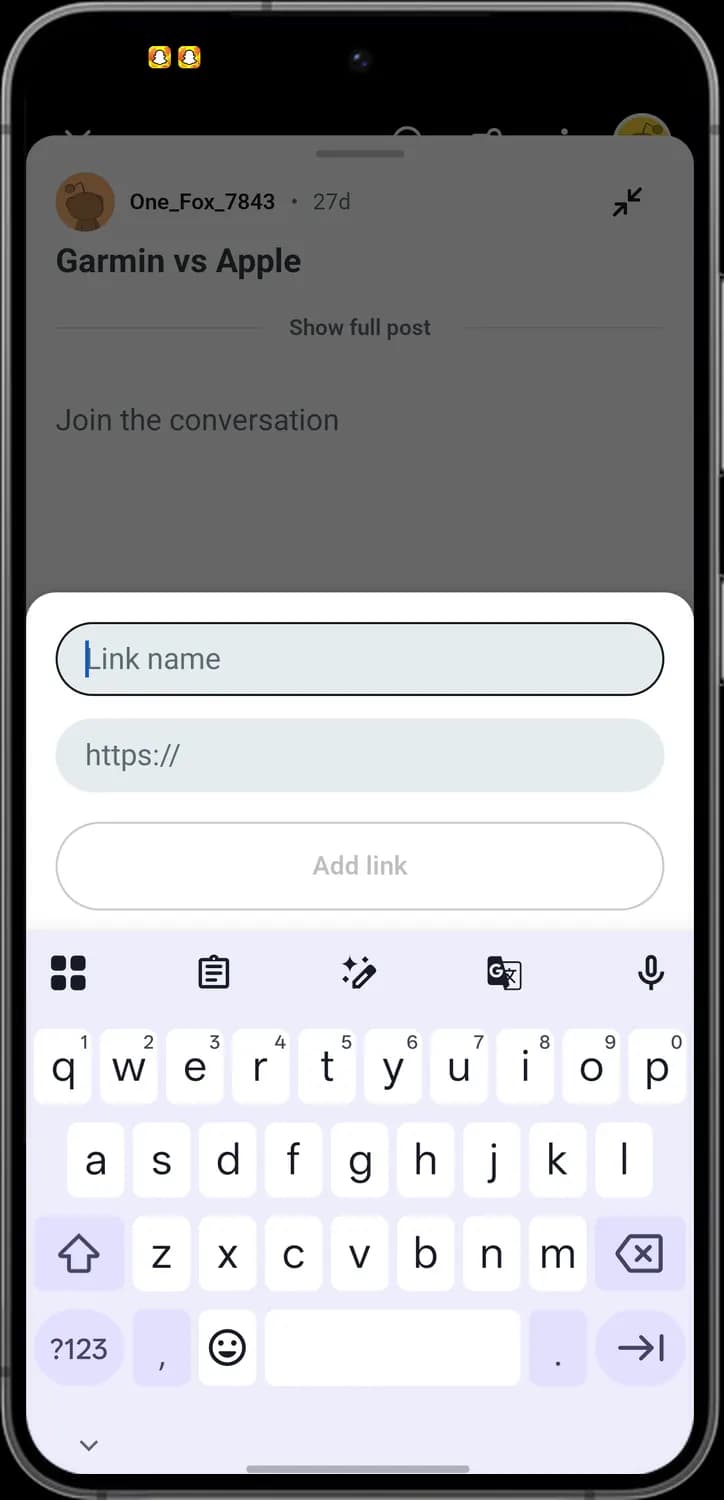
Link name
The Link name box. Type the words people will see for the link.
Web address
The https:// box. Paste the web address the link opens.
Add link
The Add link button. Tap it to put the link in your comment. It is grey until you fill in the link.
Photos and Videos
How to get here: HomeTap a photo or video
Photo post

Close
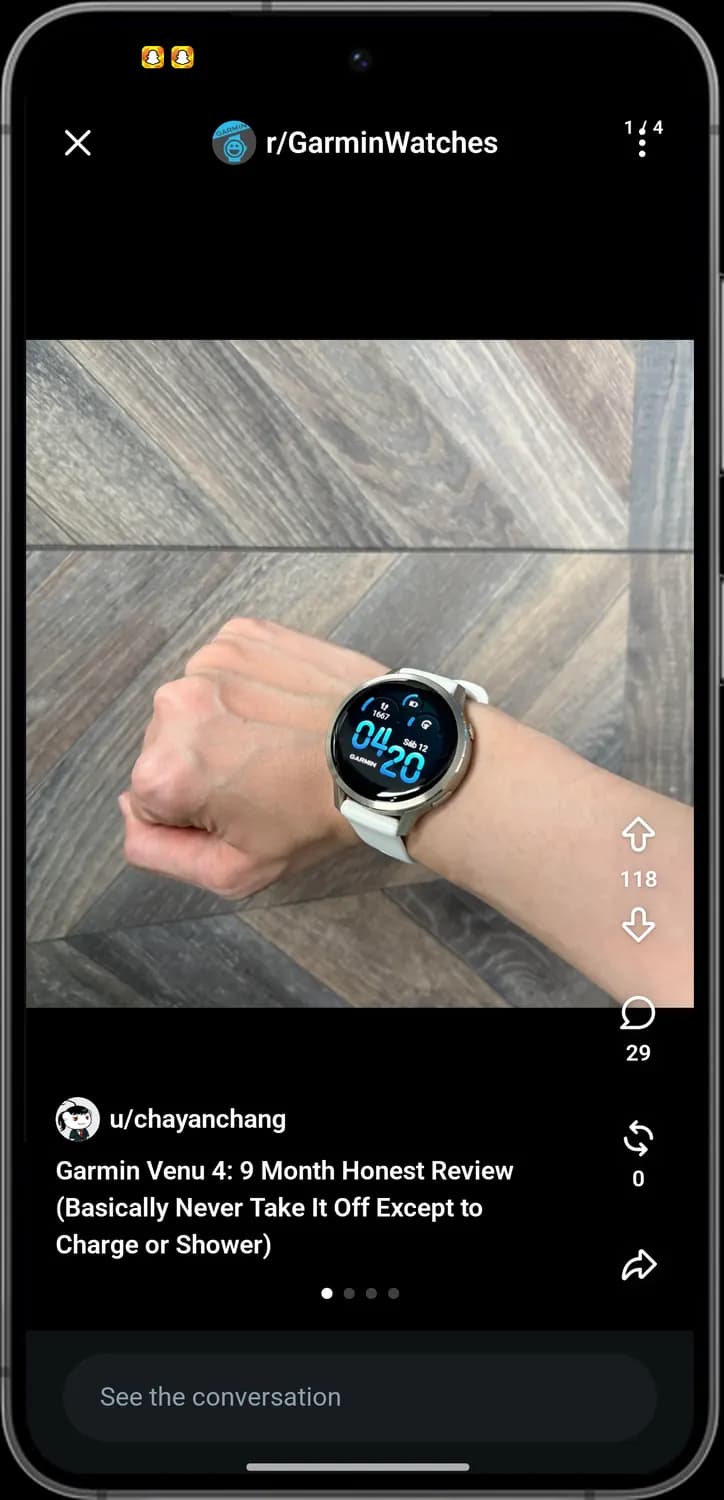
The X at the top left. Tap it to close the photo and go back.

More options
The three dots at the top right. Tap it for Copy link, Save, Download, Report and more.

Upvote
The arrow pointing up, with the vote count under it. Tap it to upvote the post.

Downvote
The arrow pointing down. Tap it to downvote the post.

Comments
The speech bubble with the number of comments. Tap it to read the comments.

Repost
The two arrows going round in a circle. Tap it to repost the post.

Share
The curved arrow. Tap it to share the post.

See the conversation
See the conversation. Tap it to open the post with its comments.

Community
The community picture and name at the top. It shows which community the post is from.

Photo dots
The dots under the title. Each dot is one photo in the post; swipe left to see the next one.
Video post

Pause
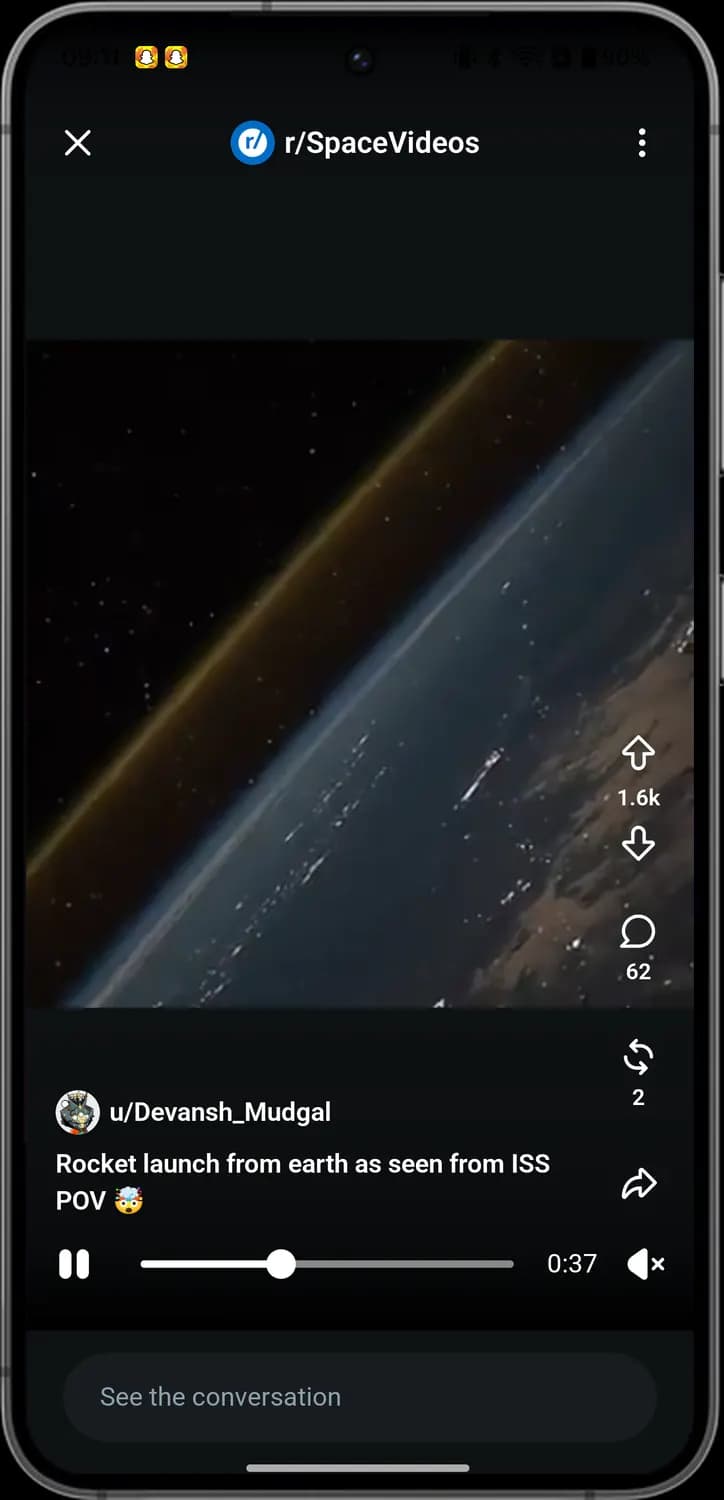
The two bars at the bottom left. Tap it to pause the video, and tap again to play.
Progress bar
The line with a dot. Drag the dot to skip forward or back in the video.

Sound
The speaker with an X. The video is muted; tap it to turn the sound on.
Time left
The time at the end of the bar. It counts down how much of the video is left.
Awards
How to get here: HomeTap a postAward icon
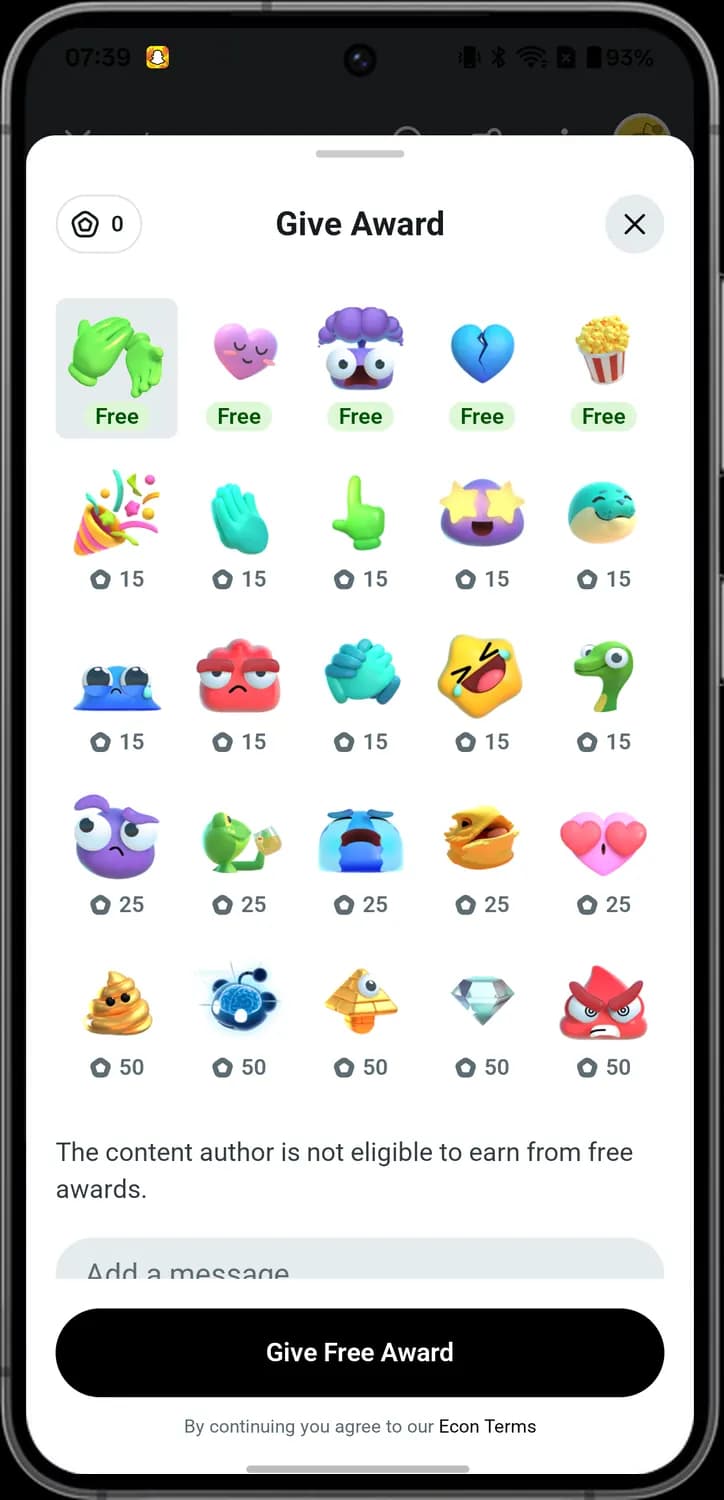

Gold balance
The coin shape with a number at the top left. It shows how much gold you have to spend on awards.
Free award
An award with a green Free label. You can give it without spending gold. The grey box marks the one you picked.

Gold award
An award with a coin and a number under it. The number is how much gold it costs to give.
Sharing
How to get here: HomeShare icon
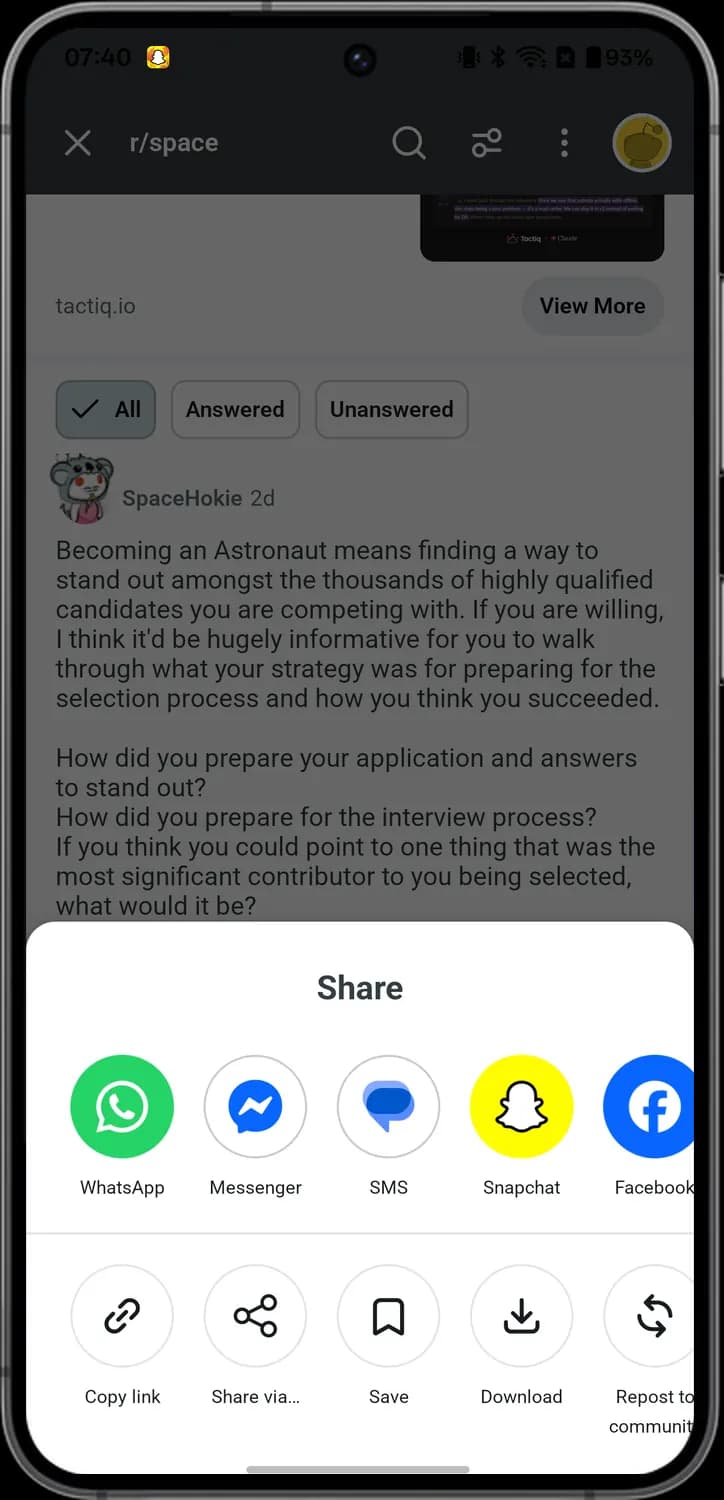

WhatsApp
The green WhatsApp logo. Tap it to send the post in WhatsApp.

Messenger
The blue Messenger logo. Tap it to send the post in Messenger.

SMS
The blue message bubble. Tap it to send the post's link in a text message.

Snapchat
The yellow Snapchat ghost. Tap it to send the post in Snapchat.

Facebook
The blue Facebook logo. Tap it to share the post on Facebook.

Share via
Three dots joined by lines. Tap it to open your phone's own share menu and pick any other app.
Communities
How to get here: HomeTap a community name
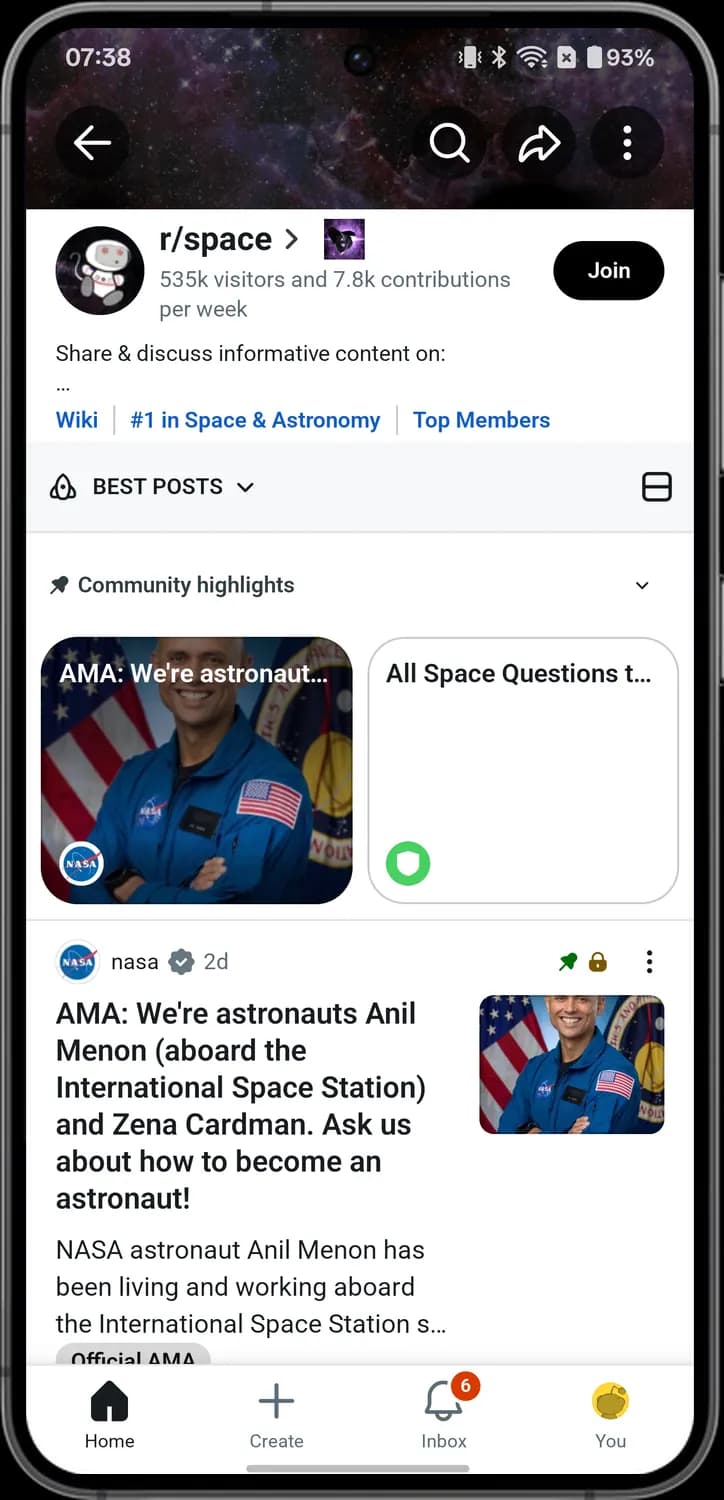
Community page
Back
The arrow pointing left. Tap it to go back to the last screen.

Search
The magnifying glass at the top. Tap it to search inside this community.

Share community
The curved arrow at the top. Tap it to share a link to the community.
Community options
The three dots at the top right. Tap it for the community menu, with Mute, Add to custom feed and more.

Sort posts
The rocket with BEST POSTS and a small arrow. Tap it to change the order of the posts.

Post view
The rectangle split in two at the right. Tap it to switch between the Card and Compact layouts.

Hide highlights
The small arrow at the right of Community highlights. Tap it to fold the highlights away or show them again.

Community highlights
The pin next to Community highlights. The cards under it are posts the moderators picked to show first.
Sort posts
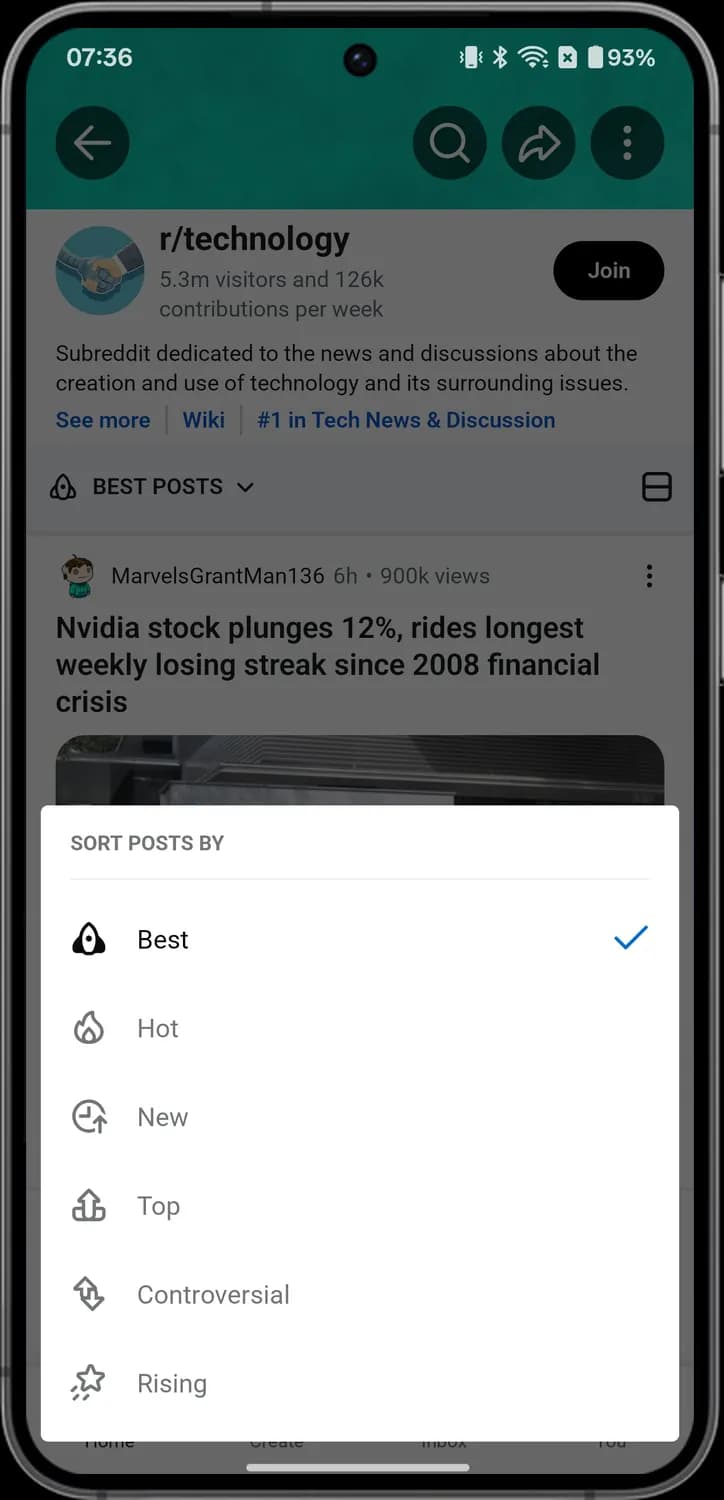

Best
The rocket. Best puts the posts the community likes most at the top.

Hot
The flame. Hot shows posts getting lots of votes and comments right now.

New
The clock with an arrow. New shows the newest posts first.

Top
The arrow on a stand. Top shows the most upvoted posts.

Controversial
The two arrows going opposite ways. Controversial shows posts with lots of upvotes and downvotes.

Rising
The shooting star. Rising shows posts that are quickly picking up votes.

Selected option
The blue tick at the right of a row. It marks the option in use now.
Post view
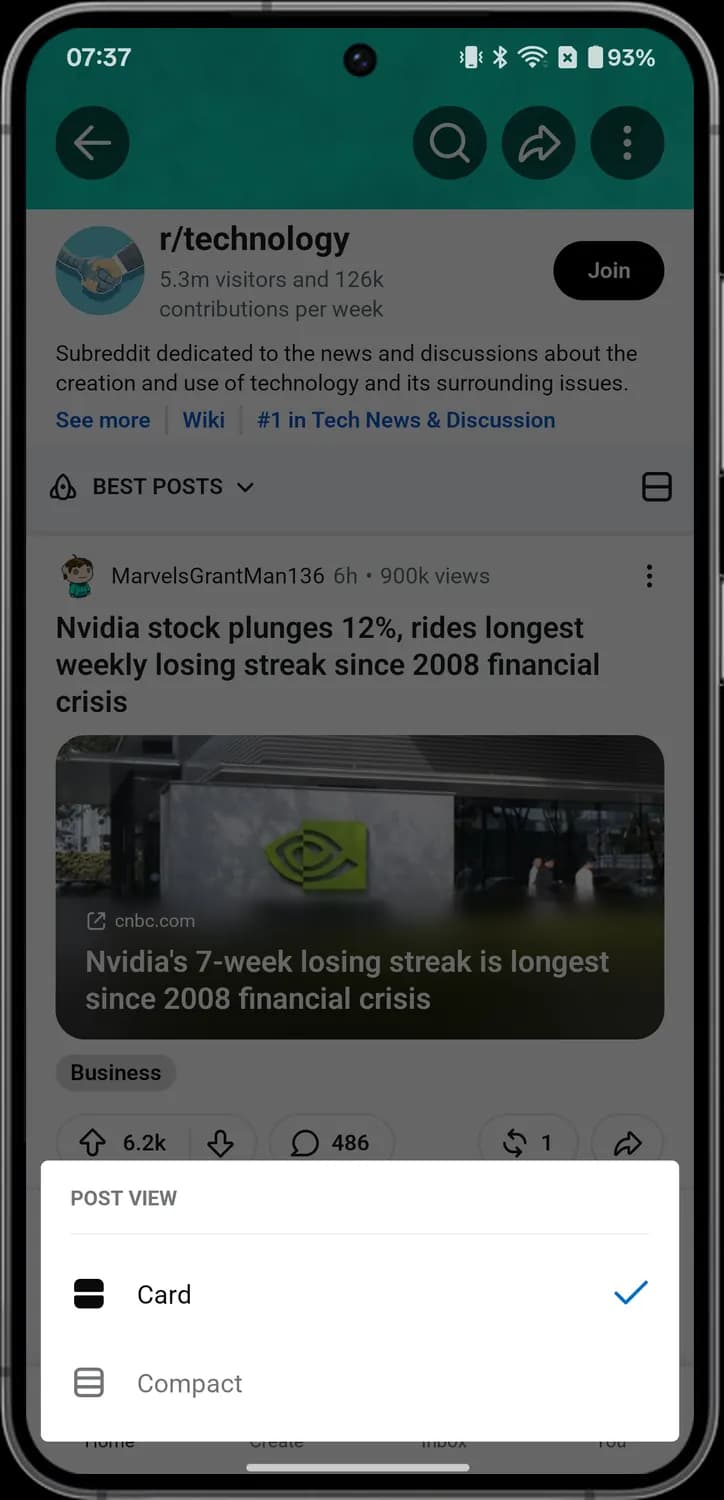

Card
The rectangle in two filled parts. Card shows each post as a big card with its picture.

Compact
The outlined rectangle with lines. Compact shows posts as smaller rows, so more fit on the screen.
Community options
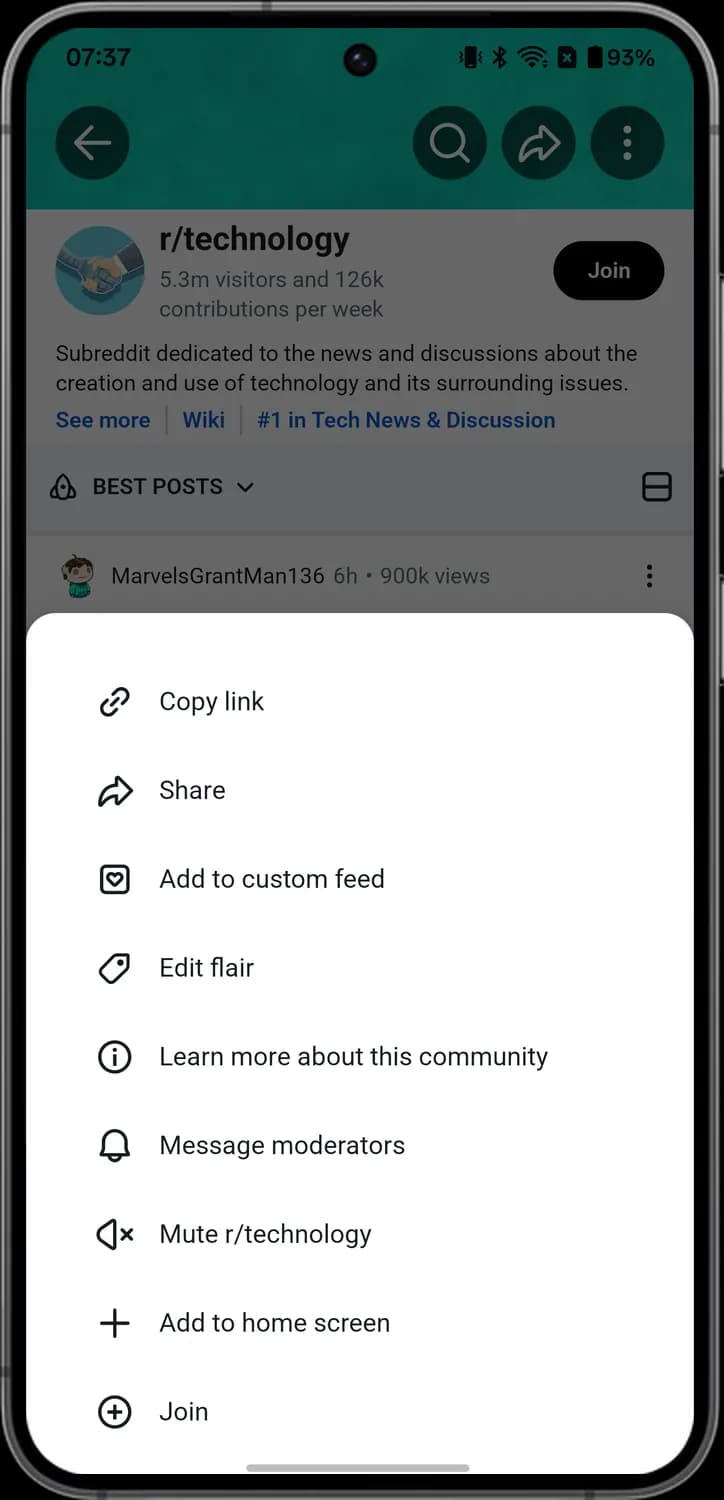

Add to custom feed
The square with a heart. Tap it to add the community to a custom feed you made.

Edit flair
The tag. Tap it to pick or change your flair in this community.

Learn more about this community
The letter i in a circle. Tap it to read about the community.

Message moderators
The bell. Tap it to send a message to the community's moderators.

Mute community
The speaker with an X. Tap it to mute the community, so its posts stop showing up for you.

Add to home screen
The plus sign. Tap it to put a shortcut to the community on your phone's home screen.
Community Menu
How to get here: HomeThree lines at the top left
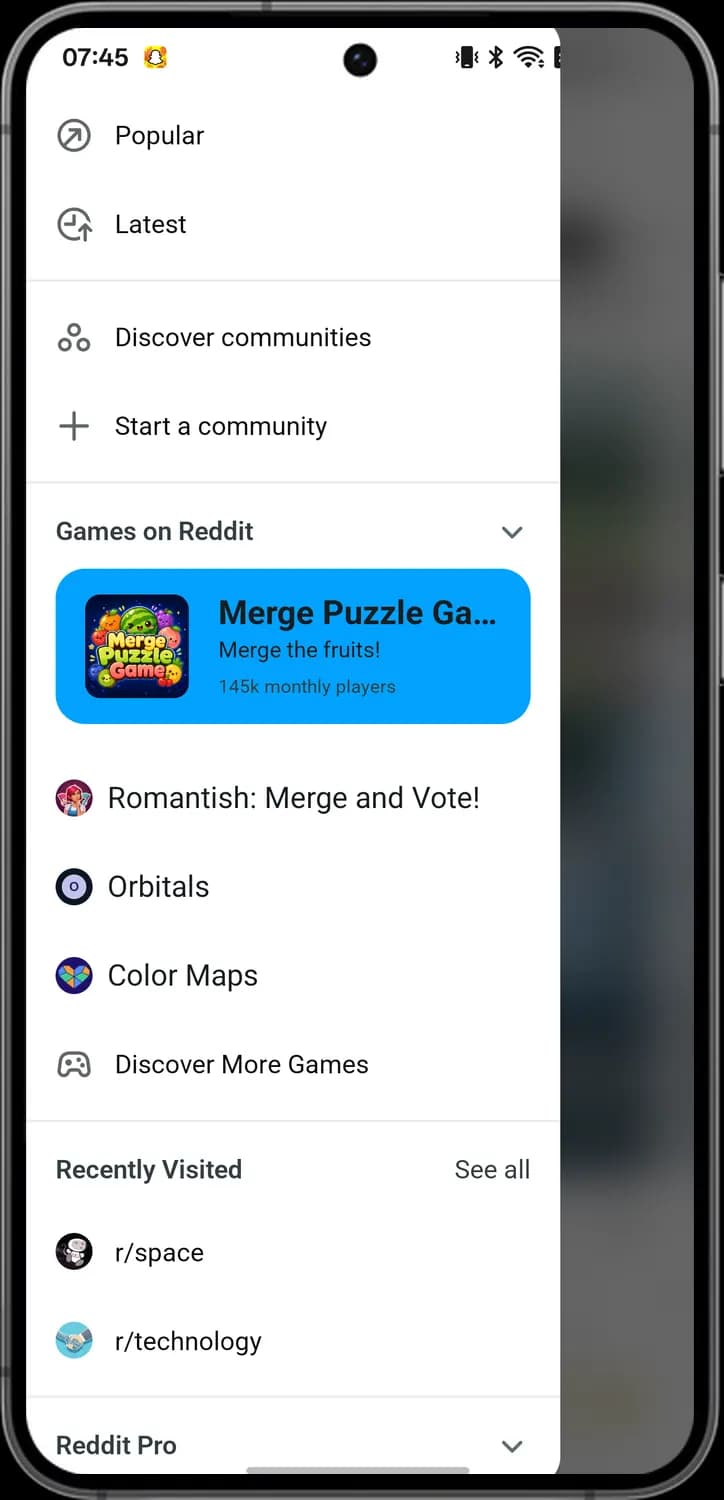

Popular
The arrow in a circle. Tap it to open the Popular feed.

Latest
The clock with an arrow. Tap it to open the Latest feed.

Discover communities
The three circles. Tap it to find new communities to join.

Start a community
The plus sign. Tap it to create your own community.

Games on Reddit
The heading with an arrow. It lists games you can play inside Reddit; the arrow folds the list.

Featured game
The big blue card with a game picture. Tap it to play that game.

Discover More Games
The game controller. Tap it to see more games on Reddit.

Recently visited
A community picture under Recently Visited. Tap it to go back to that community.
Search
How to get here: HomeSearch Reddit
Search screen
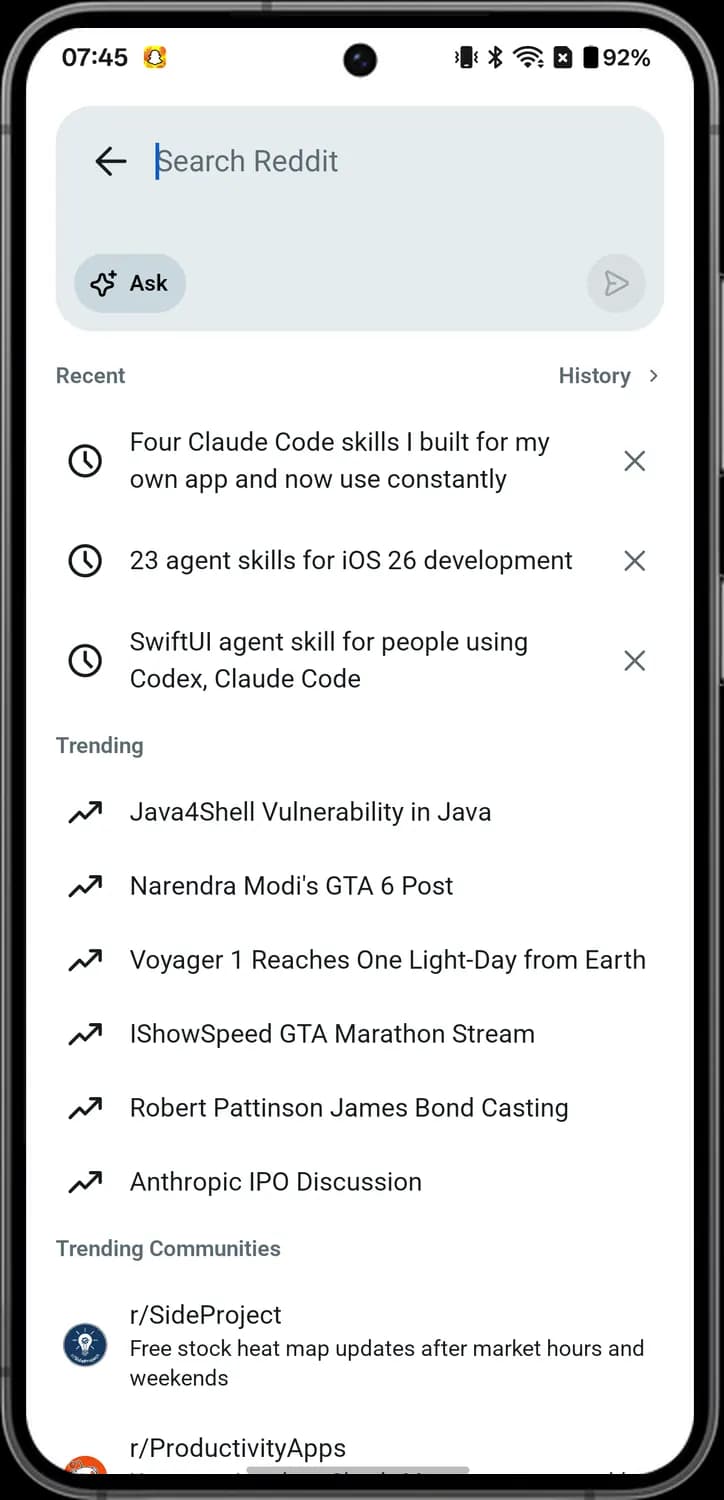

Back
The arrow pointing left in the search box. Tap it to leave search.

Ask
The sparkles with Ask. Tap it to ask Reddit Answers a question instead of doing a normal search.

Send
The paper plane at the right. Tap it to send what you typed.

History
History with a small arrow. Tap it to see all your past searches.

Recent search
The clock. It marks something you searched for before; tap the row to search it again.

Remove search
The X at the right of a recent search. Tap it to remove that search from the list.

Trending topic
The arrow going up and to the right. It marks a topic that is trending on Reddit now; tap it to search it.

Trending community
A community picture under Trending Communities. Tap it to open that community.
Typing a search
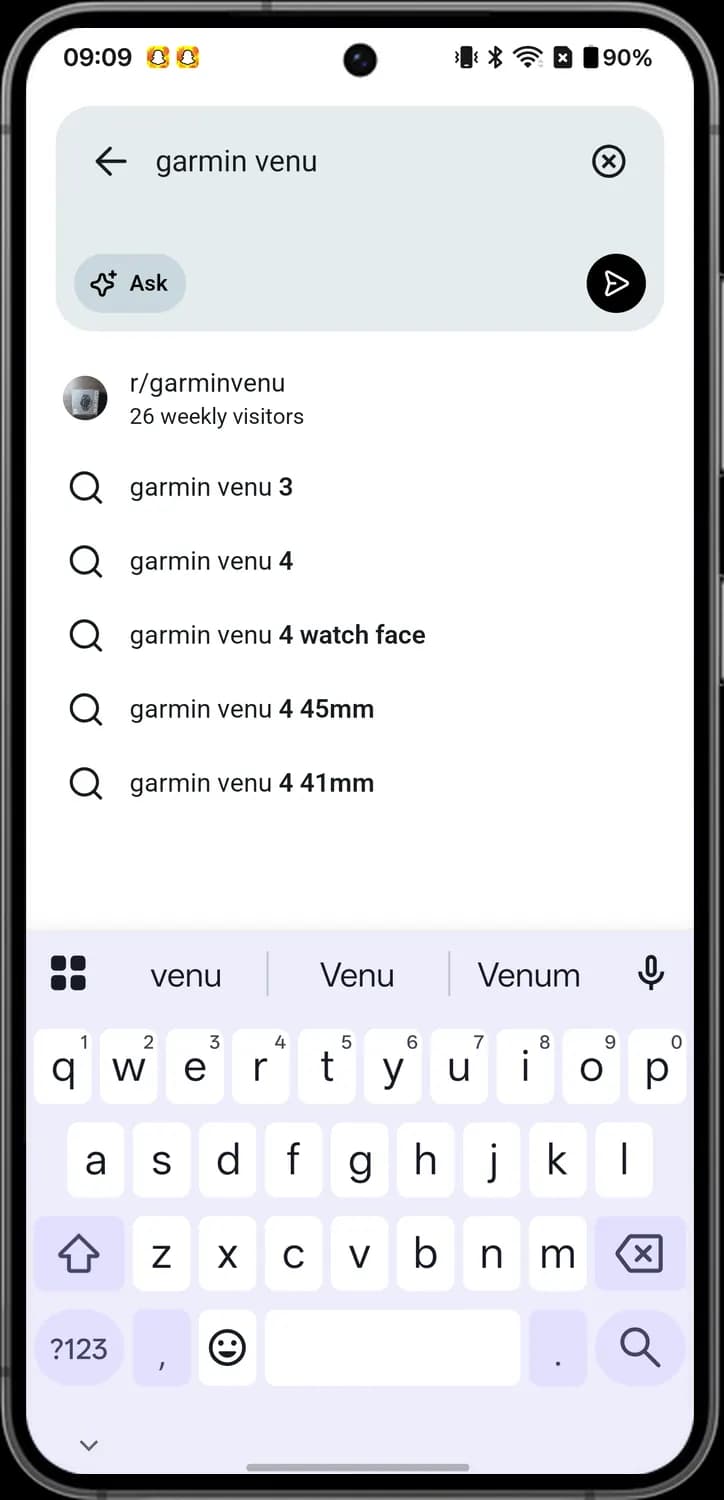

Clear
The X in a circle in the search box. Tap it to clear what you typed.

Suggested community
A community picture at the top of the list. Tap it to go straight to that community.

Suggested search
The magnifying glass. It marks a suggested search; tap the row to search it.

Ask off
The grey Ask button. While it is grey you get a normal search; tap it to ask Reddit Answers instead.
Results
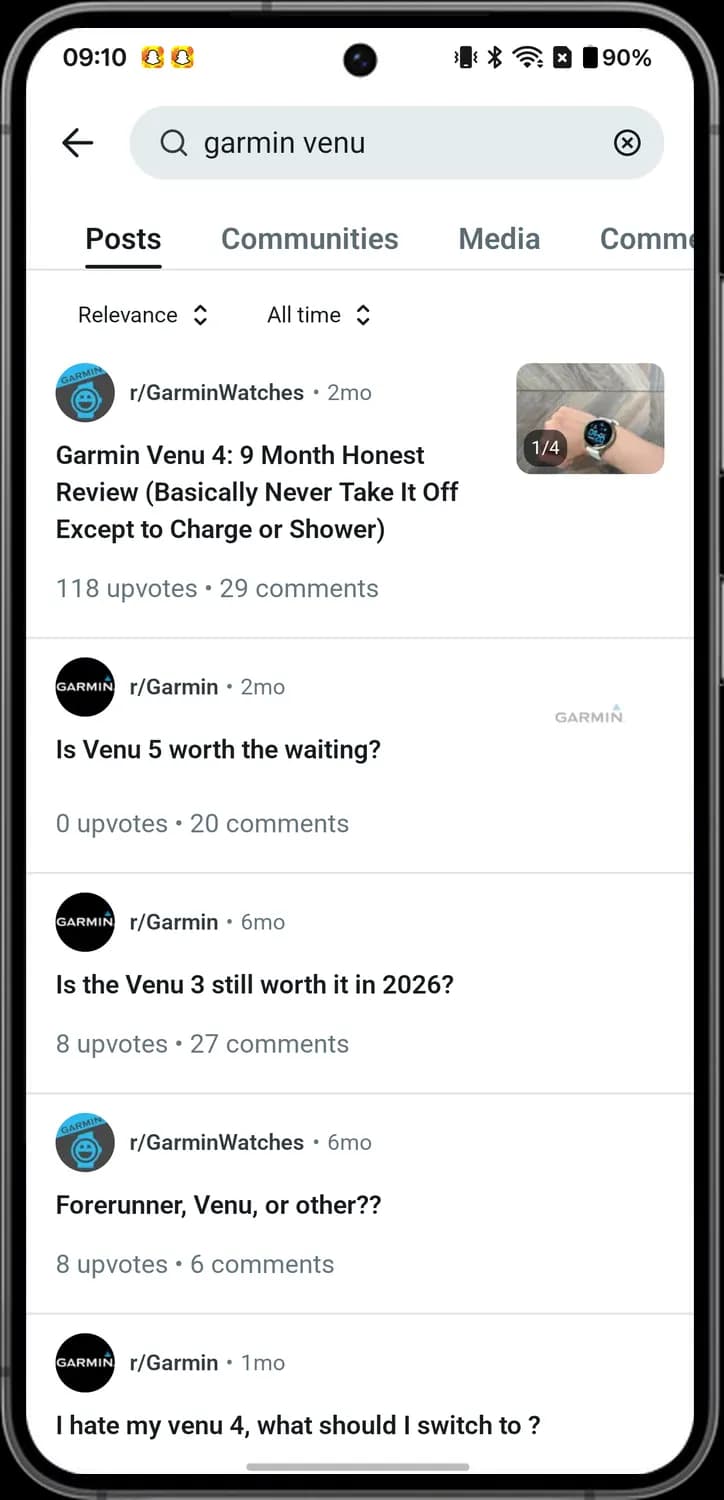

Back
The arrow pointing left. Tap it to go back to the search box.

Clear search
The X in a circle at the right of the search bar. Tap it to clear the search.

Result tabs
The Posts, Communities, Media and Comments tabs. Tap one to see only that kind of result.

Sort results
Relevance with an up and down arrow. Tap it to change the order of the results.

Time filter
All time with an up and down arrow. Tap it to pick how far back the results go.
Photo count
The small picture with 1/4 on a result. It means the post has four photos.
Sort results
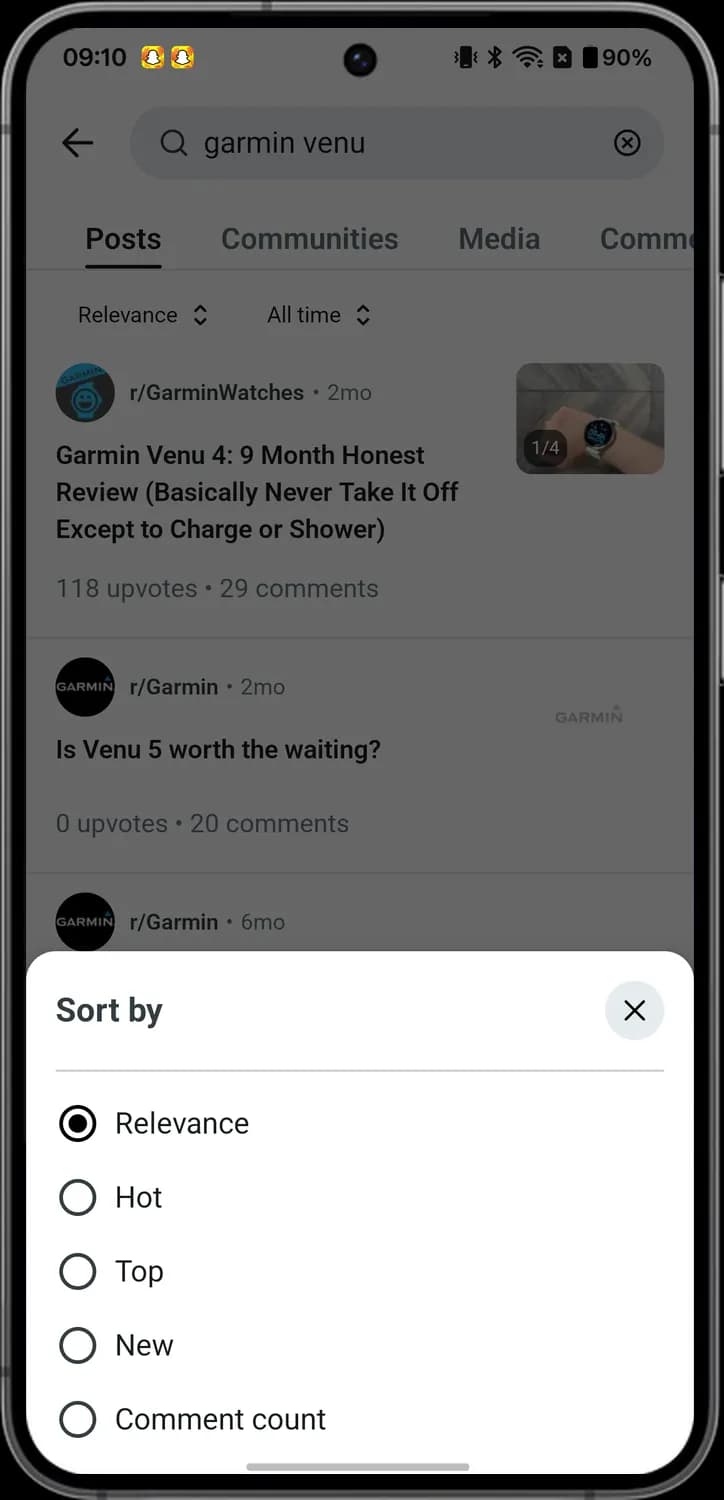

Close sort
The X in a circle. Tap it to close the sheet.

Sort options
The filled circle marks the order in use. Relevance shows the best matches first; Hot, Top, New and Comment count change the order.
Reddit Answers
How to get here: HomeSearch RedditAsk
Ask box
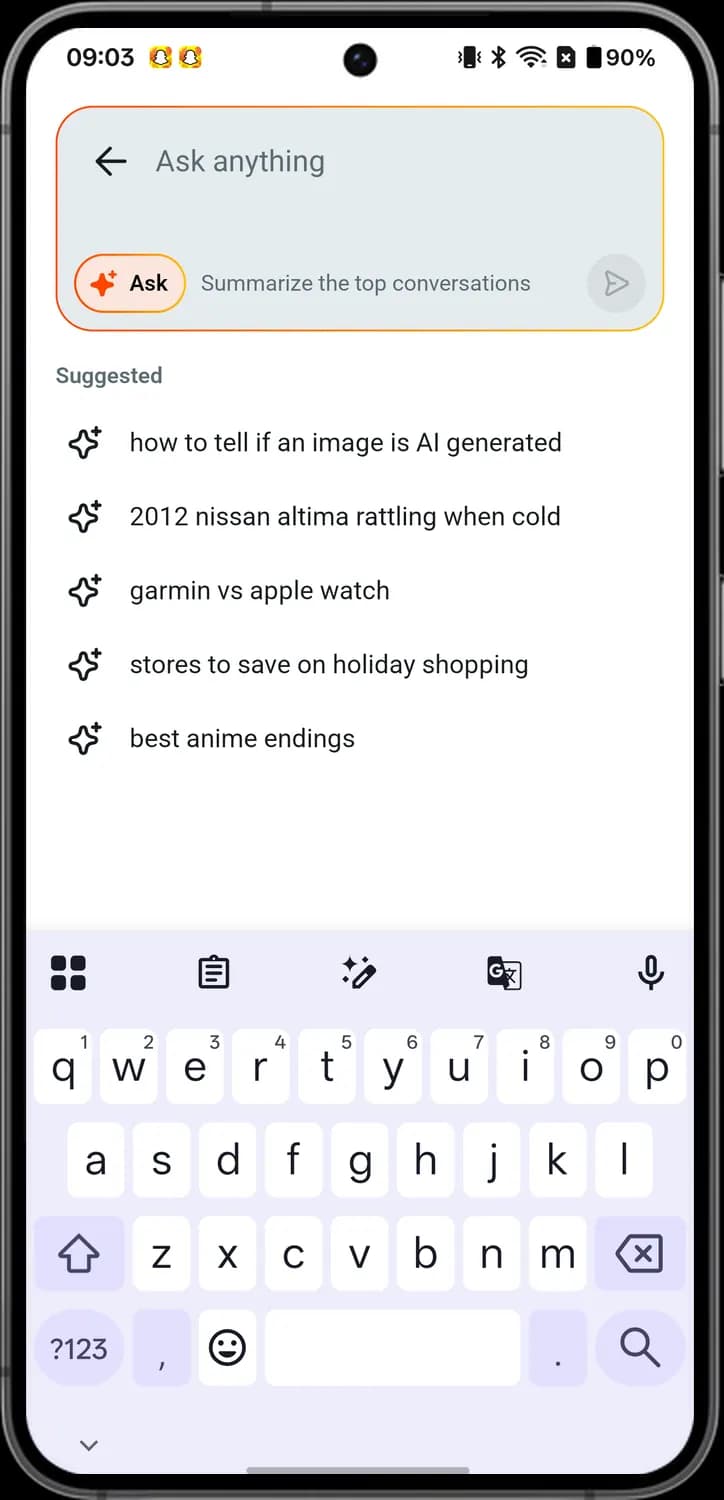

Back
The arrow pointing left. Tap it to leave Reddit Answers.

Ask on
The orange Ask button. While it is lit, what you type goes to Reddit Answers, which writes an answer from Reddit posts and comments.

Send
The paper plane. Tap it to send your question.

Suggested question
The four-point sparkle. It marks a suggested question; tap the row to ask it.
Answer
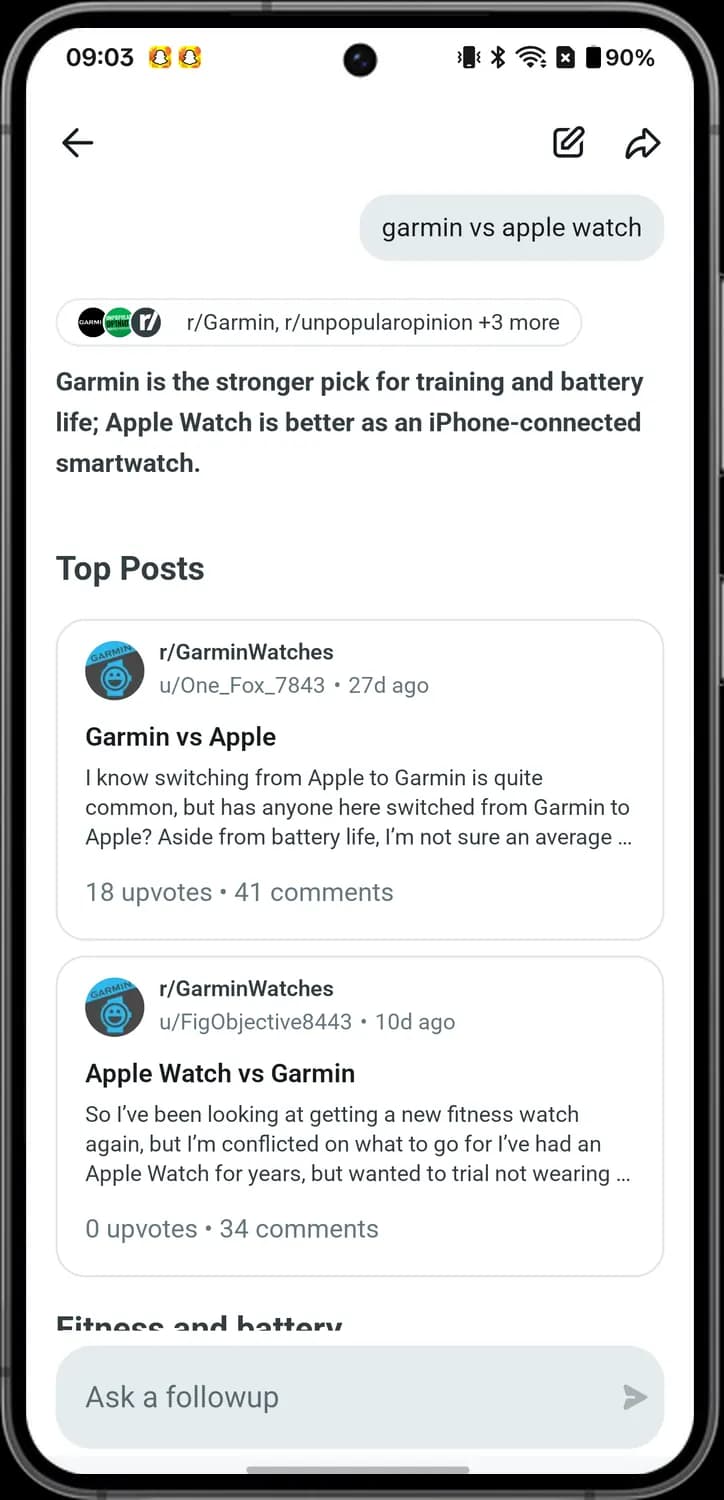

Back
The arrow pointing left. Tap it to go back.

New question
The pencil on a square. Tap it to start a new question.

Share answer
The curved arrow. Tap it to share the answer.

Top post
A card under Top Posts. It is a post the answer is based on; tap it to open the post.
Ask a followup
The Ask a followup box. Type another question about the same topic here.

Send question
The arrow at the right of the box. Tap it to send your follow-up question.
Source communities
The small community pictures above the answer. They show which communities the answer comes from.
End of the answer
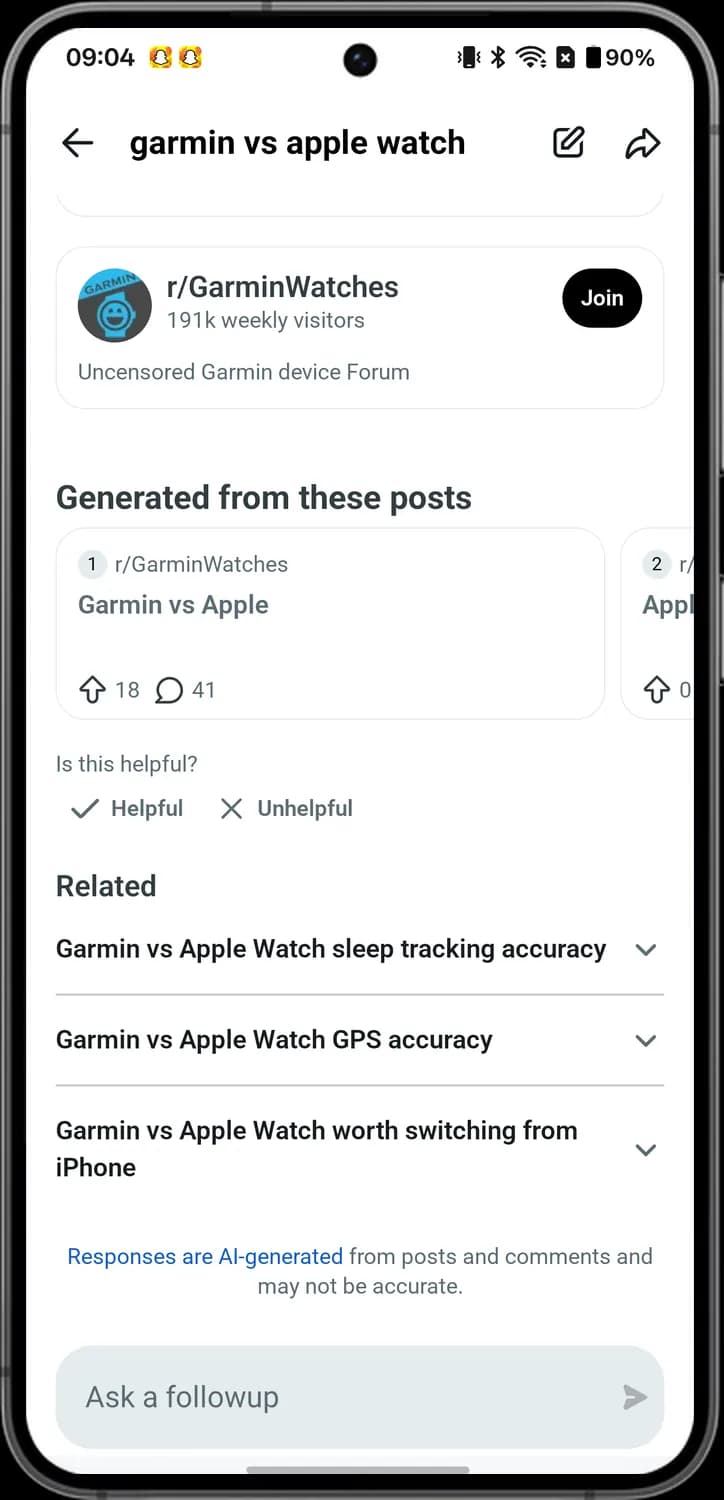

Source post
A numbered card under Generated from these posts. It is one of the posts the answer was written from; tap it to open it.

Helpful
The tick with Helpful. Tap it if the answer helped you.

Unhelpful
The X with Unhelpful. Tap it if the answer was not useful.

Related question
A question under Related with a small arrow. Tap it to open the answer to that question.

AI note
The blue line at the bottom. It says the answer is written by AI from posts and comments and may not be right.
Creating a Post
How to get here: HomeCreate
Create post
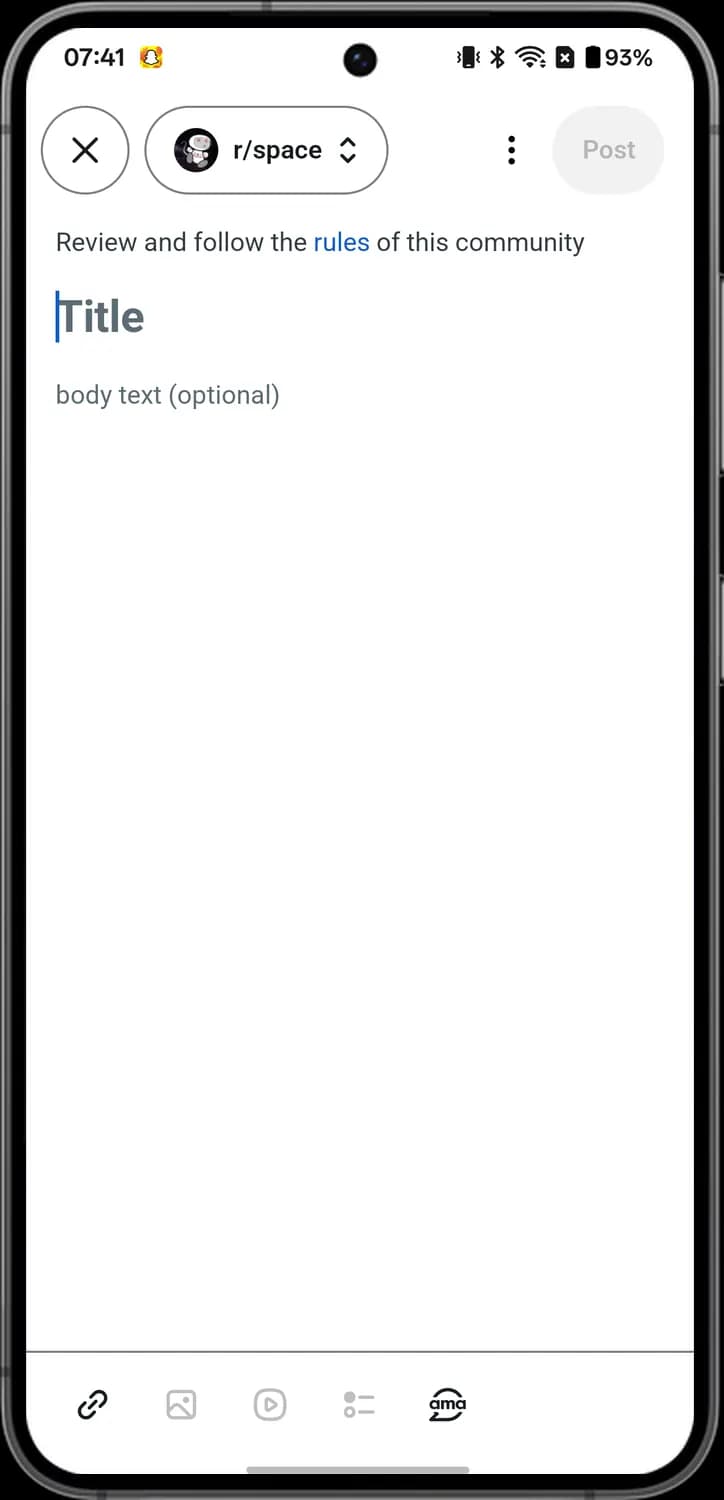

Close
The X in a circle at the top left. Tap it to leave the post you are writing.

Choose community
The community's name with an up and down arrow. Tap it to pick which community the post goes to.

More options
The three dots in the top bar. Tap it for more options for the post.

Post
The Post button at the top right. Tap it to publish the post. It stays grey until you add a title.

Link
The chain link. Tap it to add a link to the post.

Image
The picture frame. Tap it to add photos to the post.

Video
The play button in a rounded square. Tap it to add a video to the post.

Poll
The dots with lines. Tap it to turn the post into a poll people can vote in.

AMA
The bubble with ama. Tap it to start an AMA, an Ask Me Anything post.
Formatting
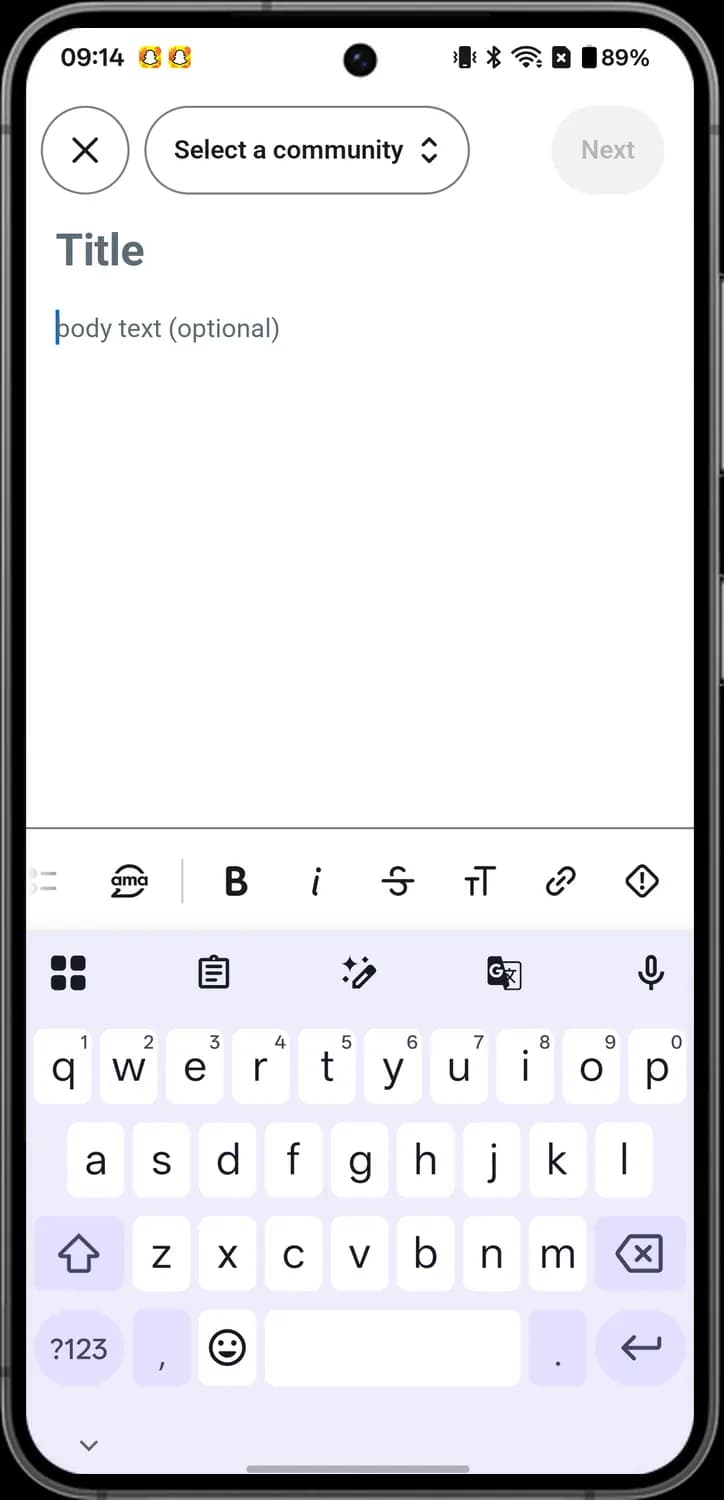

Bold
The B. Tap it to make the words bold.

Italic
The slanted i. Tap it to make the words italic.

Strikethrough
The S with a line through it. Tap it to draw a line through the words.

Heading
The small and big T. Tap it to turn the line into a heading.

Link
The chain link in the format bar. Tap it to turn the words into a link.

Spoiler
The diamond with an exclamation mark. Tap it to hide the words as a spoiler until someone taps them.
Poll
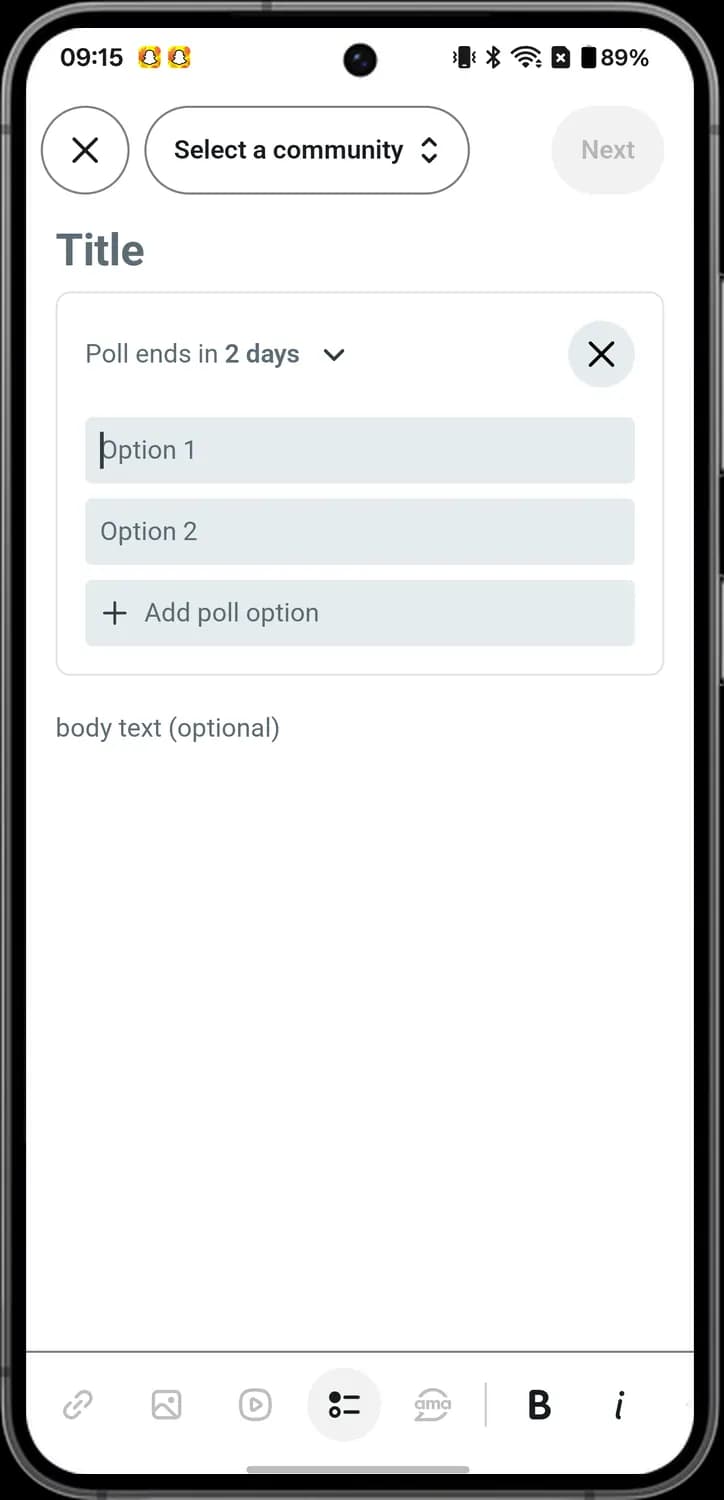

Poll length
Poll ends in with a small arrow. Tap it to pick how long people can vote.

Remove poll
The X in a circle at the top right of the poll. Tap it to remove the poll.

Add poll option
The plus with Add poll option. Tap it to add another answer people can pick.
Link post
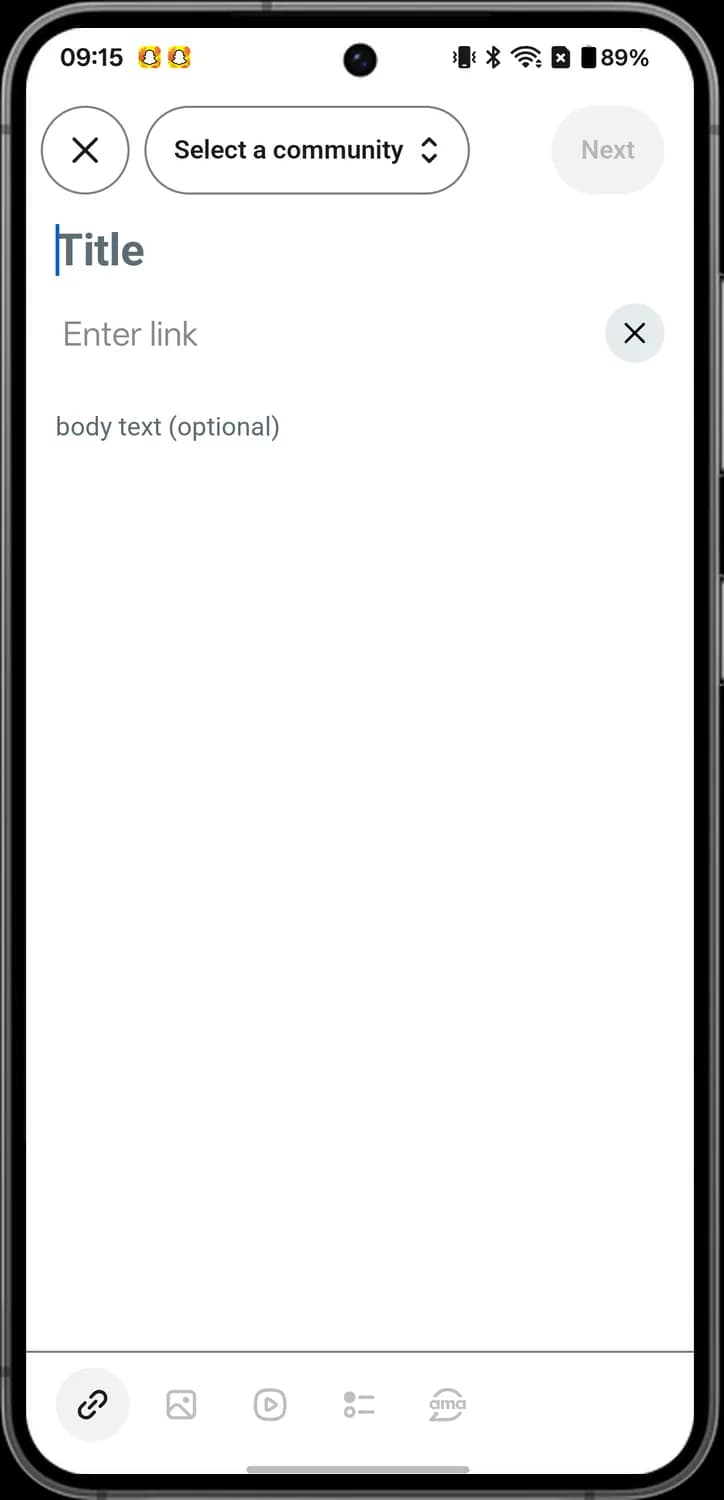

Enter link
The Enter link box. Paste the web address you want to share.

Remove link
The X in a circle. Tap it to remove the link box.
Pick a community
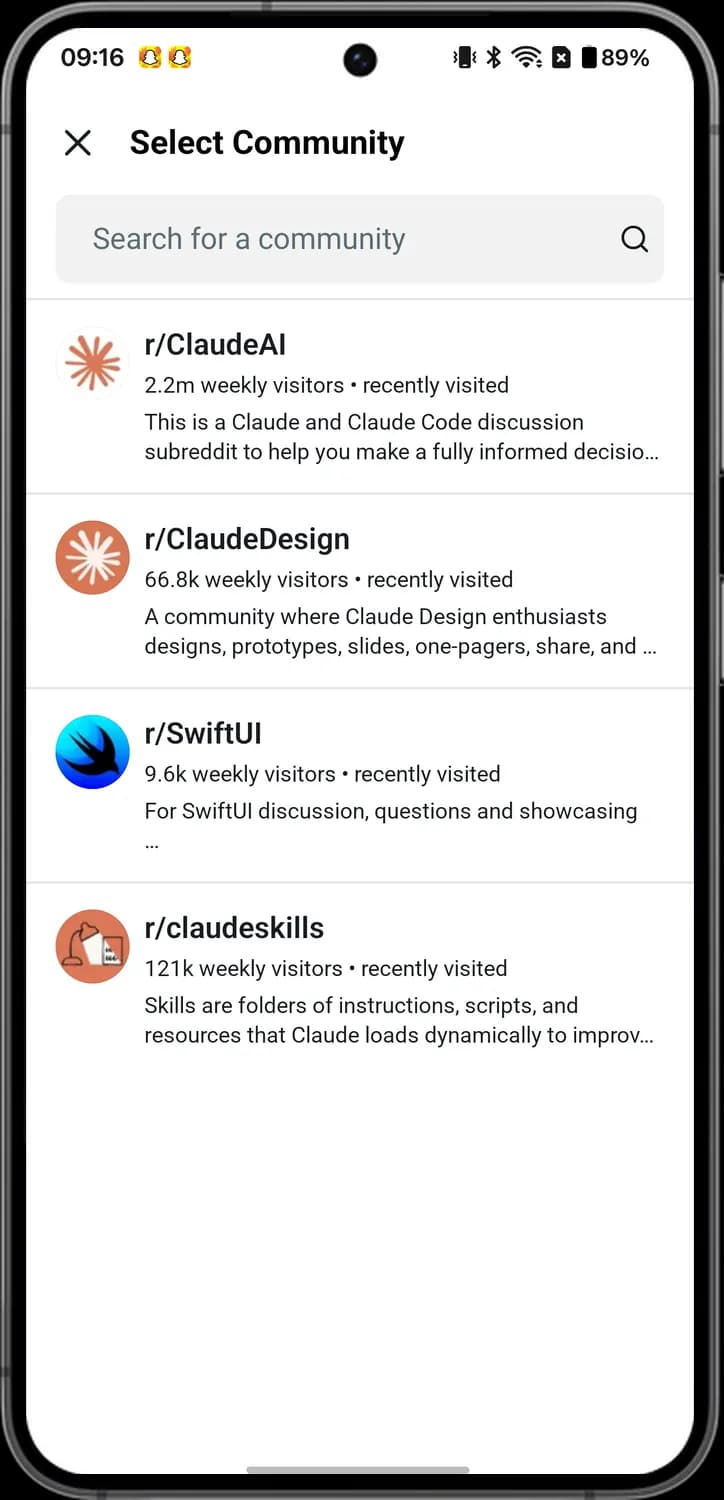
Close
The X at the top left. Tap it to close the list without picking a community.

Search communities
The Search for a community box. Type to find the community you want to post in.

Community
A community in the list. Tap it to post there. Ones you visited recently show first.
Inbox
How to get here: HomeInbox
Notifications
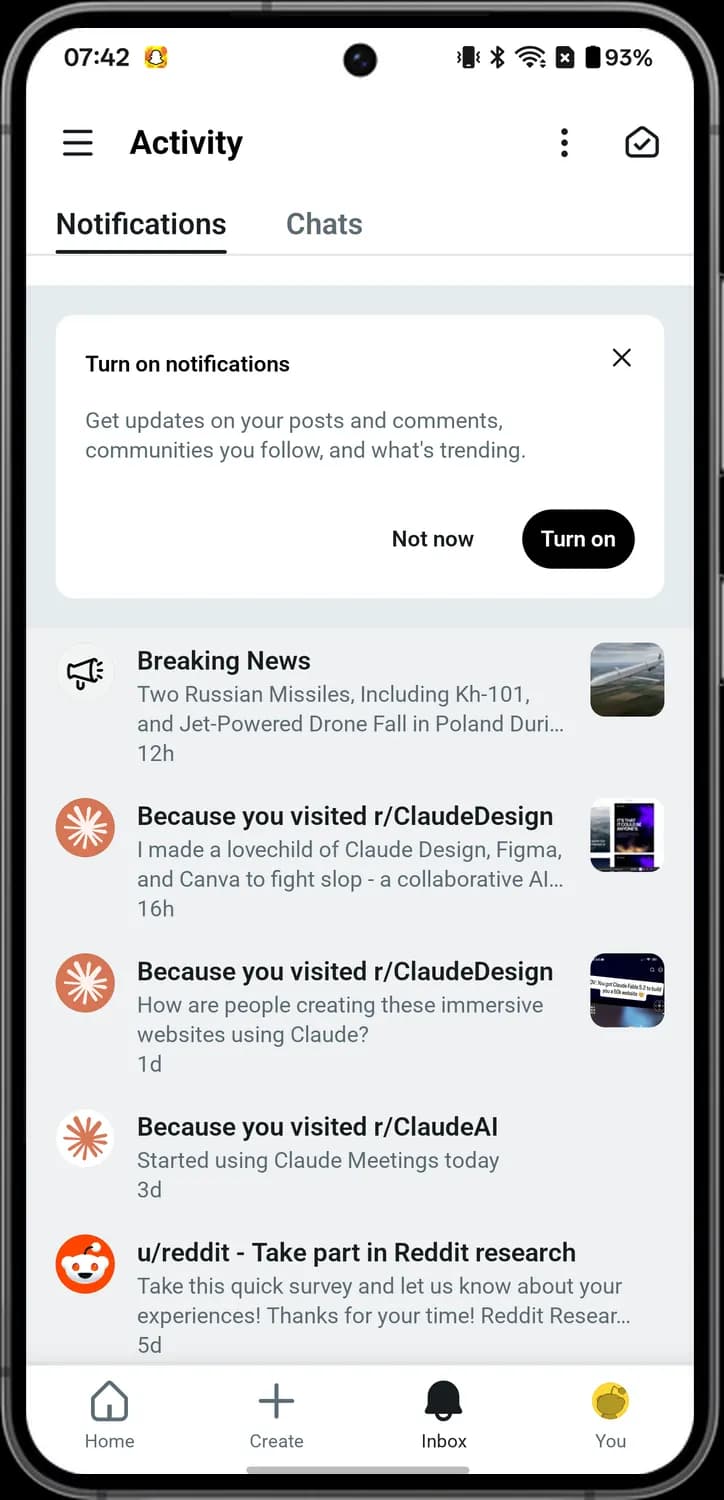

Inbox options
The three dots at the top. Tap it for the Actions menu.

Mark all as read
The envelope with a tick. Tap it to mark all your notifications as read.

Close prompt
The X on the Turn on notifications card. Tap it to close the card.

Breaking News
The megaphone in a circle. It marks a Breaking News notification.

Community post
A community's picture next to Because you visited. It marks a post from a community you visited before.

Post preview
The small picture at the right of a notification. It is a preview of the post the notification is about.

Message from Reddit
The orange Reddit alien. It marks a message from u/reddit, Reddit's own account.
Actions menu
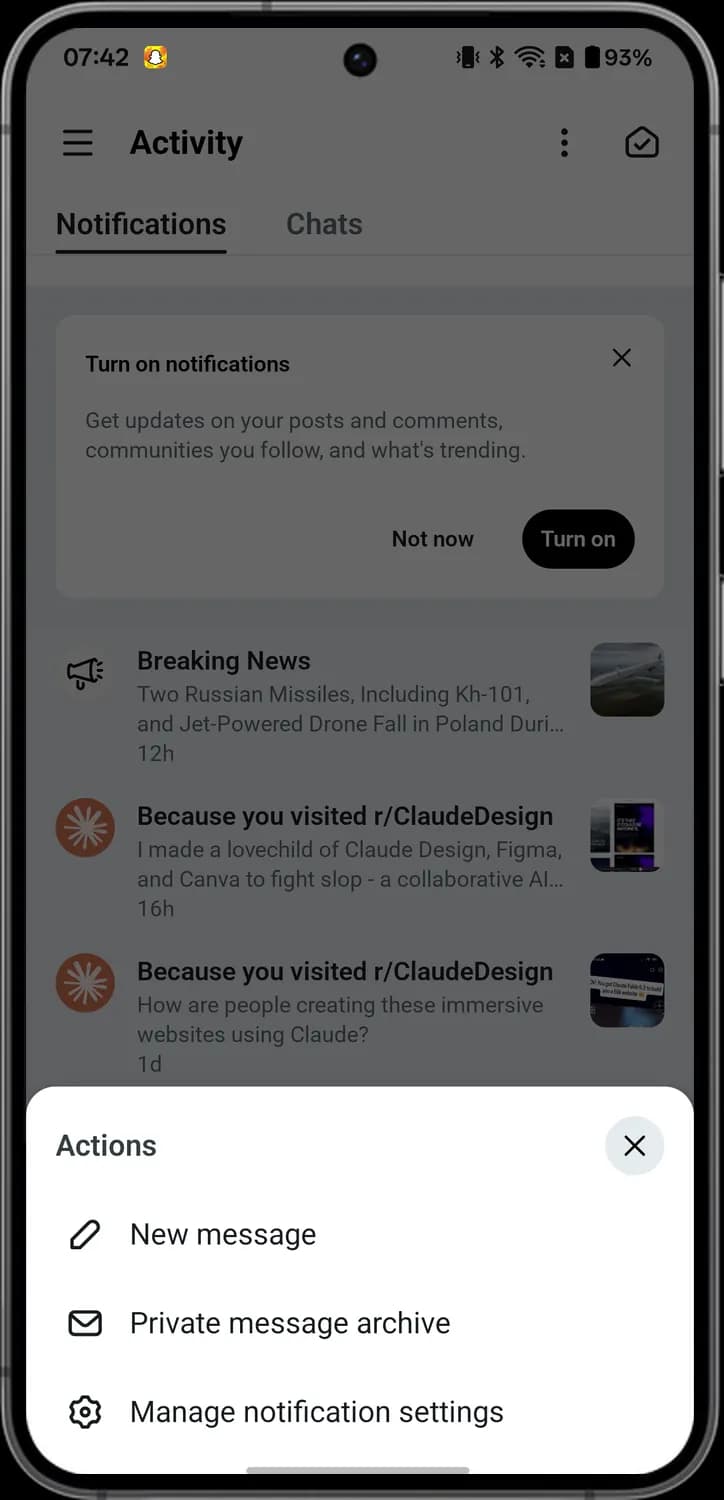

New message
The pencil. Tap it to write a new private message.

Private message archive
The envelope. Tap it to read your older private messages.

Manage notification settings
The gear. Tap it to choose which notifications you get.
Chats
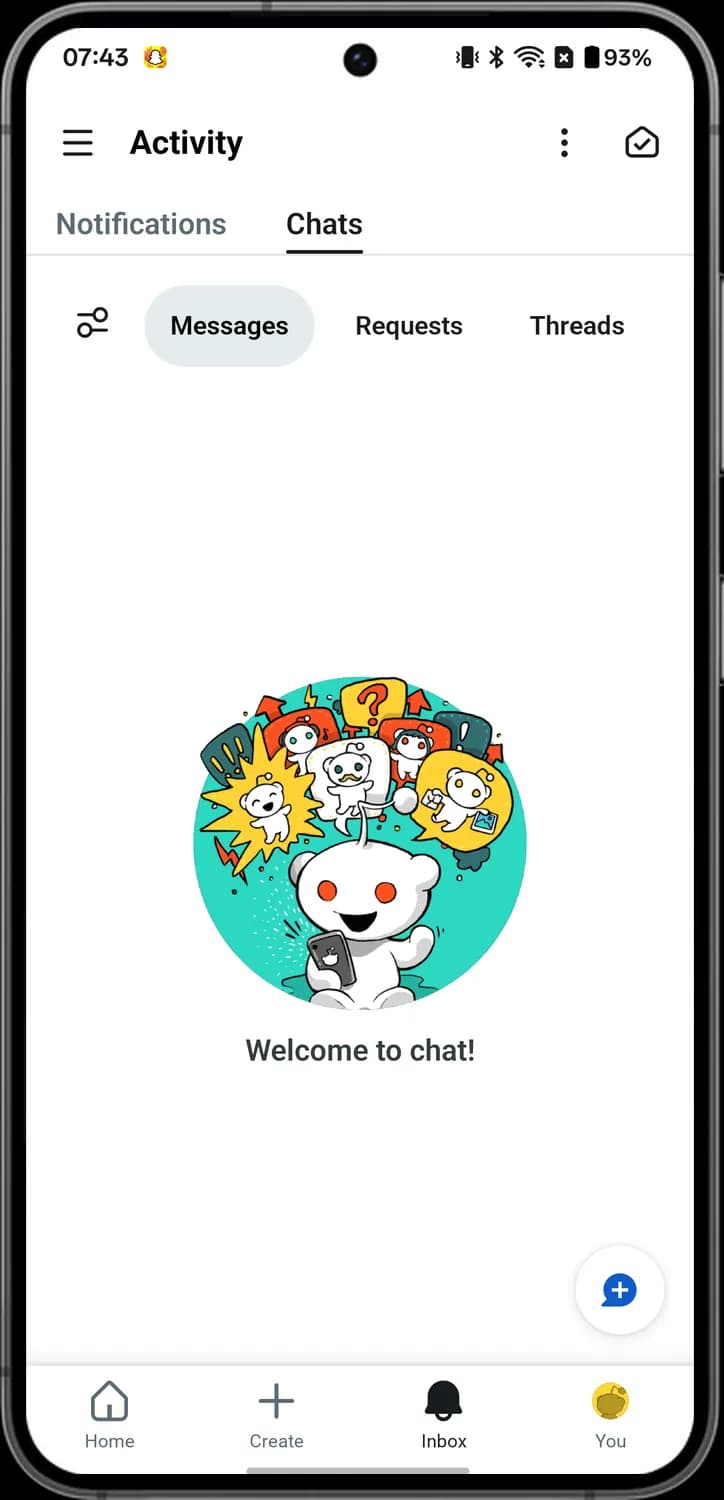

Chat filter
The two sliders at the left of the chat tabs. Tap it to filter your chats.

Create chat
The speech bubble with a plus at the bottom right. Tap it to start a new chat.
Your Profile
How to get here: HomeYou
Your profile
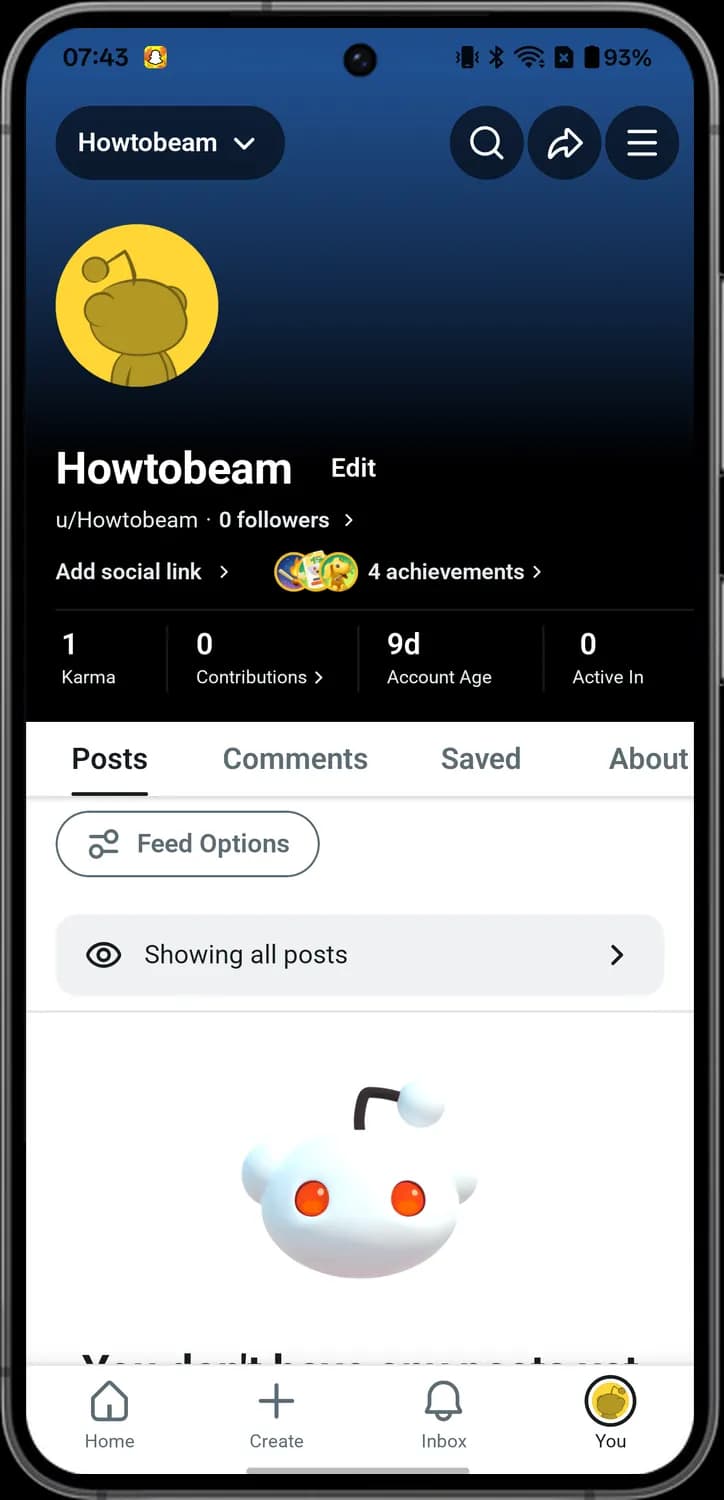

Account switcher
Your name with a small arrow at the top left. Tap it to switch to another Reddit account.

Account menu
The three lines at the top right. Tap it to open the My Account menu.

Followers
The number of followers with a small arrow. Tap it to see who follows you.

Add social link
Add social link with a small arrow. Tap it to add links to your other accounts to your profile.
Achievements
The round badges next to the achievements count. They are achievements you earned; tap them to see all of them.

Feed Options
The sliders button with Feed Options. Tap it for options for the posts listed on your profile.

Profile visibility
The eye with Showing all posts. It tells you what visitors see on your profile; tap the row for the visibility options.
My Account menu
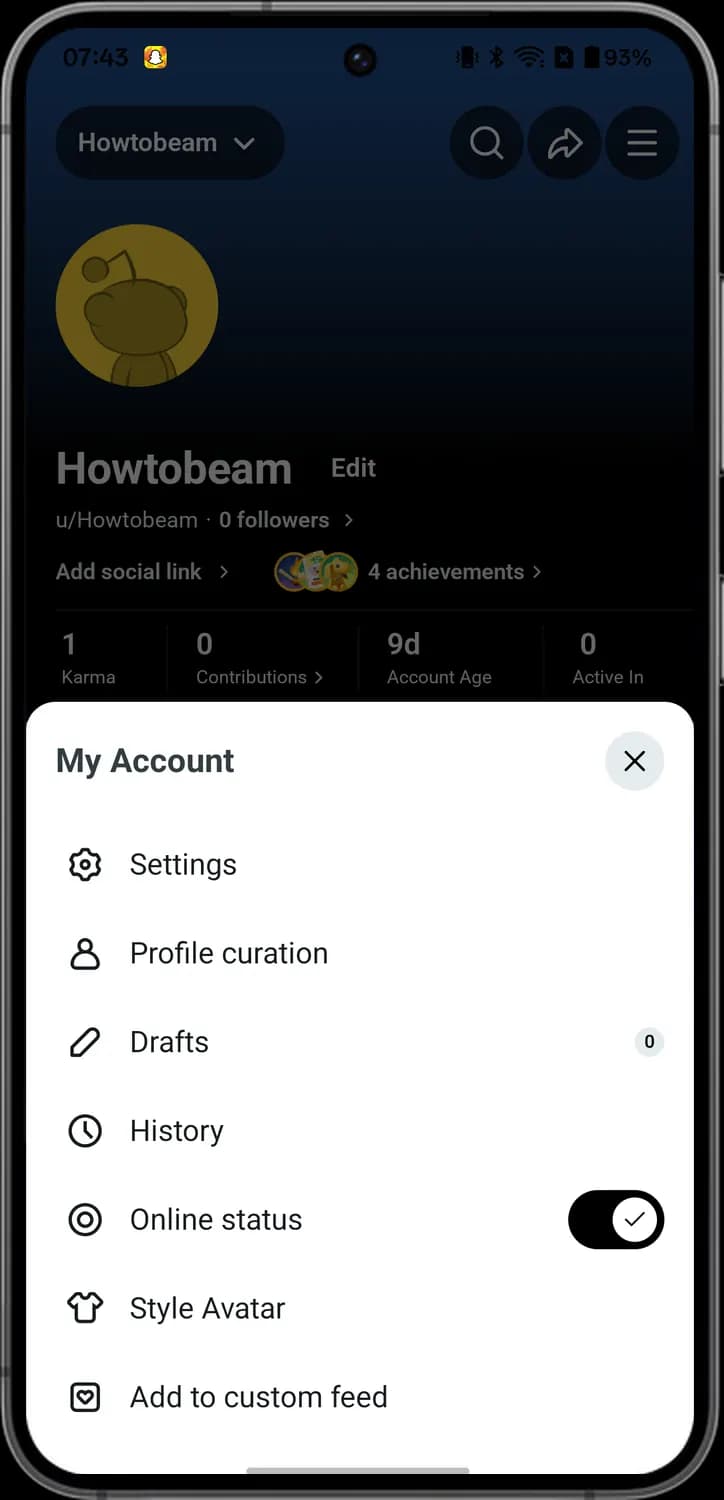

Settings
The gear. Tap it to open the app and account settings.

Profile curation
The person. Tap it to choose what shows on your profile.

Drafts
The pencil. Tap it to open posts you started but did not publish. The number shows how many you have.

History
The clock. Tap it to see posts you looked at recently.

Online status
The dot in a ring. The switch at the right turns your online status on or off, so others see when you are online.

Style Avatar
The T-shirt. Tap it to change how your avatar looks.
Someone Else's Profile
How to get here: HomeTap a username
Their profile
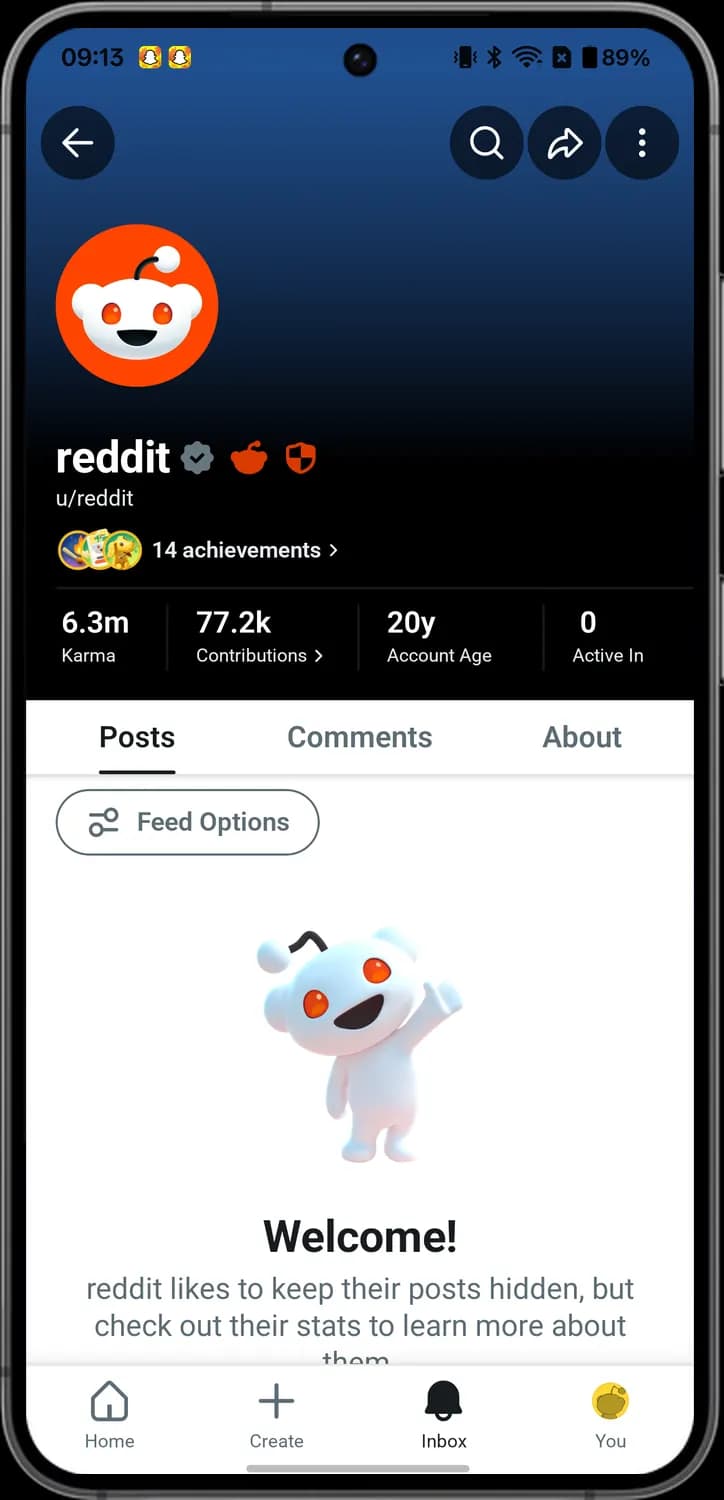

Back
The arrow pointing left. Tap it to go back.

Search profile
The magnifying glass. Tap it to search inside this profile.

Share profile
The curved arrow. Tap it to share a link to this profile.

Profile menu
The three dots. Tap it for the profile menu, with Report profile, Block and more.

Premium badge
The orange shield. It means the account has Reddit Premium; tap it to open the Premium Hub.

Achievements
The badges with the number of achievements. Tap them to see what this account has earned.

Profile tabs
The Posts, Comments and About tabs. Tap one to see that part of the profile.

Verified badge
The grey badge with a tick next to the name. Reddit has verified this account.

Admin badge
The orange Reddit alien next to the name. It marks a Reddit admin account, run by people who work at Reddit.

Profile stats
Karma, Contributions, Account Age and Active In. Karma is the points the account got from votes, and Account Age is how long it has been on Reddit.
Profile menu
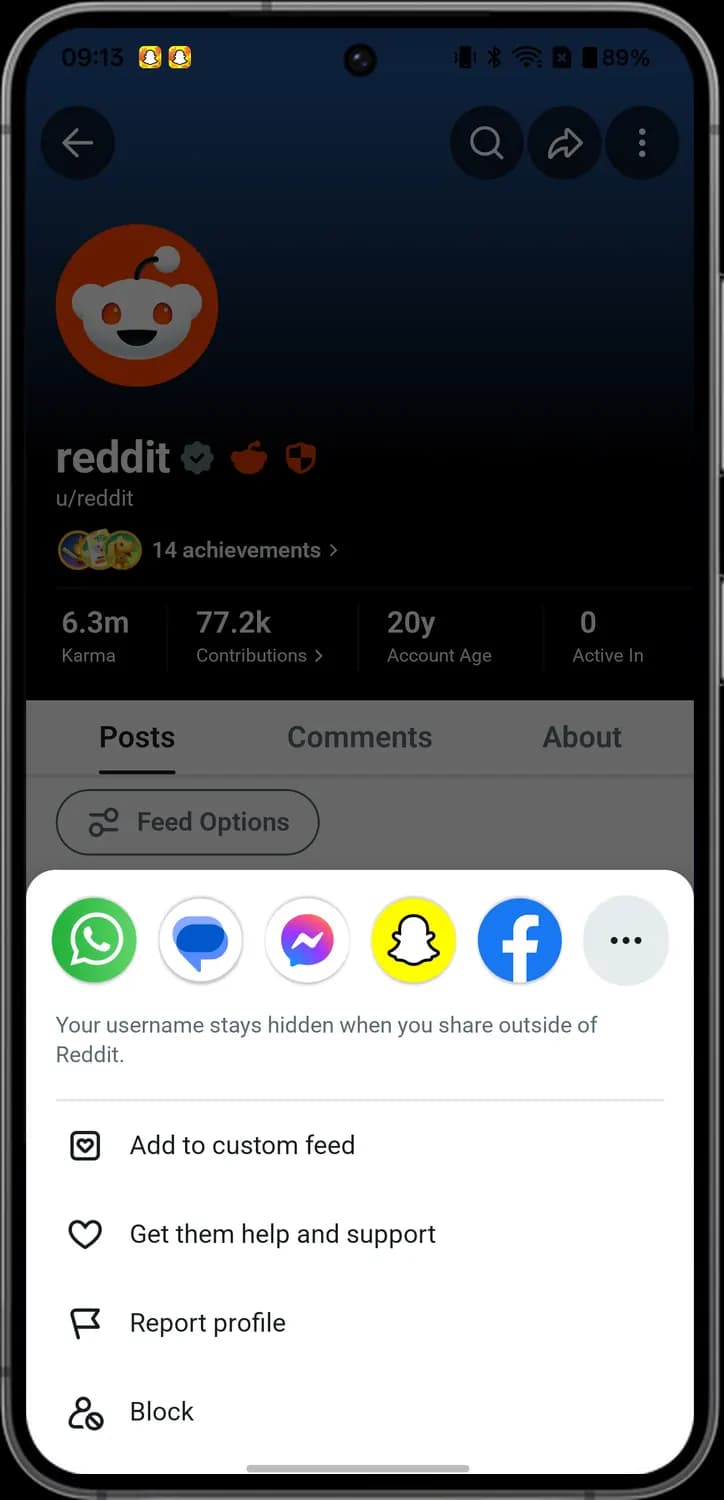

Share apps
The app icons along the top. Tap one to share the profile in that app, or the three dots for more apps.

Add to custom feed
The square with a heart. Tap it to add this account's posts to a custom feed you made.

Get them help and support
The heart. Tap it if you are worried about this person, and Reddit sends them support resources.

Report profile
The flag. Tap it to report the profile to Reddit.

Block
The person with a no sign. Tap it to block this account.
Settings
How to get here: HomeYouThree linesSettings
General and view
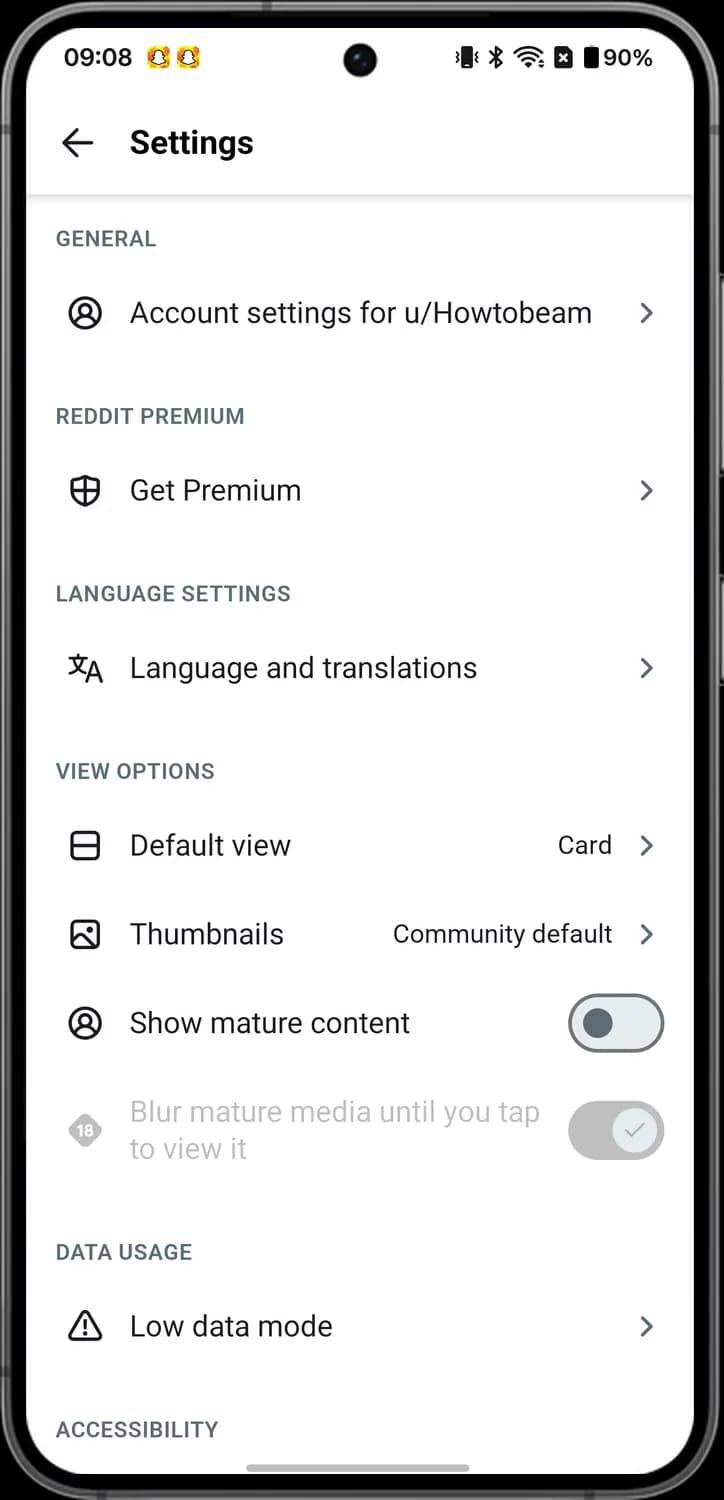

Account settings
The person in a circle. Opens the settings for your Reddit account.

Get Premium
The shield. Opens Reddit Premium, the paid plan.

Language and translations
The two letters. Opens the app language and translation options.

Default view
The rectangle split in two. Picks Card or Compact for how posts show in your feeds.

Thumbnails
The picture. Picks when posts show a small preview picture.

Show mature content
The person in a circle with a switch. The switch shows or hides posts marked 18+.

Blur mature media
The 18 badge. When on, 18+ pictures and videos stay blurred until you tap them. It is grey while mature content is off.

Low data mode
The triangle with an exclamation mark. Opens options to make Reddit use less mobile data.
Accessibility and dark mode
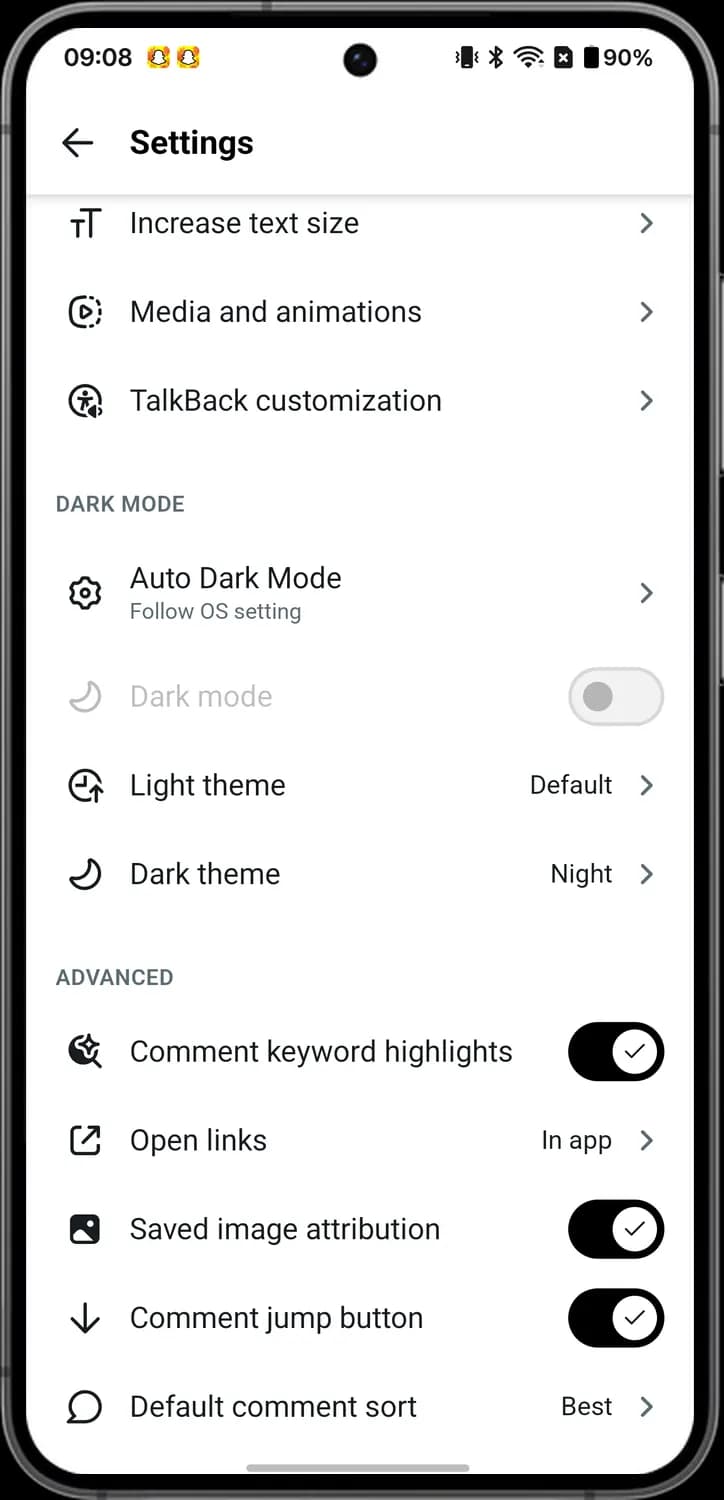

Increase text size
The small and big T. Makes the text in the app bigger.

Media and animations
The play button in a dotted circle. Opens the options for how videos and animations play.

TalkBack customization
The person in a circle. Opens options for using Reddit with the TalkBack screen reader.

Auto Dark Mode
The gear. Picks when dark mode turns on; Follow OS setting matches your phone.

Dark mode
The moon with a switch. Turns dark mode on or off. It is grey while Auto Dark Mode is on.

Light theme
The clock with an arrow. Picks the colour theme for light mode.

Dark theme
The moon. Picks the colour theme for dark mode, like Night.

Open links
The box with an arrow. Picks whether links open inside Reddit or in your browser.

Comment jump button
The arrow pointing down with a switch. When on, a button on a post jumps to the next comment.

Default comment sort
The speech bubble. Picks the order comments open in, like Best.
About and support
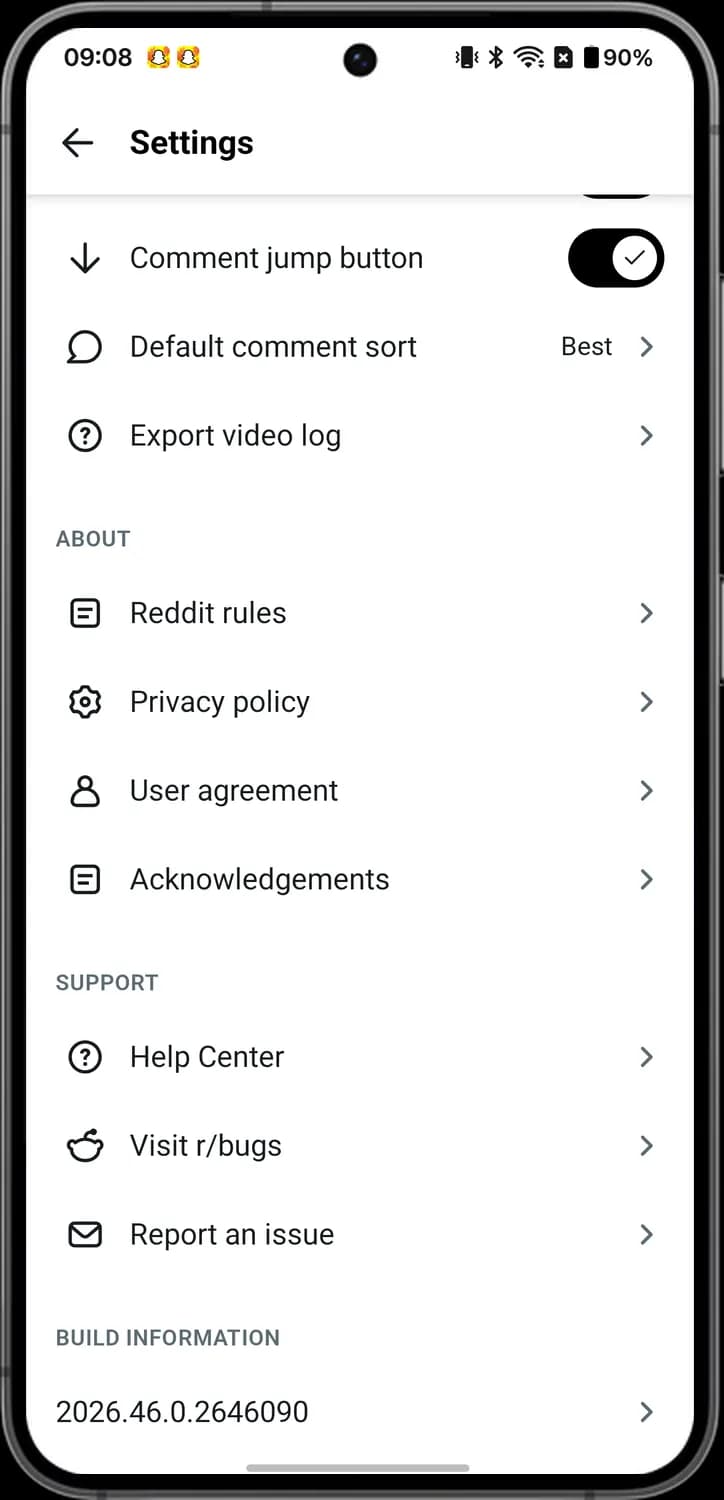

Reddit rules
The page with lines. Opens Reddit's rules.

Privacy policy
The gear. Opens Reddit's privacy policy.

User agreement
The person. Opens Reddit's user agreement.

Help Center
The question mark in a circle. Opens Reddit's help pages.

Visit r/bugs
The Reddit alien's head. Opens r/bugs, the community for reporting problems with the app.

Report an issue
The envelope. Lets you send Reddit a report about a problem.
Those are the meanings of Reddit icons and symbols. Reddit updates its app often and the icons change with it, so we update this guide every time they do, and you can bookmark this page to stay updated. These screens are from Reddit for Android, so a few icons may sit in slightly different places on iPhone or the web. For more icon guides, you can also visit our TechPP icon guides.
Comments
0Share your thoughts, questions, or feedback about this guide.
Leave a Comment