
OPPO secret codes for ColorOS (2026)
Last updated: Published November 5, 2026
OPPO phones hide a handful of dialer codes for checking your IMEI and software version, testing the hardware and sending bug reports to OPPO. The one most people need is *#899#, which opens the AfterSale diagnostics menu where you can test the screen, touch, cameras, speakers, microphone and sensors.
For those who are not aware, OPPO moved most of its older test codes into that one menu from ColorOS 13 onwards, so many codes you find online only work on older phones. I have marked those as legacy below.
Open the Phone app, go to the keypad and type the code. Codes vary by model and ColorOS version, so if one does nothing, your phone doesn't support it. New to this? Follow the step-by-step guide.
Device information
| Code | What it does | Copy |
|---|---|---|
| *#06# | Display IMEI number | |
| *#07# | Show SAR value and regulatory info | |
| *#1234# | Show software and ColorOS version | |
| *#6776# | Show software details and region version | |
| *#888# | Show motherboard PCB version |
Hardware testing
On ColorOS 13 and later, most hardware tests sit inside *#899#.
| Code | What it does | Copy |
|---|---|---|
| *#899# | Open AfterSale diagnostics and Engineer Mode | |
| *#36446337# | Open EngineerMode main pageLegacy: may not open on newer ColorOS | |
| *#808# | Manual engineering testsLegacy: older ColorOS only | |
| *#807# | Automatic hardware testsLegacy: older ColorOS only | |
| *#806# | Aging (burn-in) stress testLegacy: older ColorOS only |
Display, touchscreen and sensors
| Code | What it does | Copy |
|---|---|---|
| *#899# | Screen, touch and sensor tests | |
| *#99# | Keep the screen lit at full brightnessLegacy: older ColorOS only |
Camera, audio and vibration
| Code | What it does | Copy |
|---|---|---|
| *#899# | Camera, speaker, mic and vibration tests | |
| *#900# | Camera RGB colour testLegacy: older ColorOS only | |
| *#809# | Echo and microphone testLegacy: older ColorOS only |
Network, SIM and cellular testing
| Code | What it does | Copy |
|---|---|---|
| *#*#4636#*#* | Phone info, signal and network type | |
| *#803# | Network engineering testLegacy: older ColorOS only | |
| *#804# | Auto-disconnect test modeLegacy: older ColorOS only |
Wi-Fi, Bluetooth and GPS
| Code | What it does | Copy |
|---|---|---|
| *#802# | GPS time-to-first-fix testLegacy: older ColorOS only | |
| *#803# | Wi-Fi engineering testLegacy: older ColorOS only | |
| *#805# | Bluetooth engineering testLegacy: older ColorOS only |
Engineering, debugging and logs
Look, but avoid changing values in these menus.
| Code | What it does | Copy |
|---|---|---|
| *#800# | Feedback tool: report bugs and capture logs | |
| *#899# | Engineer Mode and AfterSale tools | |
| *#*#225#*#* | Calendar storage info | |
| *#*#426#*#* | Google Play services (FCM) diagnostics | |
| *#*#759#*#* | Google RLZ debug menu |
SIM and call forwarding
These are standard carrier codes, not OPPO-only codes. Results depend on your carrier.
| Code | What it does | Copy |
|---|---|---|
| *#21# | Check unconditional call forwarding | |
| *#61# | Check forwarding when unanswered | |
| *#62# | Check forwarding when unreachable | |
| *#67# | Check forwarding when busy | |
| *#43# | Check call waiting status | |
| *43# | Turn on call waiting | |
| #43# | Turn off call waiting | |
| *#31# | Check caller ID hiding status | |
| *#33# | Check outgoing call barring | |
| ##002# | Cancel all call forwarding | |
| **04*OLDPIN*NEWPIN*NEWPIN# | Change SIM PIN |
Factory reset and data wipe
Warning: do not dial these codes just to test them. Reported on older ColorOS; they can erase your phone without asking.
| Code | What it does | Copy |
|---|---|---|
| *#8778# | Erase all data (factory reset)Legacy: older ColorOS only | |
| *#*#7780#*#* | Factory data resetLegacy: does nothing on ColorOS 16 |
Looking for *#12580*369#? That is a Samsung code. On Galaxy phones it shows the firmware versions and hardware revision, but it does not do anything on OPPO phones. Use *#1234# or *#6776# to see your ColorOS version and region instead.
Before you try a reset code: the codes in the last group can erase your phone, some without asking. To reset an OPPO phone safely, back up your data and reset it from the Settings app instead.
How to use secret codes: step-by-step guide
Never used a dialer code before? It takes less than a minute, and you do not need to install anything or root your phone.
- 1
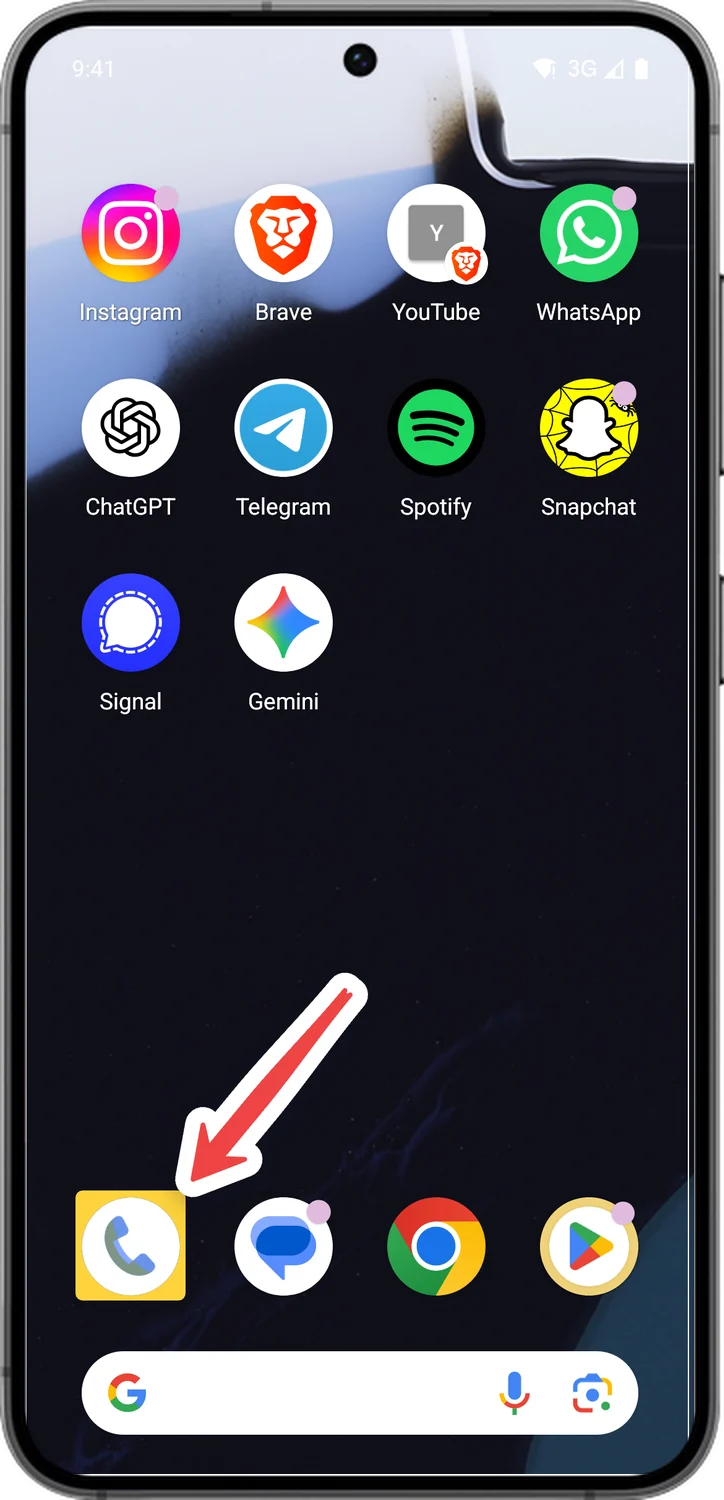
Open the Phone app
Tap the Phone app you use to make calls. It is usually in the dock at the bottom of your home screen.
- 2
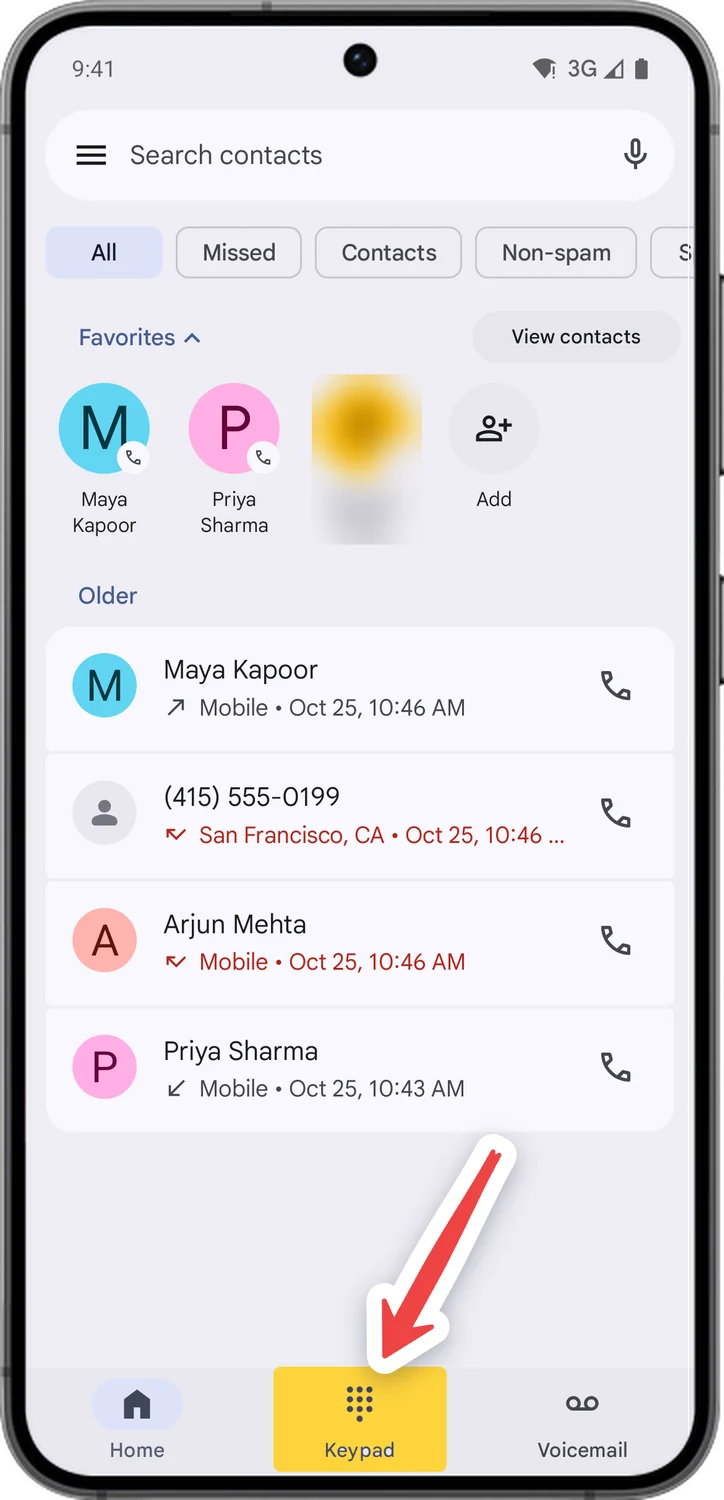
Open the keypad
Tap Keypad at the bottom. You should see the number buttons with * and # in the bottom row.
- 3
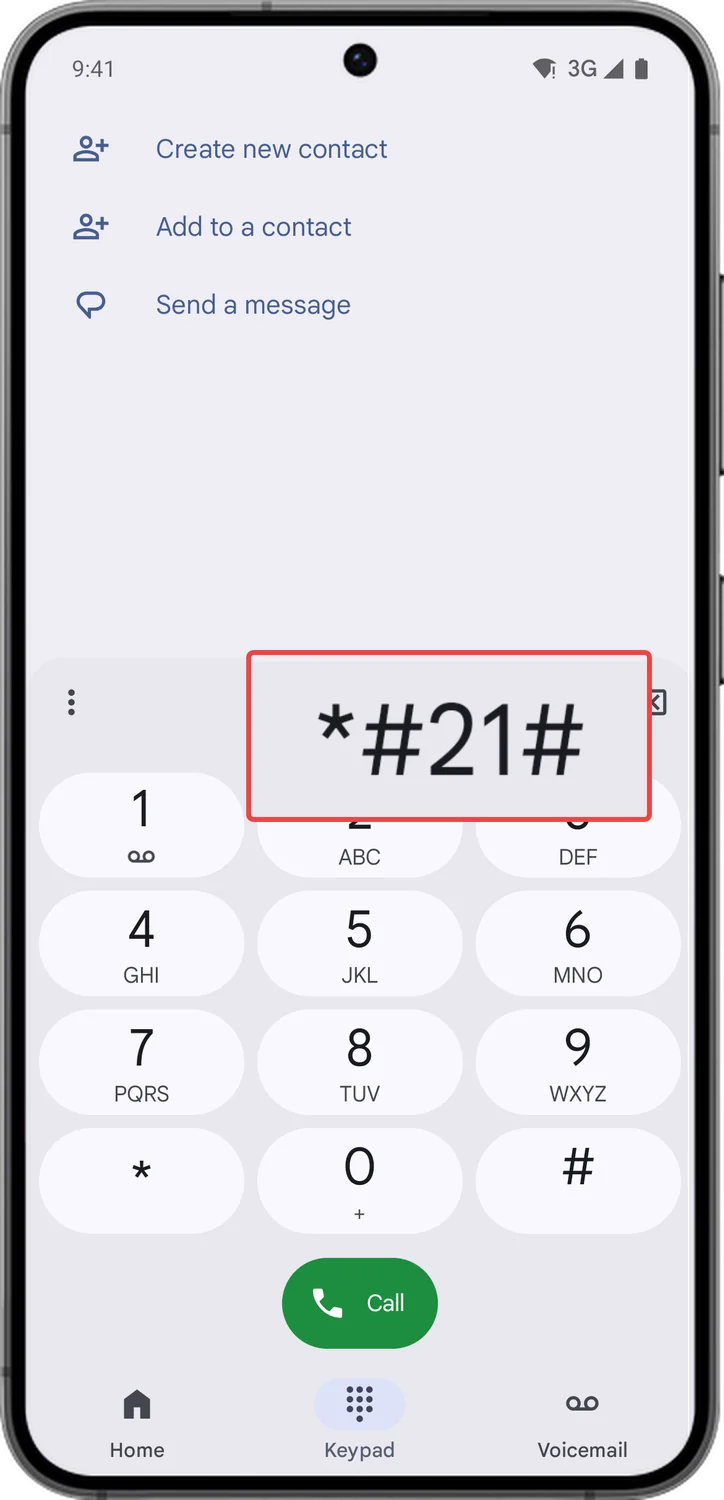
Type the code exactly as it appears
Type the code one key at a time, including every * and #. They sit on either side of 0. One wrong key and the code will not work.
- 4
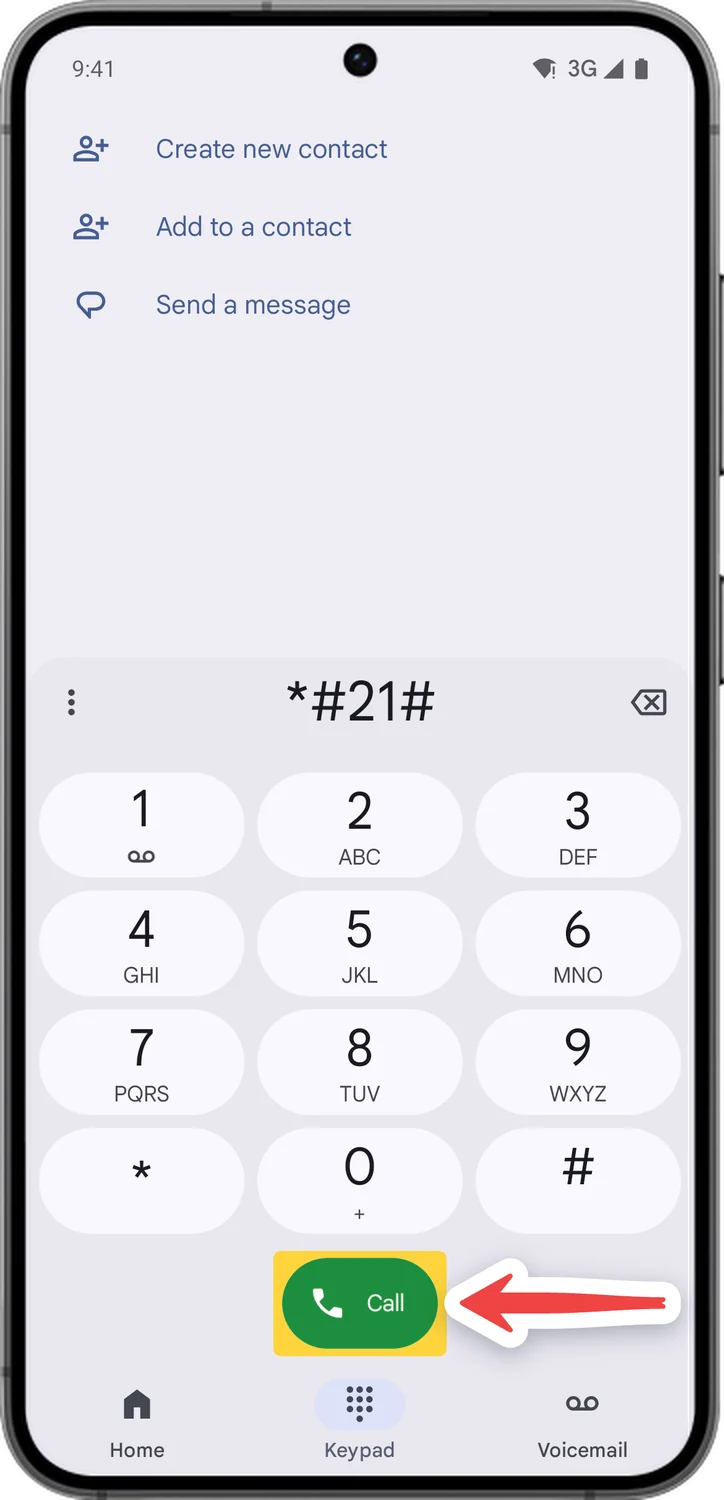
Press call if nothing happens
Most codes open on their own the moment you type the last #. Call forwarding and call waiting codes need the green Call button.
- 5
Read the screen, then go back
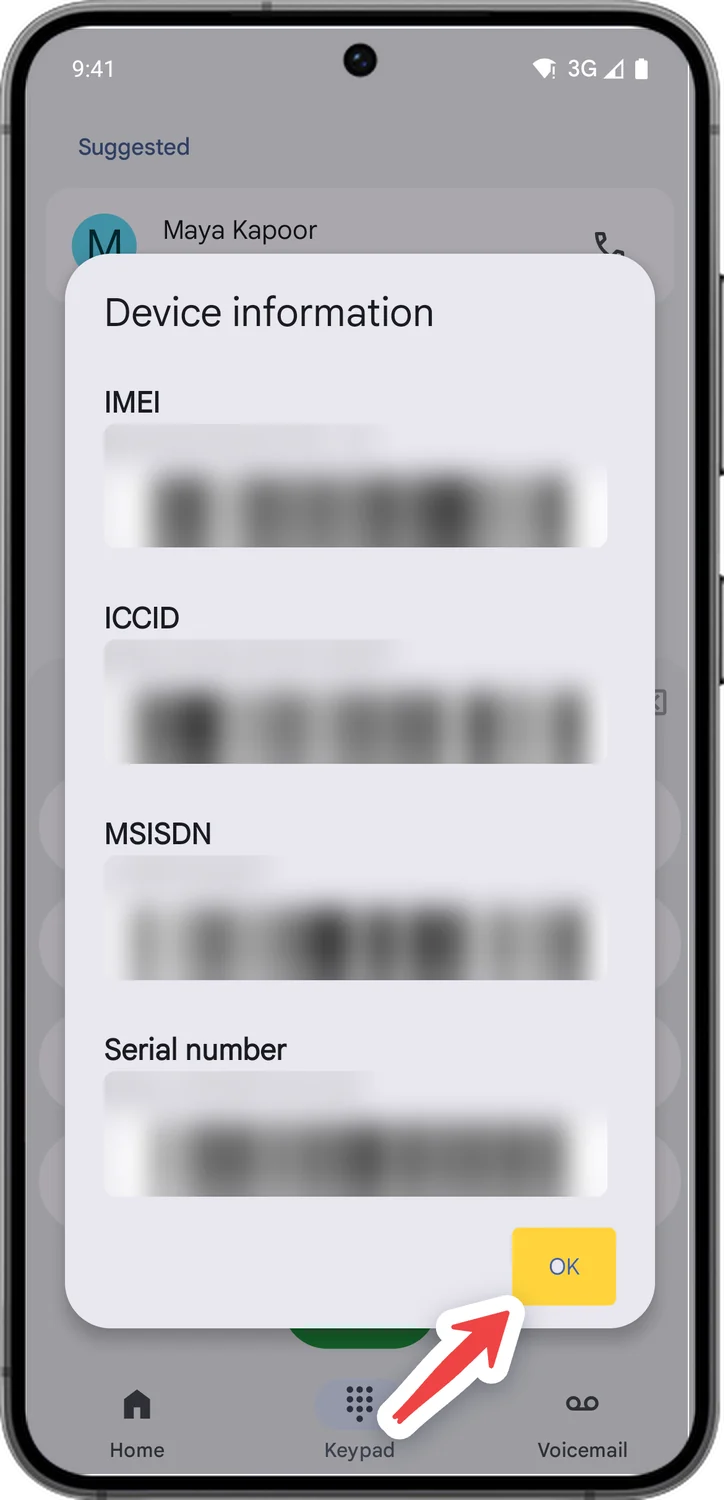
The result opens as a pop-up or a test menu. Read what you need, then tap OK or press Back. Nothing changes just by looking.
- Optional
Only if you would rather not type the code
6Paste a code instead of typing it
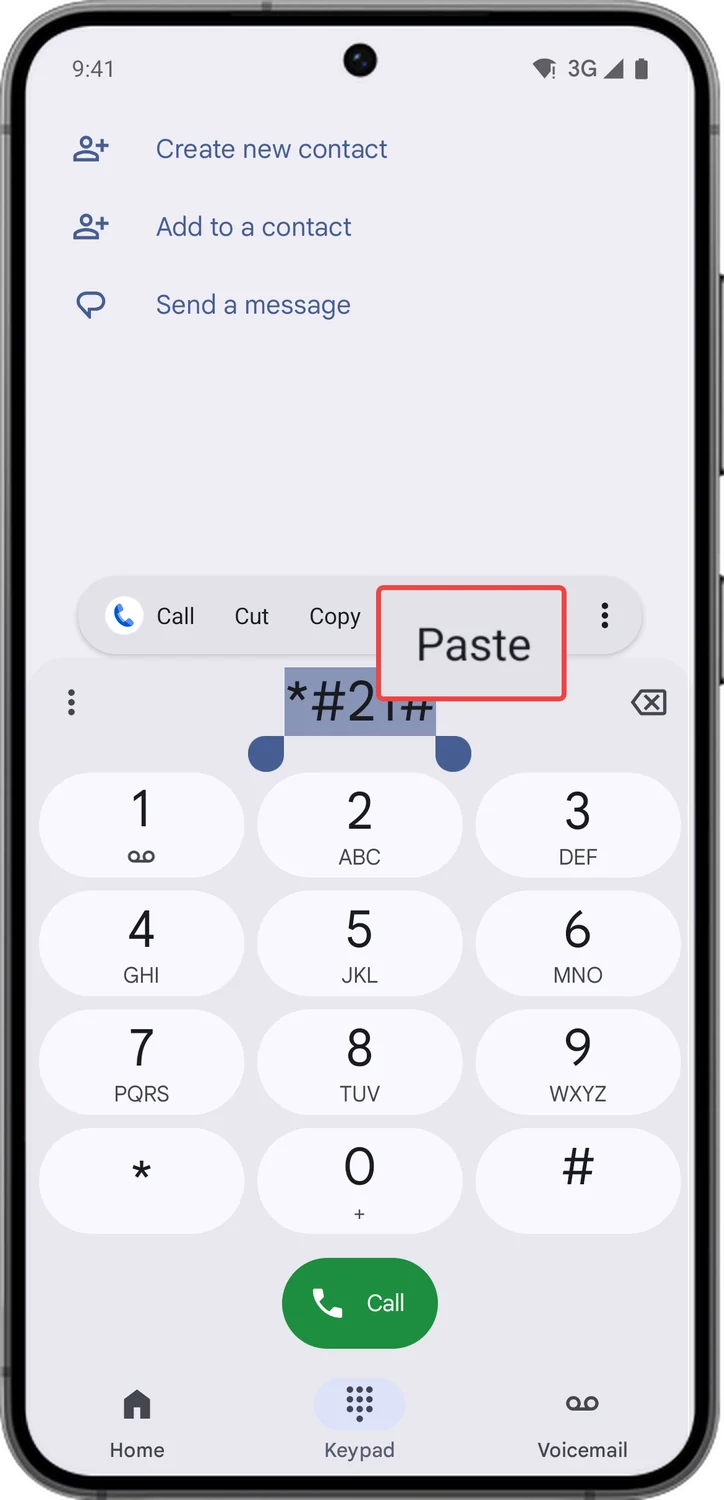
Tap Copy next to a code in the tables above, then tap and hold the number area on the keypad and choose Paste. If a pasted code does nothing, type it by hand.
Comments
0Share your thoughts, questions, or feedback about this guide.