
Keyboard sizes explained, from full size to 40%
If you have shopped for a mechanical keyboard recently, you have probably seen names like 75%, TKL or 65% and wondered what you actually give up with each one. The percentages are not exact measurements. They are just a rough way of saying how much of a full-size keyboard is left.
In this guide, you will learn about the different keyboard sizes in detail. First, we will show you all the keyboard sizes side by side, and in the next sections, we explain each keyboard layout in detail to help you understand them better. We have also included 3D illustrations of every keyboard for you. So if you are ready, grab your popcorn and let's get started. And if you have any questions or are still confused after reading this guide, comment below and we are happy to help you.
Different sizes of keyboards
100%104 keys
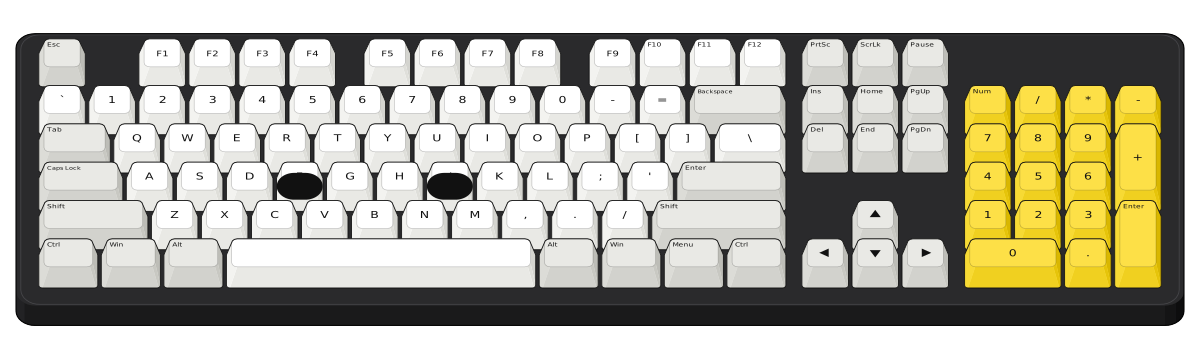
96%About 100
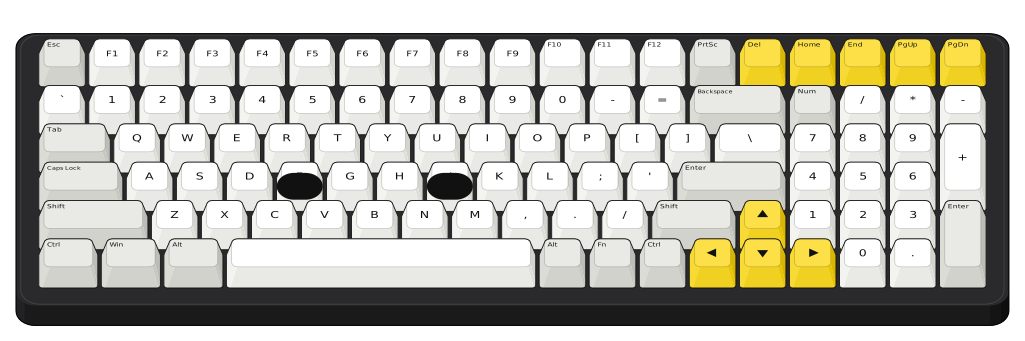
TKL87 keys
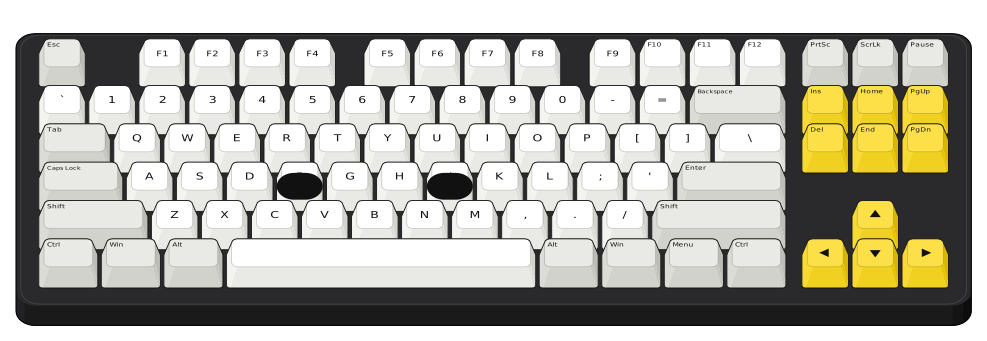
75%About 84
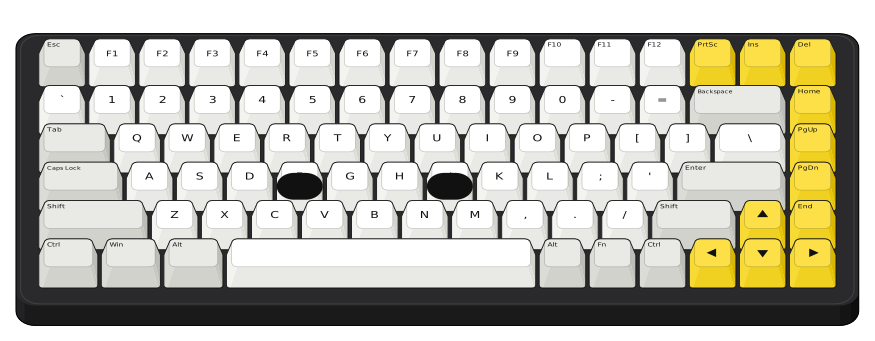
65%About 68
60%61 keys
40%40 to 50
Full-size keyboards (100%)
- Keys
- 104
- Also called
- 100%, full-size
- What you lose
- Nothing
- Good for
- Number entry and spreadsheets
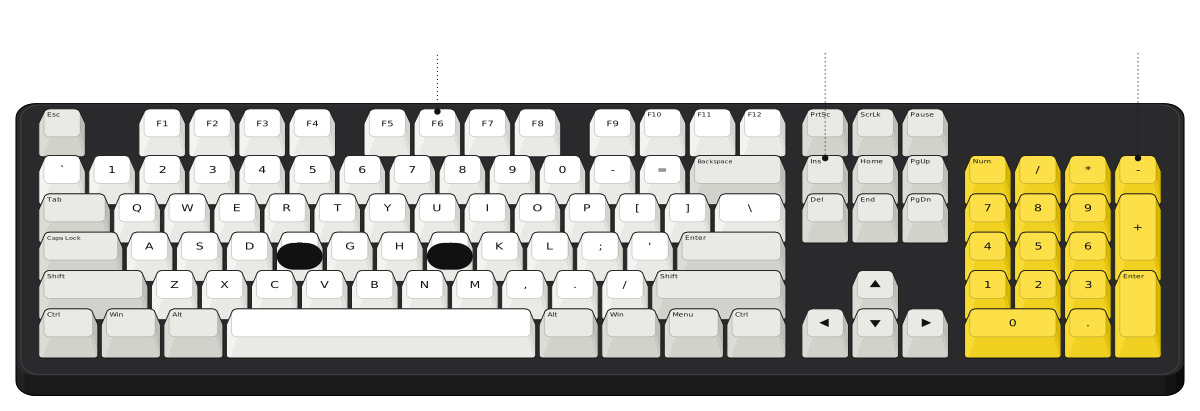 Function rowNavigation keysNumber pad
This is the keyboard most of us grew up with: the function row, the navigation keys, the arrows and a number pad on the right. If you type numbers all day, nothing beats a real number pad. The catch is the width. Your mouse ends up far to the right, and that is the main reason so many people move to a smaller board.
96% keyboards (1800)
- Keys
- About 96 to 100
- Also called
- 1800, compact full-size
- What you lose
- The gaps between key groups
- Good for
- Number pad users with less desk space
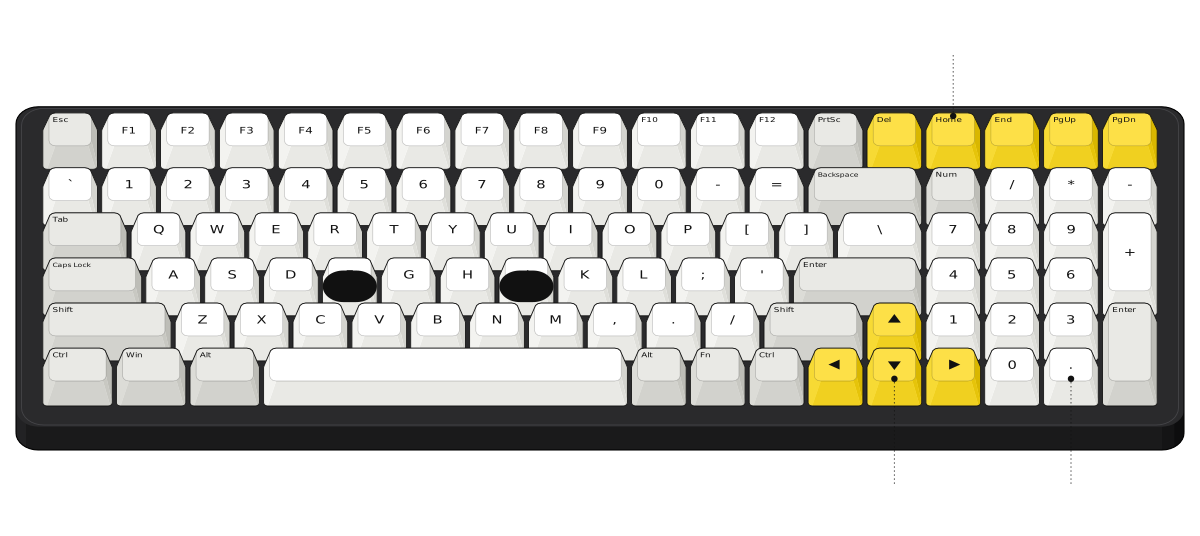 Navigation keys in the top rowArrows tucked inNumber pad
A 96% keeps almost every key of a full-size board, number pad included, but squeezes out the gaps. The navigation keys move up to the top row and the arrows tuck in next to a shorter right Shift. It takes a few days to find Home and End again, but the board is about 3.5 keys (roughly 6.7 cm) narrower. The one drawn here has 100 keys.
Tenkeyless (TKL) keyboards (80%)
- Keys
- 87
- Also called
- Tenkeyless, 80%
- What you lose
- The number pad
- Good for
- Gaming and everyday typing
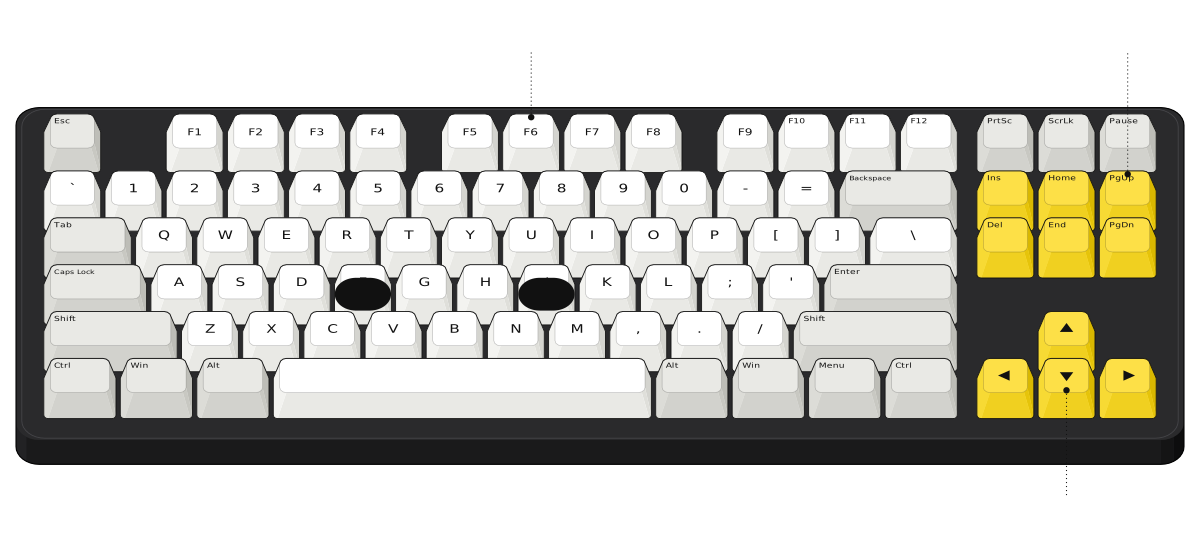 Function rowNavigation keysArrow keys
TKL stands for tenkeyless, which simply means no number pad. Everything else stays exactly where it is on a full-size board, so there is nothing new to learn. Dropping the number pad saves about 4.25 keys (roughly 8 cm) of width, which brings your mouse closer. That is why TKL is one of the most common sizes for gaming keyboards.
75% keyboards
- Keys
- About 84
- Also called
- Compact TKL
- What you lose
- Insert, Scroll Lock, Pause and the gaps
- Good for
- Most people
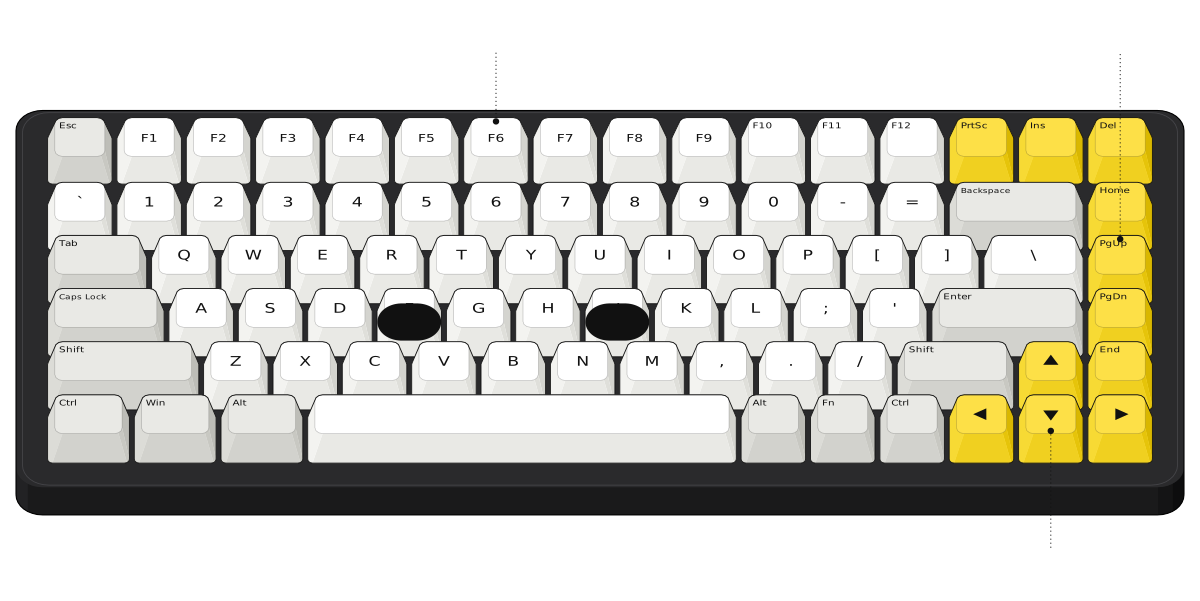 Function row keptOne column of navigation keysArrows tucked in
A 75% keeps the function row and the arrow keys but packs everything together. The navigation keys shrink to a single column on the right, and the arrows sit in the corner next to a shorter right Shift. If you ask me, this is the sweet spot for most people: you keep every key you use daily, and the board is about 2.25 keys narrower than a TKL. Some 75% boards swap a key for a volume knob, so the count is usually between 80 and 84.
65% keyboards
- Keys
- About 68
- Also called
- 68-key
- What you lose
- The function row
- Good for
- Small desks, with arrows kept
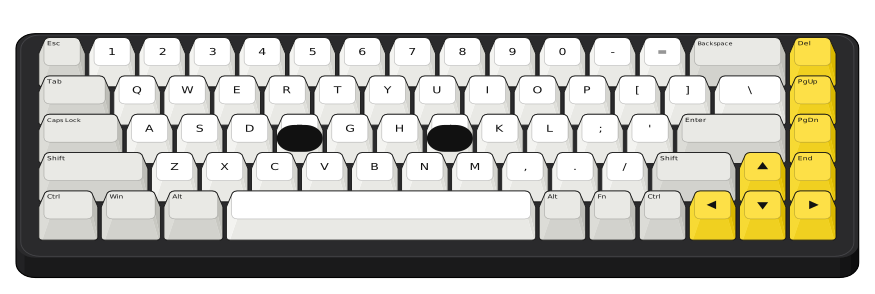
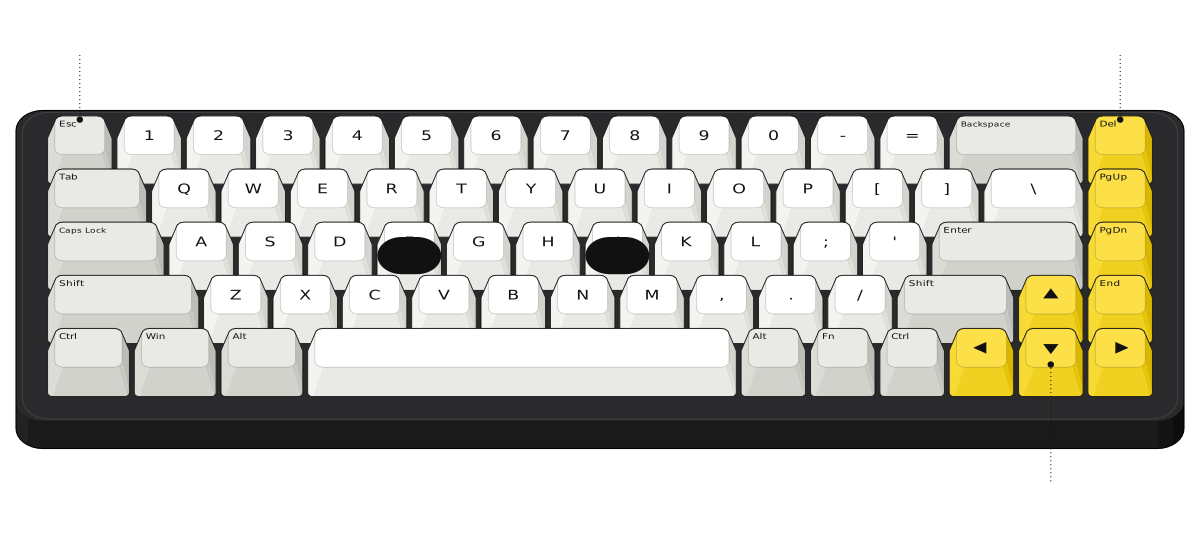 Esc takes the ` key's spotNavigation columnArrow keys
A 65% takes a 75% and removes the function row. Esc moves to where the ` key usually sits, and you reach F1 to F12 by holding Fn and pressing a number key. You still get dedicated arrows and a small column of navigation keys, which is why many people find 65% easier to live with than 60%.
60% keyboards
- Keys
- 61
- Also called
- 61-key
- What you lose
- Function row, arrows and navigation keys
- Good for
- Travel and maximum mouse room
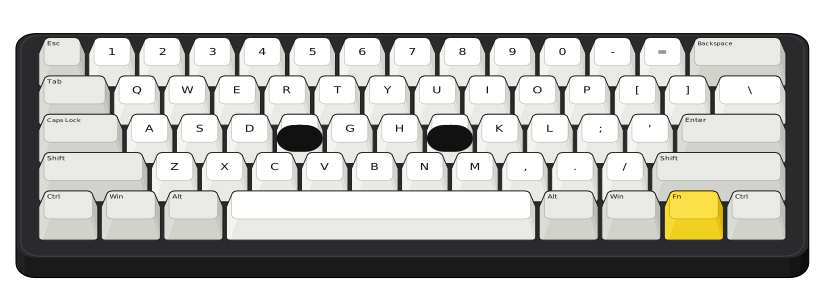
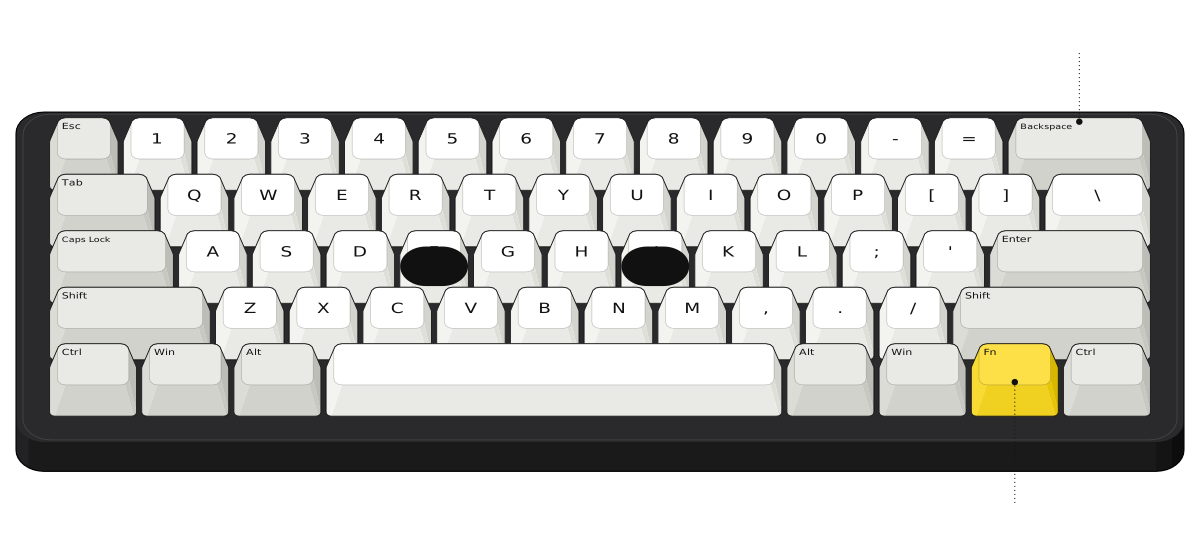 No arrows or function rowFn reaches the missing keys
A 60% is just the main typing block: letters, numbers and modifiers. No function row, no arrows, no navigation keys. Everything else lives on an Fn layer, so you hold Fn and press another key to get an arrow or Delete. Which keys do what depends on the board. It is great for travel and for gamers who want the mouse right next to the keyboard, but expect some getting used to.
40% keyboards
- Keys
- Usually 40 to 50
- Also called
- 40%
- What you lose
- The number row too
- Good for
- Enthusiasts who like layers
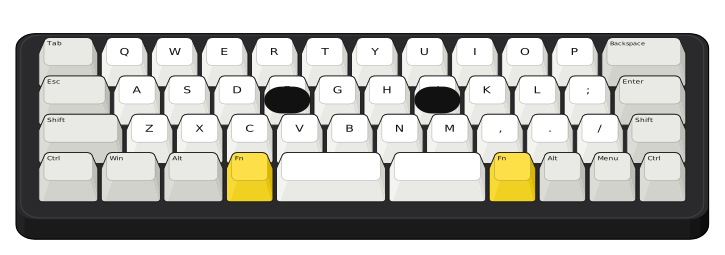
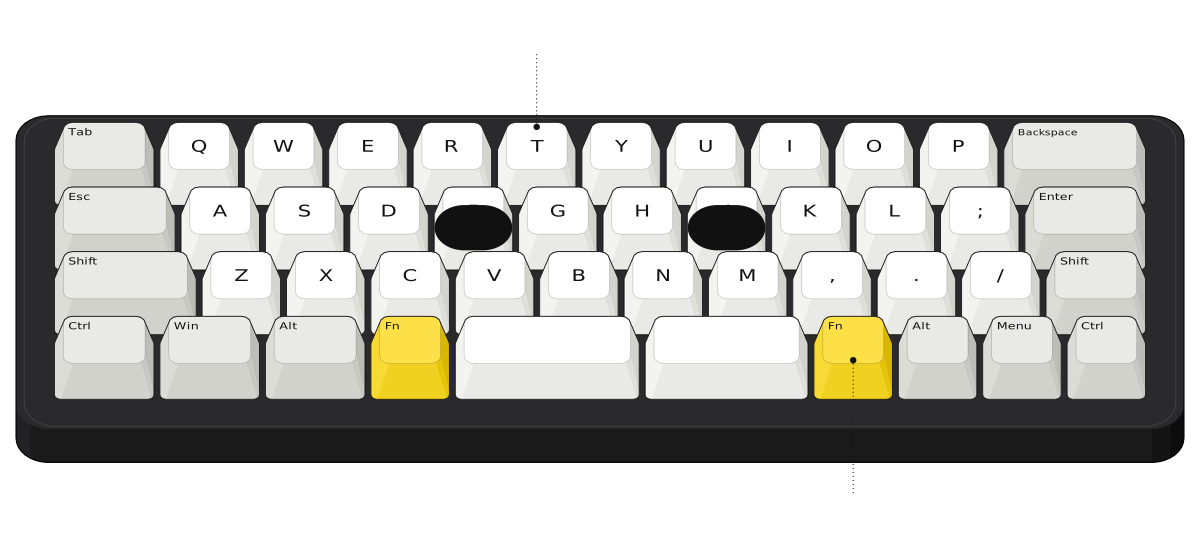 No number rowFn layers for numbers and symbols
A 40% drops the number row as well, leaving the letters and a few modifiers. Numbers, symbols and arrows all live on layers you reach with Fn keys. It is tiny and fun, but honestly, it is for people who enjoy tweaking layouts. If you write code or type a lot of numbers, the learning curve is steep.
Ergonomic keyboard layouts
The sizes above are all straight, one-piece boards. Ergonomic layouts change the shape instead, to keep your wrists straighter. The two you will see most often are split keyboards and the Alice layout.
Split keyboards
- Keys
- Varies by model
- Also called
- Split
- What you lose
- Nothing, but keys are spread over two halves
- Good for
- Wrist and shoulder comfort
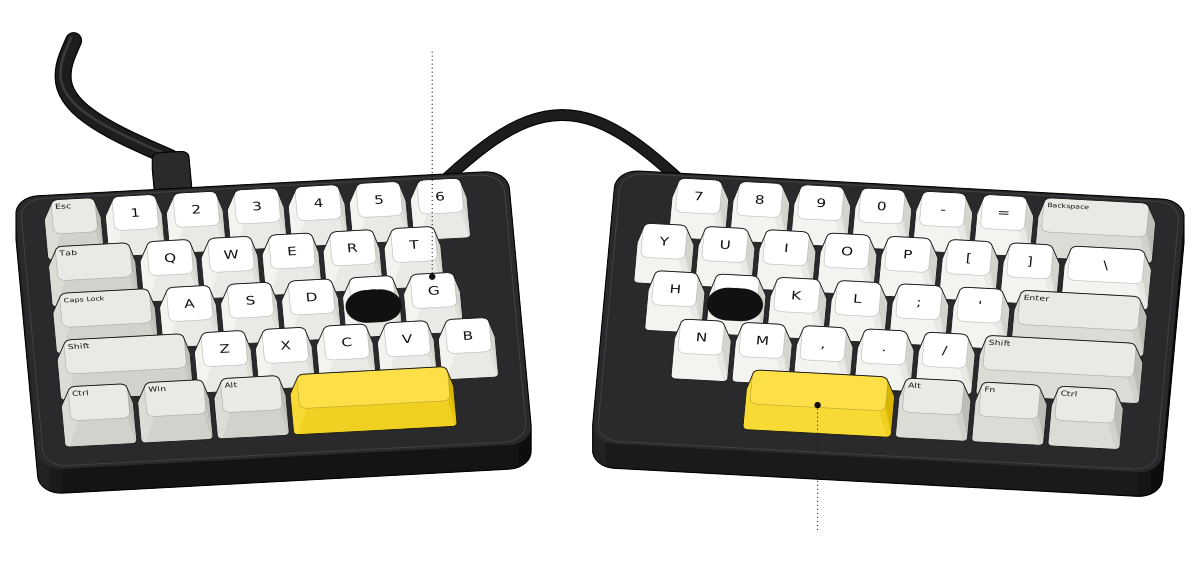 Two separate halvesOne spacebar per thumb
A split keyboard breaks the board into two halves that you place apart, so your hands sit about shoulder width apart and your wrists stay straight. Each thumb usually gets its own spacebar or keys. Not just that, some split boards can also tent (tilt up in the middle) for extra comfort. The catch is that you have to type with the correct hand: if you press B with your right hand, it will now be on the other half.
Alice layout keyboards
- Keys
- Varies by model
- Also called
- Alice-style
- What you lose
- Some of the usual key positions
- Good for
- A gentle start with ergonomics
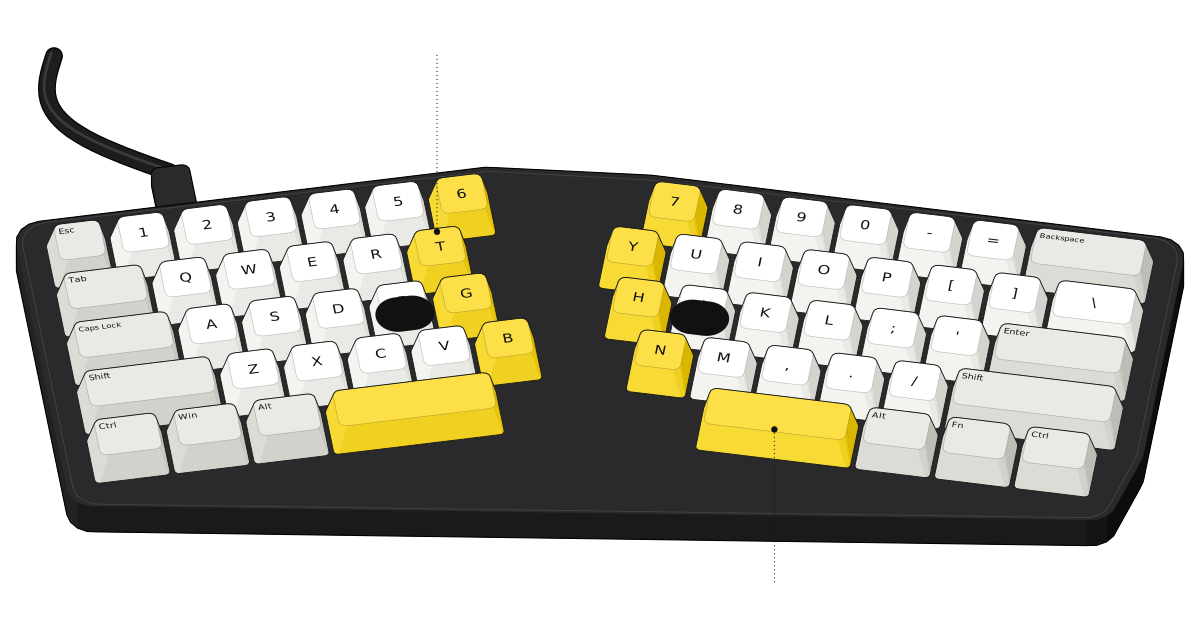 Halves angled like your wristsTwo spacebars
The Alice layout keeps both halves in one case but angles them, so the rows follow the natural angle of your wrists. Each half gets its own spacebar. It is a middle ground: more comfortable than a straight board, and much easier to get used to than a fully split keyboard.
ANSI vs ISO keyboard layouts
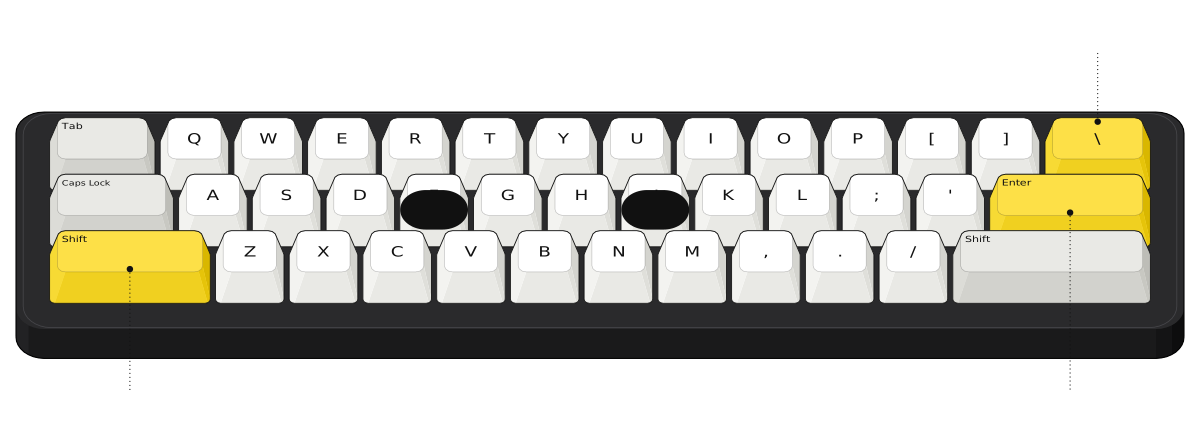 Long left ShiftWide, flat Enter\ above Enter
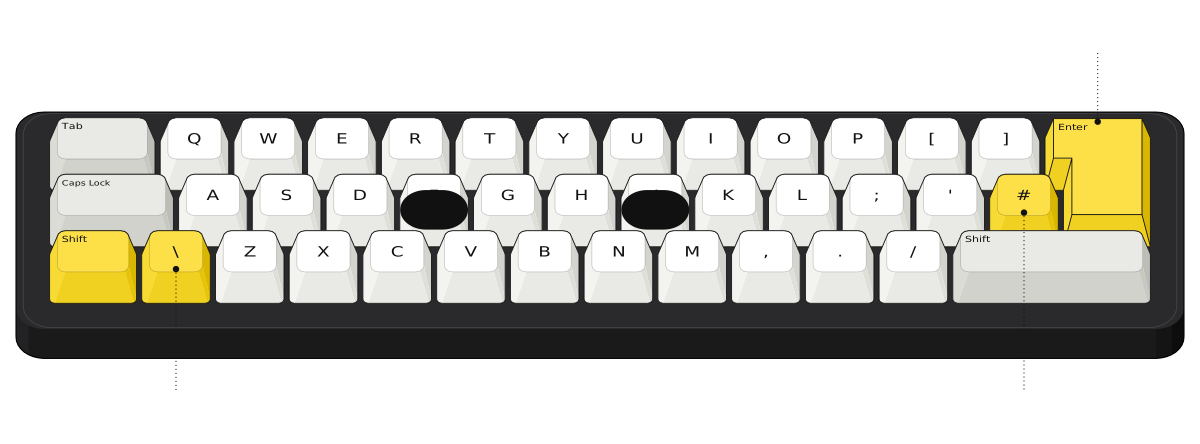 Short left Shift, extra keyTall Enter# key
Every size above comes in two main standards. ANSI is the US standard: a wide, flat Enter key, a long left Shift and the backslash key above Enter. ISO is used in the UK and most of Europe: a tall Enter that spans two rows, a short left Shift with an extra key next to it, and one more key beside Enter.
So an ISO board has one extra key: 105 on a full-size keyboard and 88 on a TKL. If you are in the US, you almost certainly want ANSI, and it also has the widest choice of keycap sets.
Keyboard sizes compared
| Layout | Keys (ANSI) | What you lose | Good for |
|---|---|---|---|
| Full size (100%) | 104 | Nothing | Numbers and spreadsheets |
| 96% (1800) | About 96 to 100 | Gaps between key groups | Number pad on a smaller desk |
| TKL (80%) | 87 | Number pad | Gaming, everyday typing |
| 75% | About 84 | Insert, Scroll Lock, Pause | Most people |
| 65% | About 68 | Function row | Small desks, arrows kept |
| 60% | 61 | Function row, arrows, navigation keys | Travel, more mouse room |
| 40% | Usually 40 to 50 | Number row too | Enthusiasts |
| Split | Varies | One-piece board | Wrist and shoulder comfort |
| Alice | Varies | Straight rows | A gentle start with ergonomics |
Which keyboard size should you buy?
Start with what you would miss. If you type numbers every day, stay with full size or 96%. If you use the arrows and F keys a lot but never touch the number pad, a TKL or 75% is the easy choice. If desk space or travel matters most and you are happy to learn an Fn layer, go 65% or 60%.
Size is only one part of it. Our mechanical keyboard buying checklist walks you through size, switches, connection and build, and prints your own wish list at the end.
Comments
0Share your thoughts, questions, or feedback about this guide.